6 | Operation
User reference guide
38
CVXM-A, FVXM-A, CVXM-A9, FVXM-A9, FVXTM-A
Split system air conditioners
4P625990-1D – 2022.09
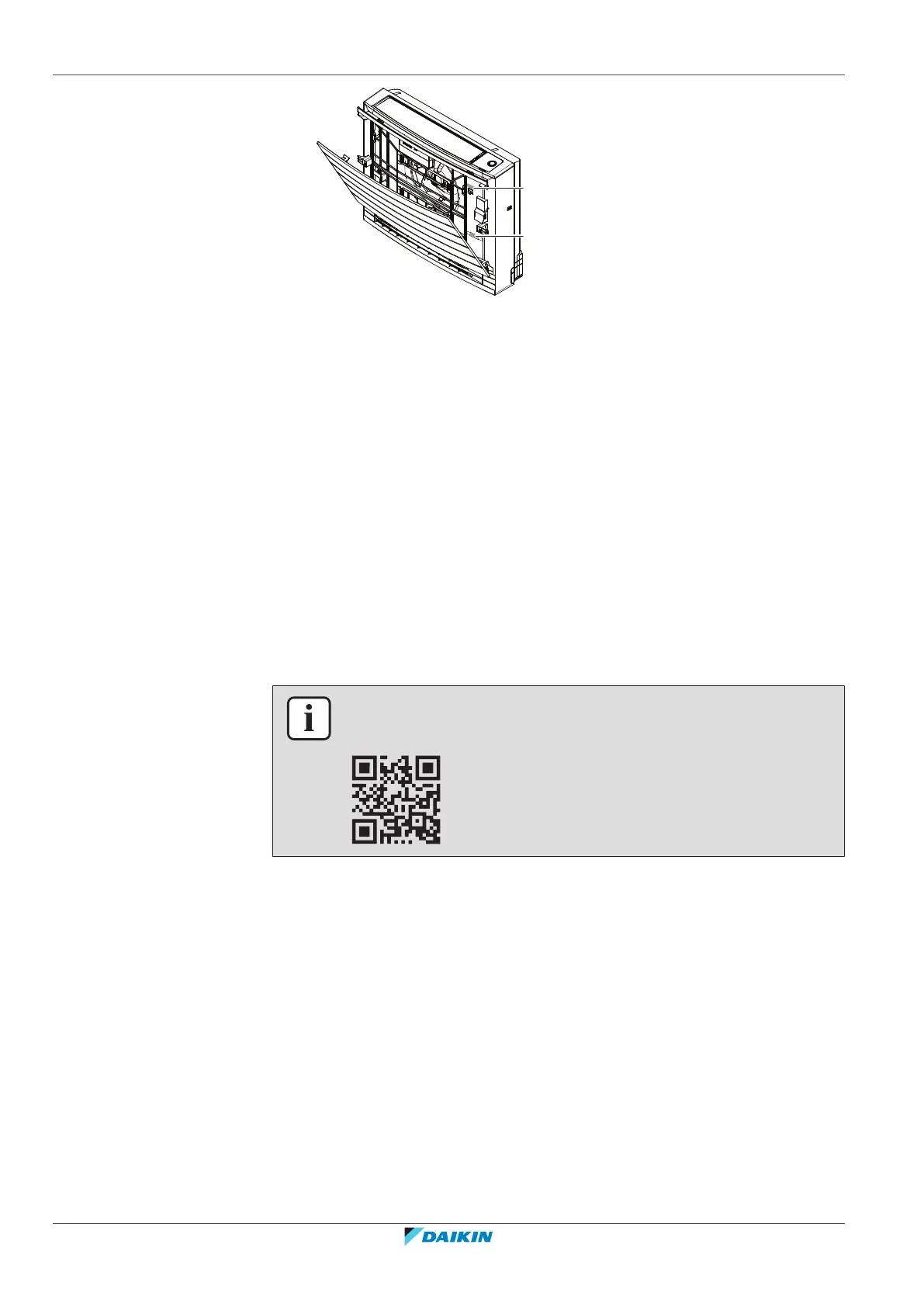
a Label with SSID number, password and key
b Additional sticker with SSID number, password and key
6.13.1 Precautions when using the wireless LAN
Do NOT use near:
▪ Medical equipment. E.g. persons using cardiac pacemakers or defibrillators. This
product may cause electromagnetic interference.
▪ Auto-control equipment. E.g. automatic doors or fire alarm equipment. This
product may cause faulty behaviour of the equipment.
▪ Microwave oven. It may affect wireless LAN communications.
6.13.2 To install the ONECTA app
1 Go to Google Play (for Android devices) or the App Store (for iOS devices) and
search for "ONECTA".
2 Follow the directions on the screen to install the ONECTA app.
INFORMATION
Scan the QR code to download and install the ONECTA app on your mobile phone or
tablet:
6.13.3 To set the wireless connection
There are two options to connect the wireless adapter with your smart device.
▪ Connect the wireless LAN to your smart device directly.
▪ Connect the wireless LAN to your home network. The wireless LAN will
communicate with your smart device in your home network using a modem,
router or a similar device.
For more information and FAQ refer to app.daikineurope.com.
1 Stop operation before setting the wireless connection.
2 Use the wireless remote control to select the wireless LAN setting menu.
Note: During setting, always aim the wireless remote control at the infrared signal
receiver on the unit.






 To Next Page