8 | Maintenance and service
User reference guide
51
CVXM-A, FVXM-A, CVXM-A9, FVXM-A9, FVXTM-A
Split system air conditioners
4P625990-1D – 2022.09
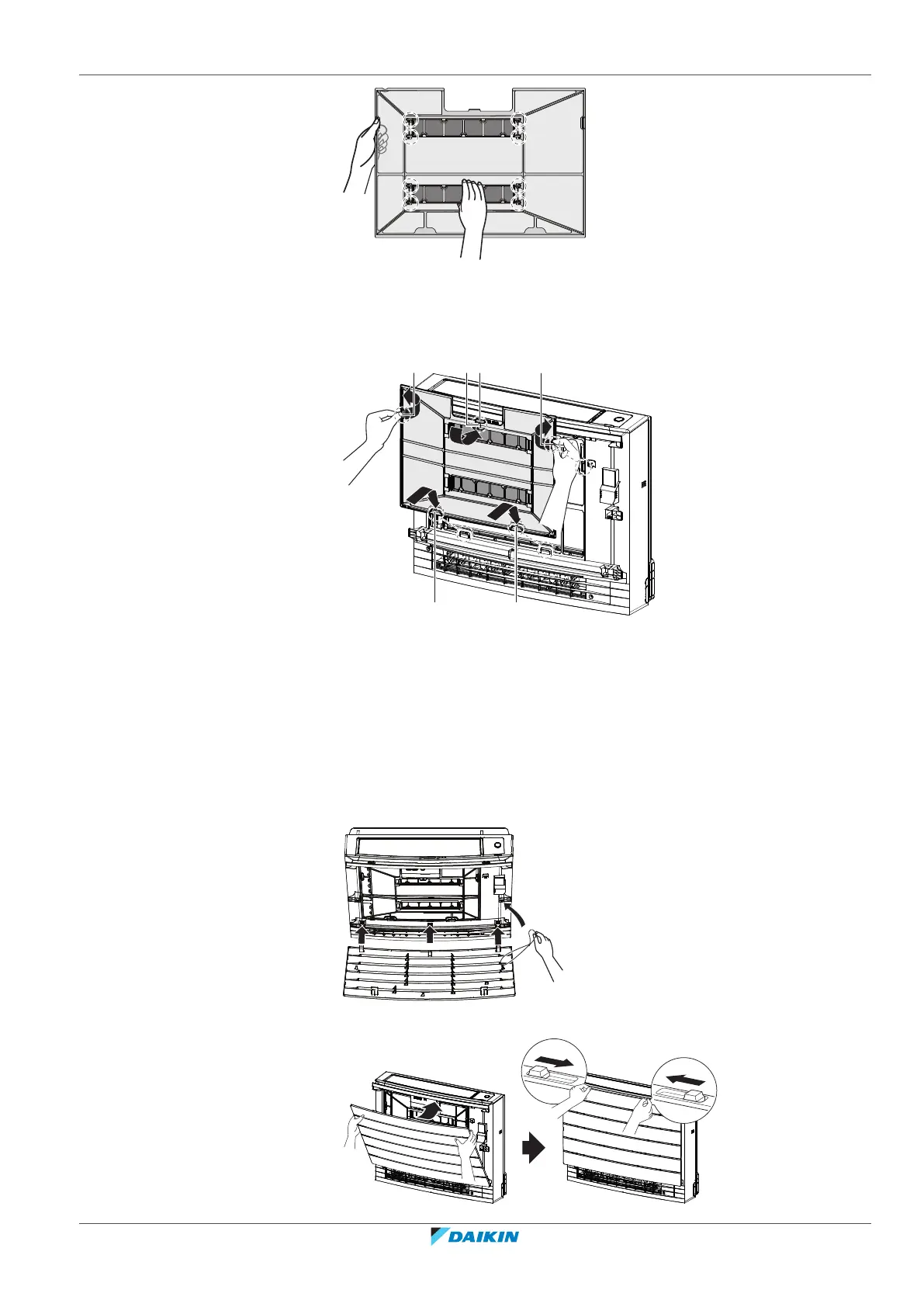
2 Insert the filter tabs to the claws on the bottom (d). Hold the air filter by the
filter knob (b) and insert the air filter tab to the claw (c) on the top. Insert the
air filter tabs to the claws (a) on the sides. Make sure the air filter is securely
fixed in all positions.
a Tabs for claws on the side
b Filter knob
c Tab for the claw on the top
d Tabs for claws on the bottom
8.10 To re-install the front panel
1 Insert the front panel into the grooves of the unit (3 places) and attach the
string.
2 Close the front panel and slide both sliders until they click.






 To Next Page