4.ApplicationInformation
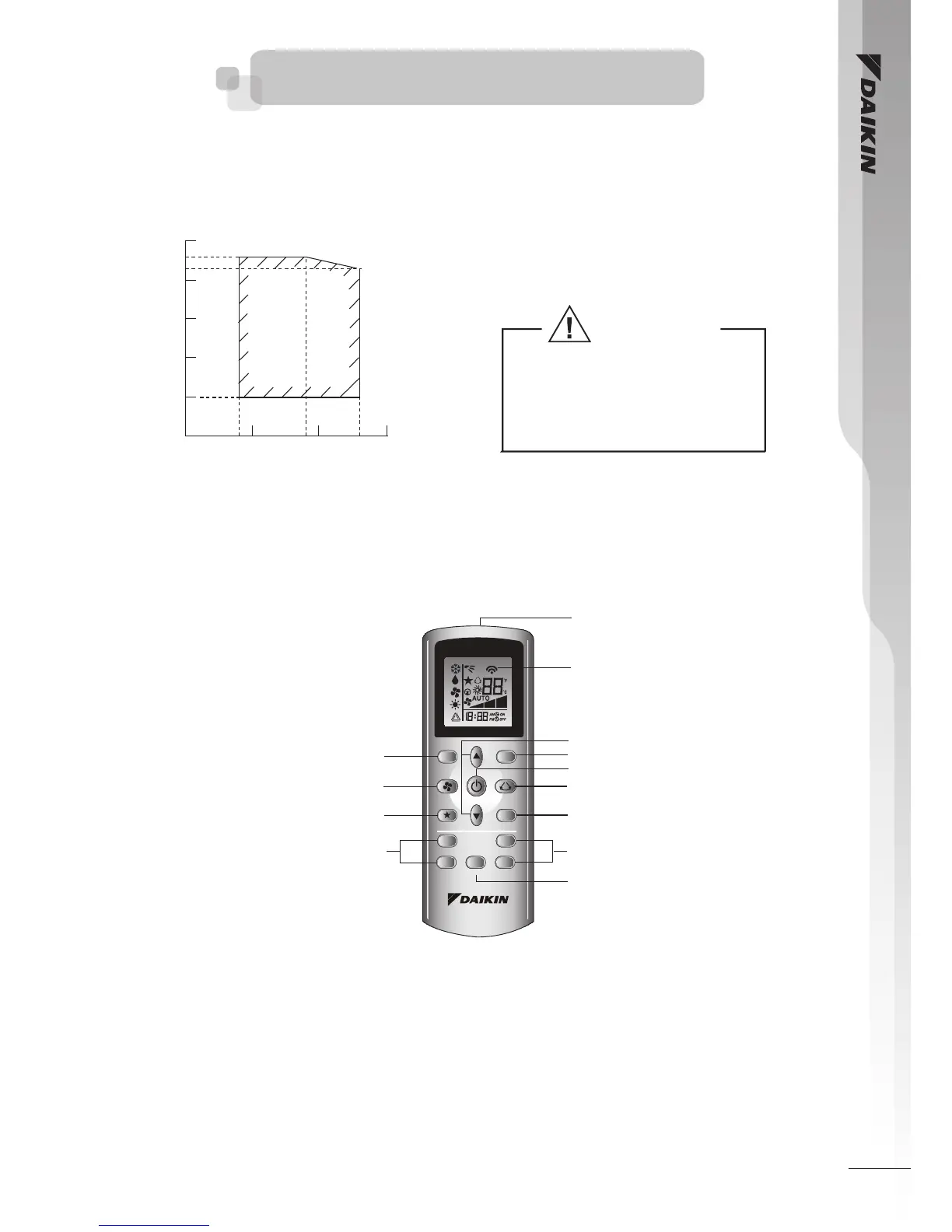
Operating Range
Ensure the operating temperature is in allowable range.
Caution :
The use of your air conditioner
outside the range of working
temperature and humidity can
result in serious failure.
Cooling
DB: Dry bulb WB: Wet bulb
OUTDOOR TEMP. DB (˚C)
INDOOR TEMP. WB (˚C)
50
46
43
40
30
20
10
0
10
14
15
19
20
23
25
Controller
DGS01
Operating Guide
1 Transmission Source
• The source where the signal will be transmitted.
2 Signal Transmission Indication
• Blink to confirm that the last setting has been transmitted to the unit.
3 “ON/OFF” Button
• Press once to start the air conditioner unit.
• Press again to stop the unit.
4 Fan speed selection
• Press the button continuously will toggle the fan speed in the following order:
Low � Med � High � Auto
• Stop pressing when the desired fan speed appears on the display screen.
5 Operation mode
• Press the MODE button to select the type of operating mode.
• For cooling only unit, the available modes are: COOL ( ), DRY ( ) and FAN ( ).
6 Automatic air swing
• Press the SWING ( ) button to activate the automatic air swing function.
• To distribute the air to a specific direction, press the SWING ( ) button andwait until the louver
move to the desired direction and press the button once again.
7 Turbo function
• Press for fast cooling operation.
• Fan speed turn to maximum speed.
• Press again to deactivate the function.
• Available under COOL and DRY modes only.
• Any change of fan speed will deactivate this function.



 To Next Page