Troubleshooting by Indication on the Remote Controller
91
Troubleshooting
Note:
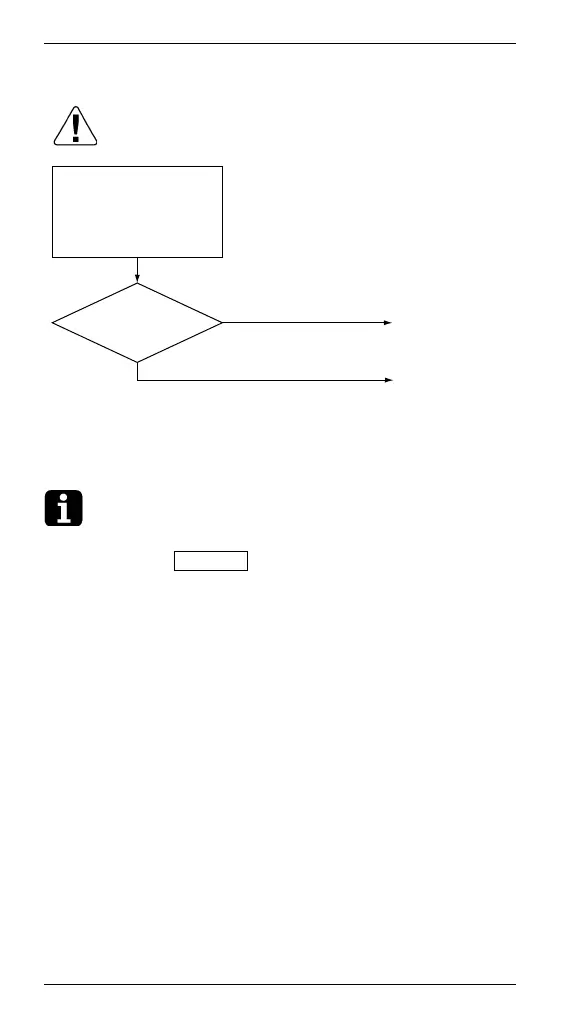
∗1. How to delete “history of error codes”.
Press the ON/OFF button for 4 seconds and more
while the error code is displayed in the inspection
mode.
Clear the error code
history. (∗1) (While in
inspection mode, press
and hold the “ON/OFF”
button for a period of 4
seconds or more.)
YES
Caution
Be sure to turn off the power switch before
connecting or disconnecting connectors, or parts
may be damaged.
Is "CJ"
displayed on the
remote controller?
Replace the
remote controller.
External factor
other than
equipment error.
(for example,
noise etc.)
NO





 To Next Page