45. GS v 0
Print raster bit image
[Code] [1Dh] + [76h] + [30h] + m + xL + xH + yL + yH + D1 + … + Dn
[Range] {0 <= m <= 3; 48 <= m <= 51}
{0 <= xL <= 255}
{0 <= xH <= 255}
{0 <= yL <= 255}
{0 <= yH <= 255}
{0 <= Di <= 255}
[Outline] Prints a bit image.
The value of xH is ignored.
Although yH could be from 0 to 255 the high four bits are ignored,
so yH can actually be from 0 to 15.
xL is the number of bytes in horizontal direction (xL*8 dots).
The number of dots in vertical direction is equal to yL+yH*256.
The number of data bytes k = xL * (yL+yH*256). However k must
not be equal to 0 or the bit image will be discarded.
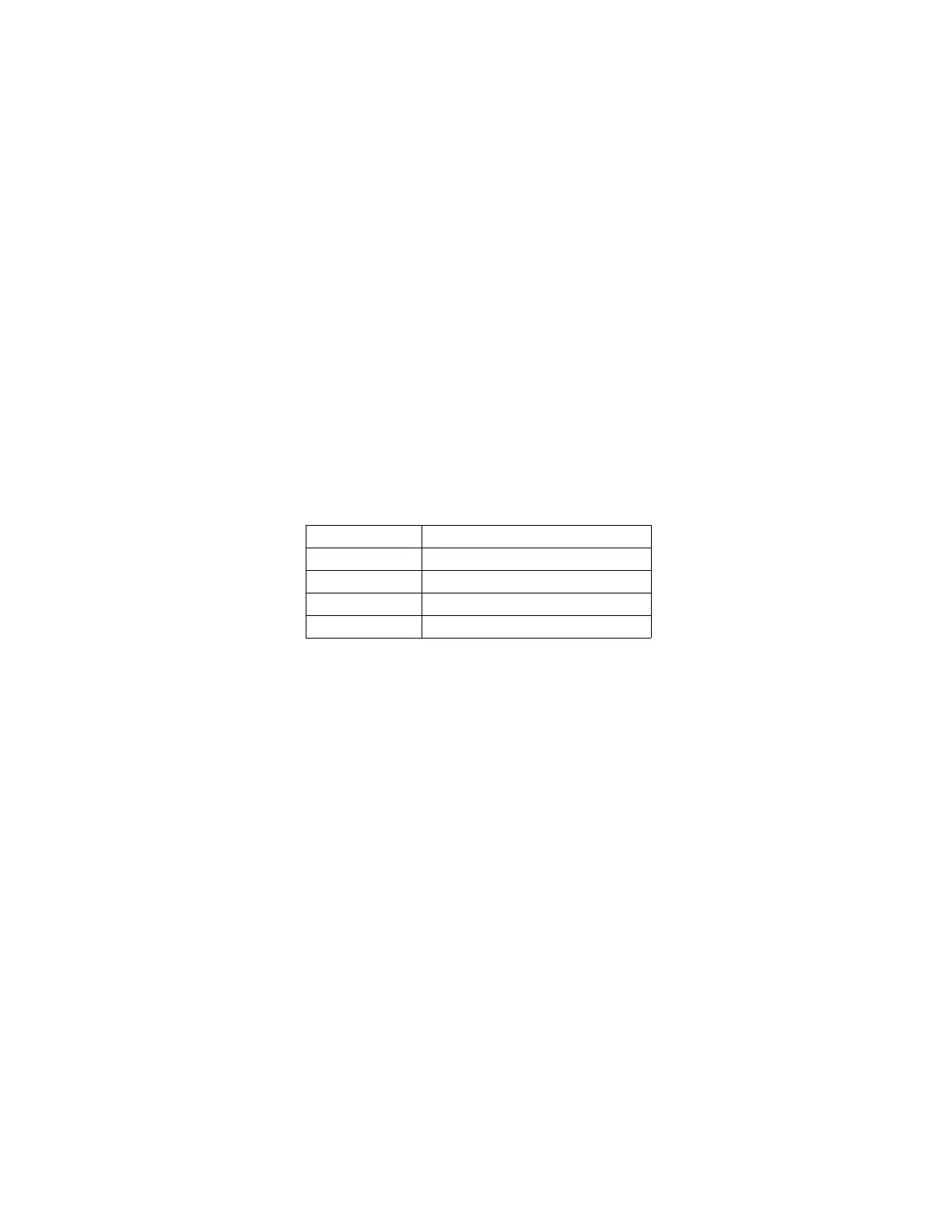
m defines the printing mode of the bit image according to the
following table:
The bit image is defined line by line from left to right. The most
significant bit of each byte is the leftmost dot and the least
significant bit is rightmost dot.
The data that exceeds the printing width of the line is discarded.
The raster bit image can be positioned using the commands
ESC \, ESC $ and GS L.
46. GS *
Download a bit image
[Code] [1Dh] + [2Ah] + n1 + n2 + D1 + … + Dn
[Range] {0 <= n1 <= 255}
{0 <= n2 <= 27}
[Outline] Downloads a bit image to the non-volatile memory.
This command defines a bit image with number of dots determined
by n1 and n2.
n1 denotes the horizontal size of the bit image in bytes.
n2 denotes the vertical size of the bit image in bytes.
Dn – data for Bit Image
There are n1*n2*8 bytes of data in order from top to bottom and
from left to right.
There are n1*8 dots in horizontal direction and n2*8 number of
dots in vertical direction.
If n1, n2 is 0 the downloaded bit image is cleared.


 To Next Page