ENGLISH
92
Start
Connect the unit with the power.
The OPERATION lamp on the display panel of the indoor unit starts flashing.
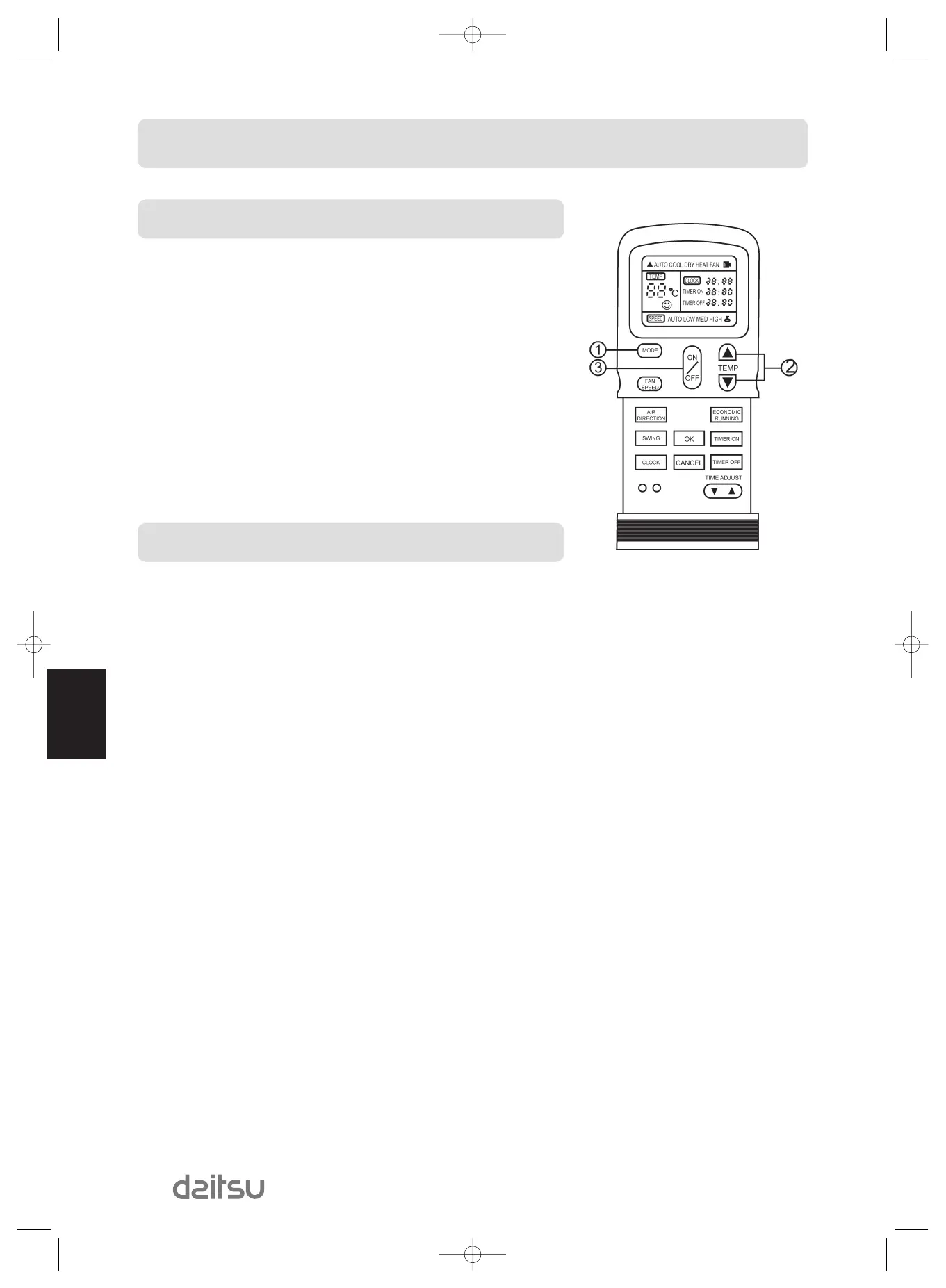
(1) Mode select button (MODE)
Select DRY.
(2) Temperature button (TEMP)
Push the "TEMP." Button.
The fan speed indicator displays AUTO. The indoor fan speed will be automa-
tically selected LOW.
(3) ON/OFF button
Push this button to start the air conditioner.
The OPERATION lamp on the display panel of the indoor unit lights, and opera-
tion starts after approximately 3 minutes.
Stop
ON/OFF button
Push this button again to stop the air conditioner.
DRYING OPERATION


 To Next Page