ENGLISH
59
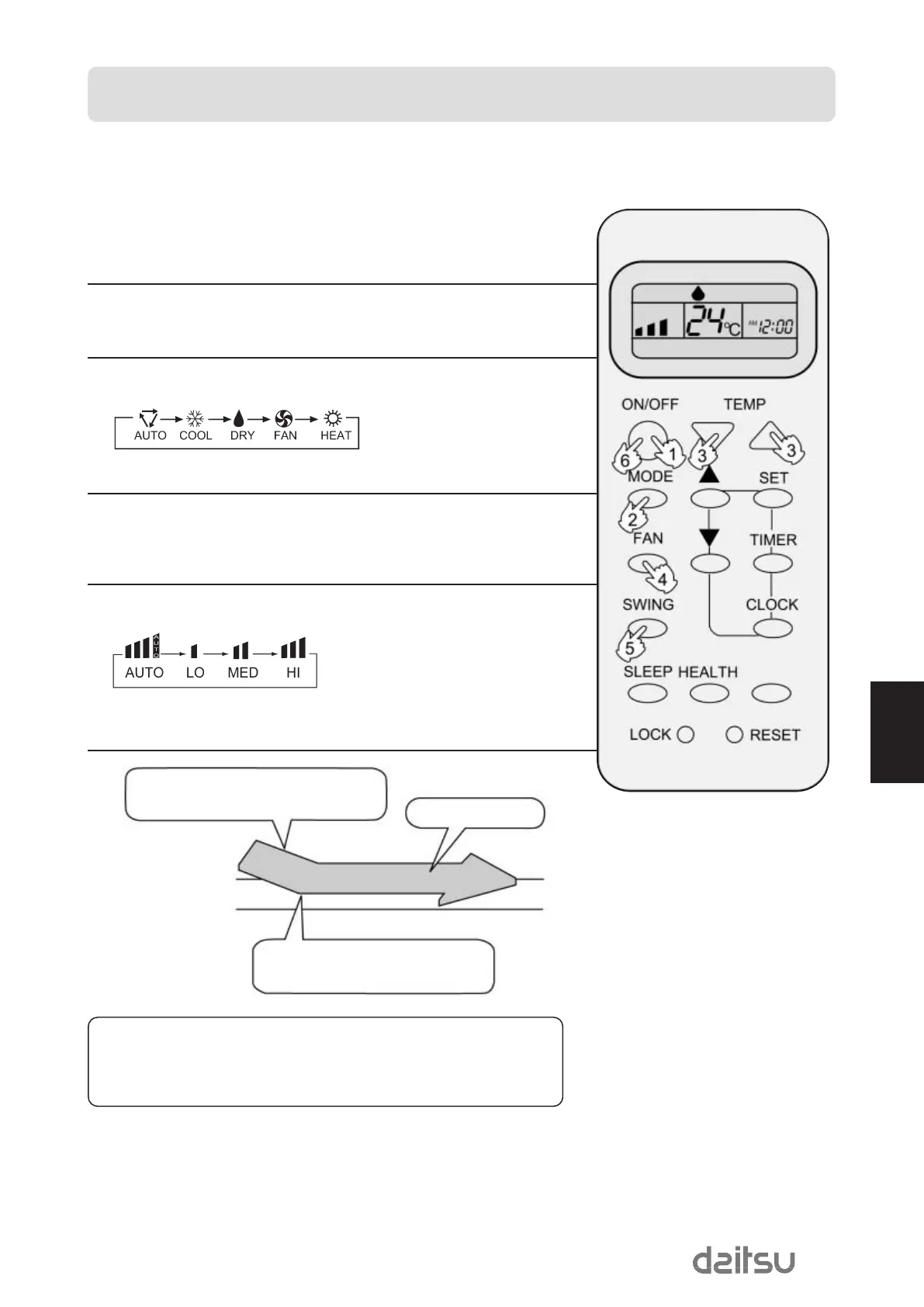
COOL operation starts when room temp.is higher
than temp.setting.
Ultra-low air flow
Temp.setting
Temp.setting+2ºC
On reaching temp.setting +2ºC unit will run in
mild DRY mode.
COOL,HEAT and DRY operation
Recommendations:
•
Use COOL in summer.
•
Use HEAT in winter.
•
Use DRY in spring, autumn and in damp climate.
(1) Unit start
Press ON/OFF button, unit starts.
Previous operation status appears on display. (Not Timer setting)
Power indicator on indoor unit lights up.
(2) Select operation mode
Press MODE button. For each press, operation mode changes as follows:
Unit will run in operation mode displayed on LCD.
Stop display at your desired mode.
(3) Select temp. setting
Press TEMR button.
Every time the button is pressed, temp. setting increases 1ºC
Every time the button is pressed, temp. setting decreases 1ºC
Unit will start running to reach the temp. setting on LCD.
(4) Fan speed selection
Press FAN button. For each press, fan speed changes as follows:
Unit runs at the speed displayed on LCD.
In DRY mode, when room temperature becomes lower than temp.setting +2ºC,unit
will run intermittently at LOW speed regardless of FAN setting.
OPERATION
Hints
On cooling only unit, heating mode is not available.
Remote controller can memorize each operation status. When starting it next
time, just press ON/OFF button and unit will run in previous status.
MUsECO410DaEng 16/11/07 13:52 Página 59


 To Next Page