3.0 POWER AND AUTO SOURCE SELECT
3.4 AUTO SOURCE SELECT
The DALI KATCH ONE will automatically turn on and start playing if audio is played to
any of the inputs, if a TV connected to the HDMI is turned on (See 7.6) or if a Bluetooth
connected device starts playback.
If the DALI KATCH ONE is turned on and no audio is playing, starting playback on a
different input will cause the KATCH ONE to automatically switch to the active input.
It is possible to disable Auto Power ON/OFF and Auto Source Select. Follow the steps
below to deactivate/activate this feature;
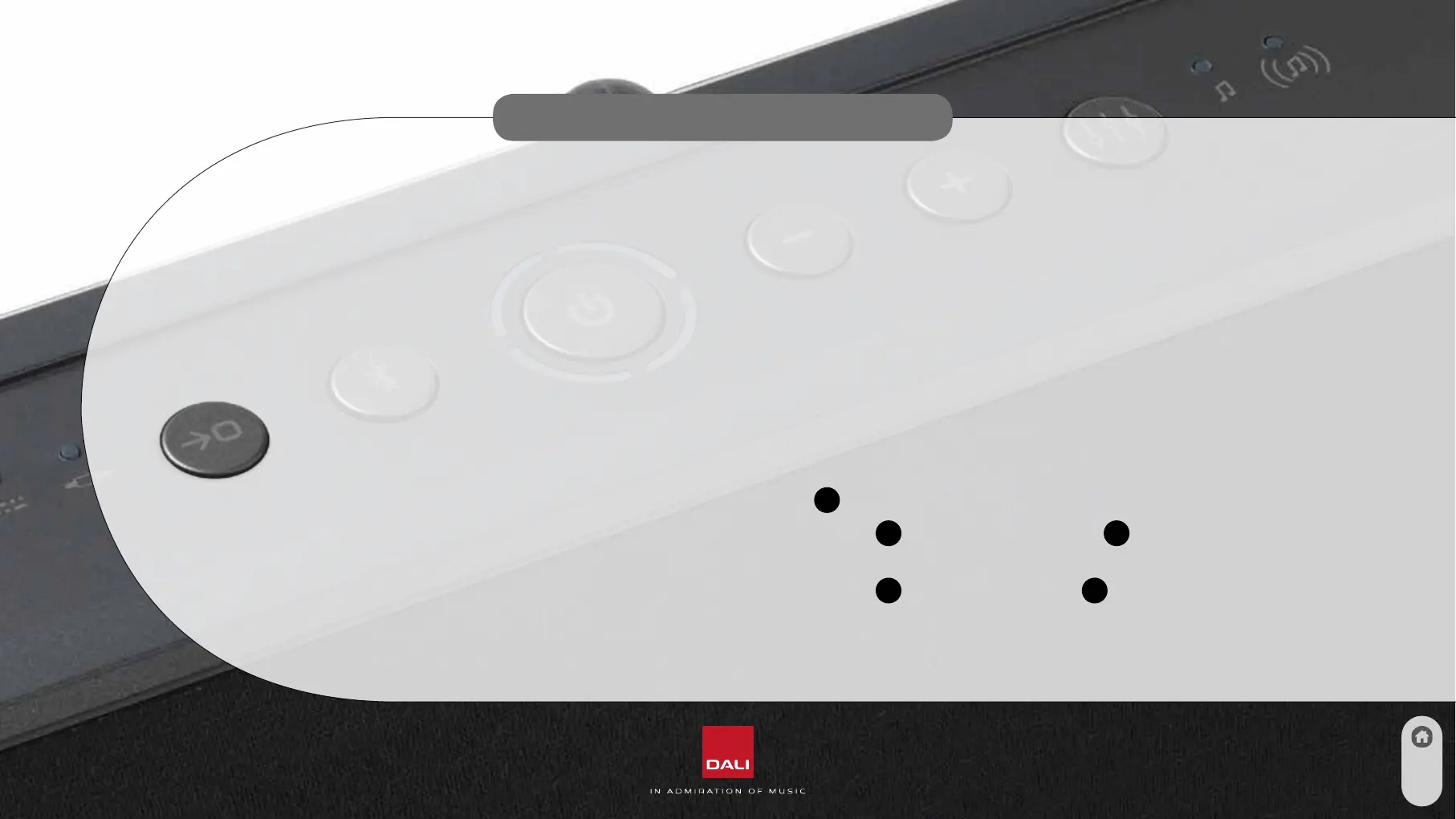
1. Press and hold Source Select (Button
1
)
2. While holding down the Source Select (Button
1
) pres Volume Down (Button
4
)
to disable Auto Power ON/OFF and Auto Source Select
3. While holding down the Source Select (Button
1
) pres Volume Up (Button
5
)
to enableAuto Power ON/OFF and Auto Source Select (Default setting)
8



 To Next Page