14
SERVICE – DMS 2400 (MK 3) | REV 1.0.0 | © 2022 Dallmeier
Remote Login
The IP address of the device (default 192.168.2.230) can be changed wit-
hout login using the Dallmeier Device Manager software.
In the initial state a remote login is possible using the serial number as
password. The rights of the Administrator group are valid.
➡
Observe the “Operation” documentation for Dallmeier Device Manager.
➡
Select the device from the scanner list.
➡
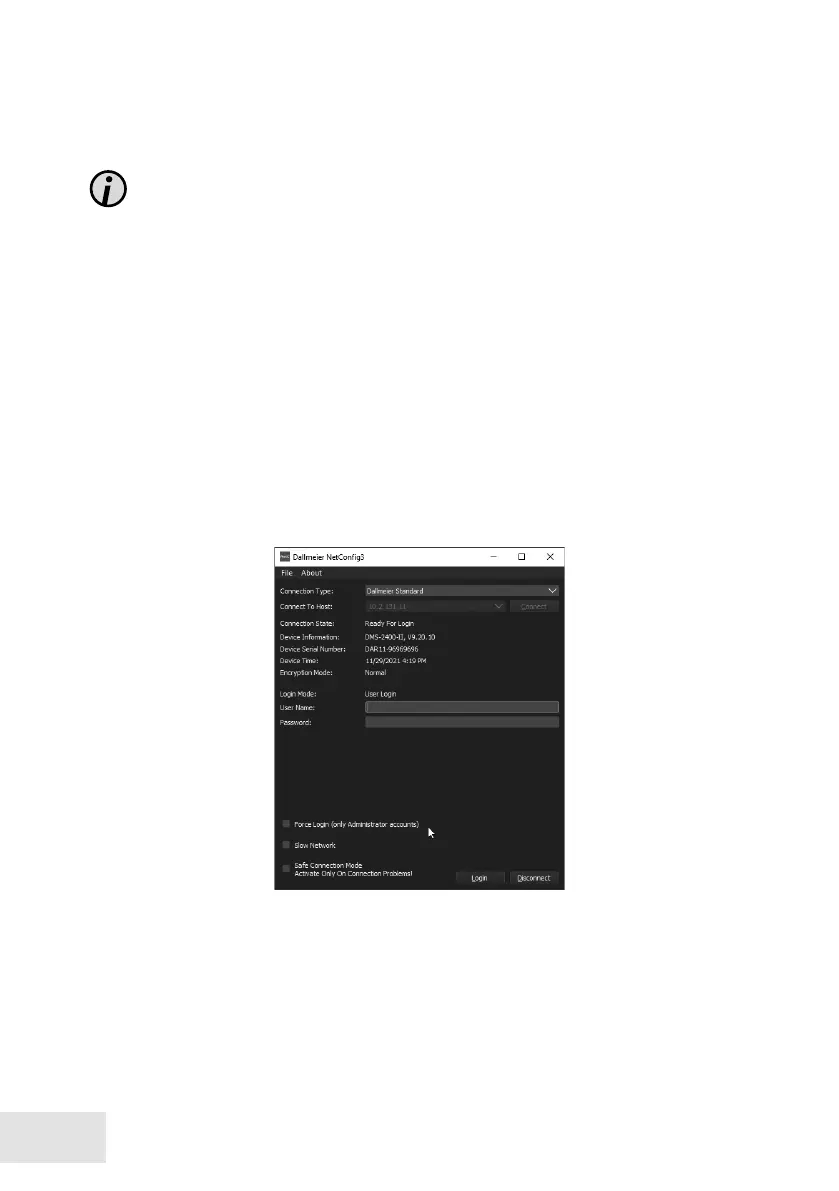
Start the NetCong3 function over the context menu.
The connection is established and device information is displayed.
➡
Enter the serial number (e.g. DAV8-12345678) as the Password.
➡
Conrm with Login.



 To Next Page