20
SERVICE – DMS 2400 (MK 3) | REV 1.0.0 | © 2022 Dallmeier
power supply or via the contact IN interface.
➡
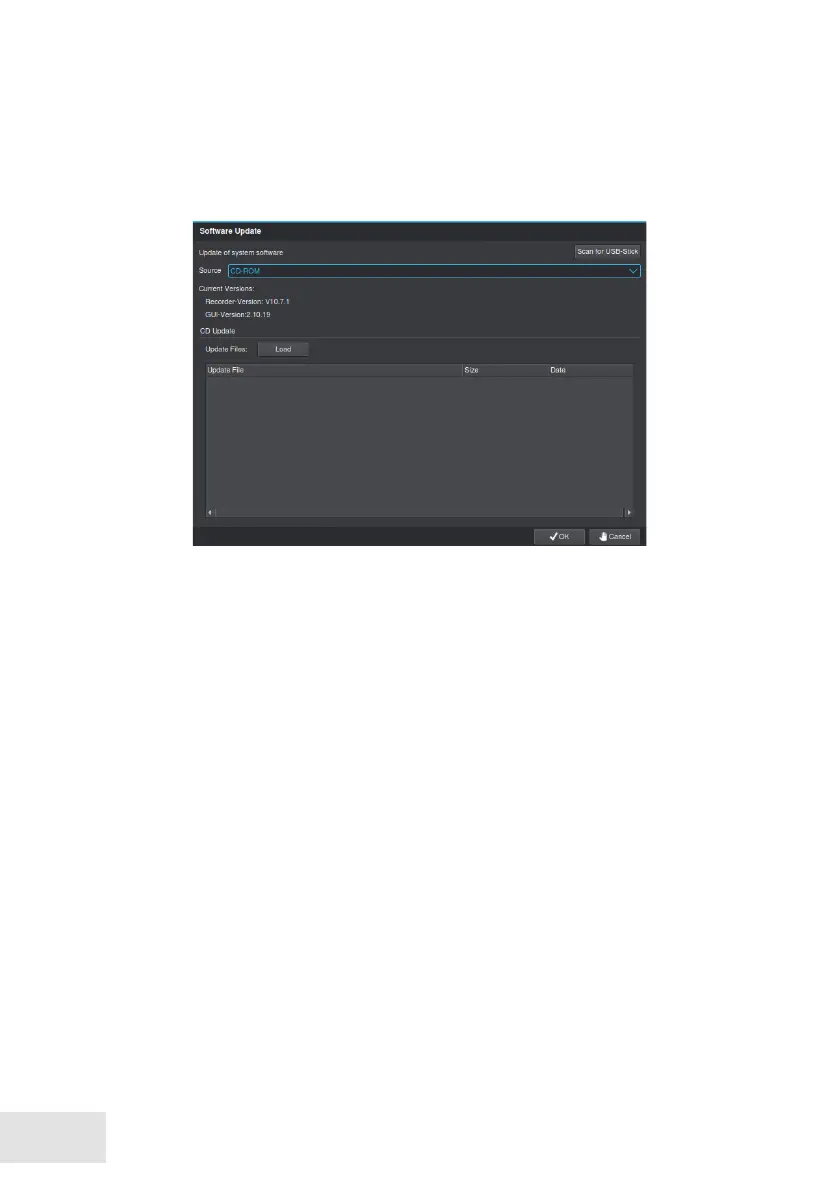
Open the Software Update dialog via Setup > System > Service > Soft-
ware Update.
➡
Select the storage medium as Source.
➡
Download the available updates with Load.
➡
Select the relevant Update File.
➡
Conrm with OK.
The implementation of the update starts automatically. It must be made
no further adjustments. The update is completed after a nal restart of the
appliance.
While the update is performed, no settings or adjustments should be made.
The storage medium should be removed only after the full completion of
the update (restart).



 To Next Page