Air Conditioning Operating Instructions:
IMPORTANT: The exhaust hose must be properly
vented (outdoors) during air conditioning mode.
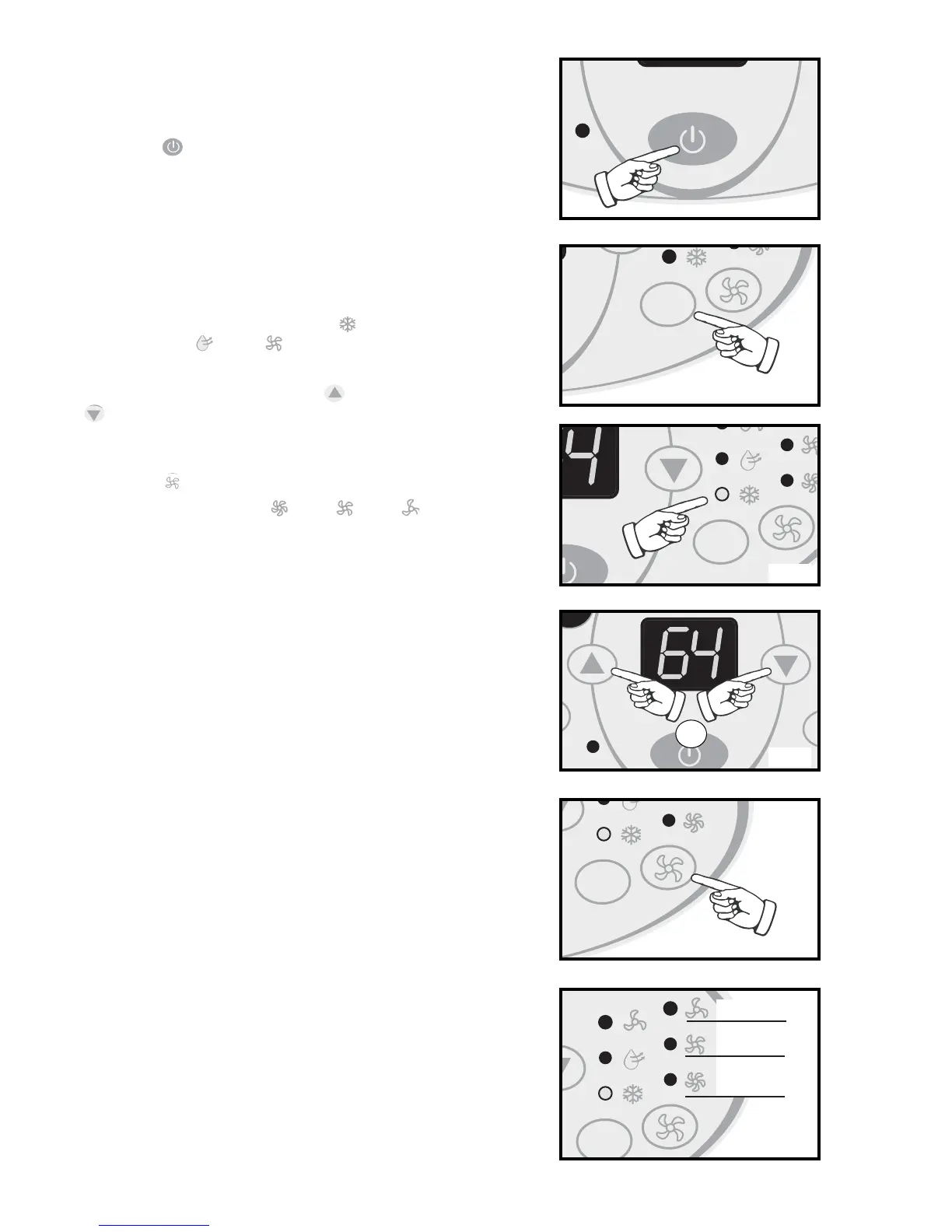
1) Press the POWER SWITCH key
Fig A
to
switch on the unit, and the
previous set tempera-
ture
will be shown in the temperature display
area of the control panel.
2) Press the MODE key
Fig B.
until the COOL indi-
cator light illuminates on the control panel
Fig C.
Each depression of the MODE key will advance
to a different mode setting (Cool -
Dehumidifier - Fan ).
3) Press the appropriate increase or decrease
buttons
Fig D
to select a suitable operating
temperature setting. Temperature settings are
adjustable between 17°C (62.6°F) ~ 30°C (86°F ).
4) Press the FAN key
Fig E
to select the desired
fan speed setting (High -Med -Low ).
Your selection will appear on the control panel
(each depression of the fan key will advance to a
different setting).
• Cooling stops automatically when the set
temperature is achieved. Cooling
resumes when the room temperature
rises above the “set” temperature level.
8


 To Next Page