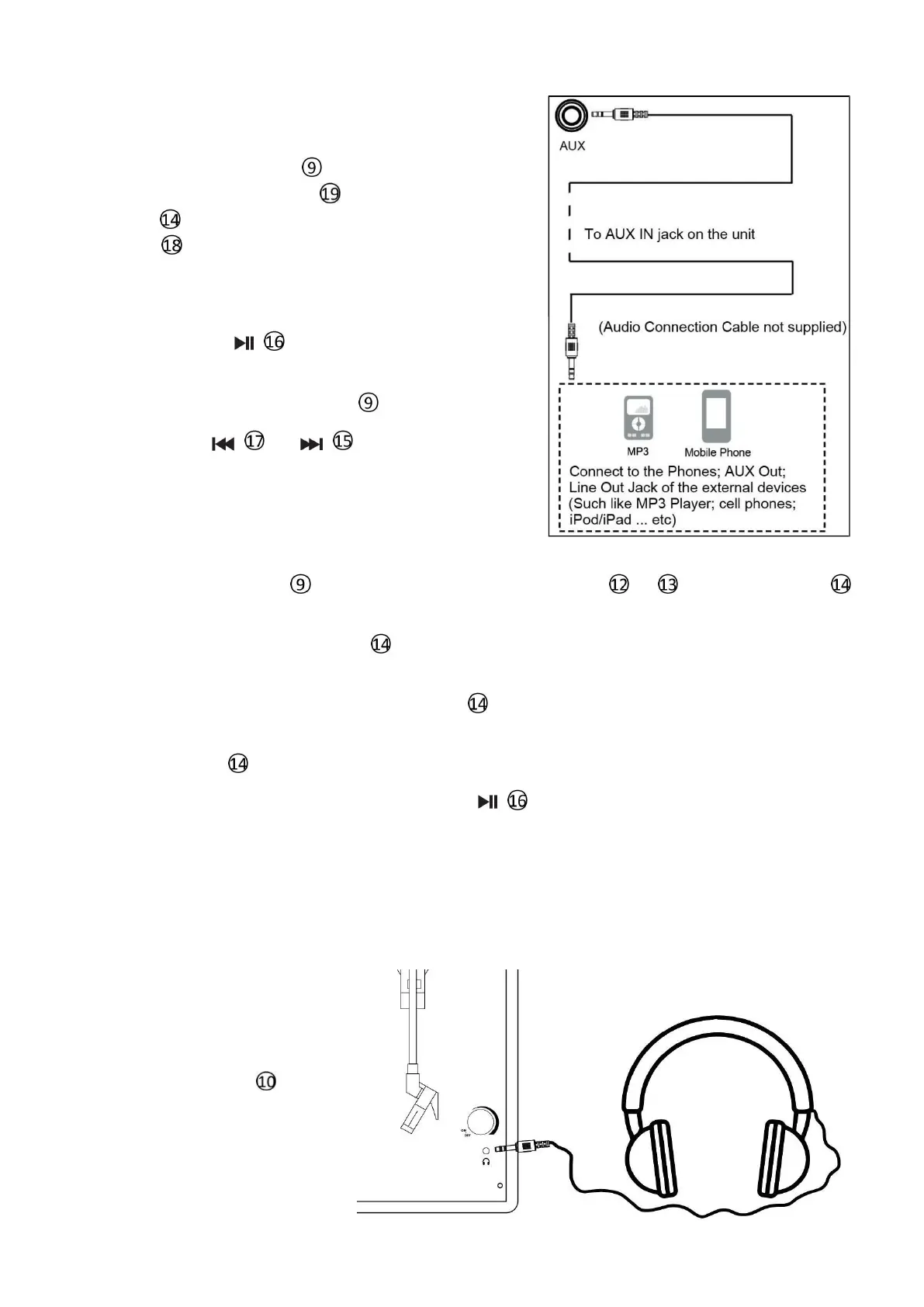
Aux in function
(lift up the tone arm and put it on the Tone Arm Holder position)
Turn on the Power Switch , and Insert aux in cable
(not supplied) to Aux in jack then press “ M”
button till it has entered into Aux in mode. The
display will show “ LINE” .
The other side of aux in cable connect your devise,
then you can enjoy the music.
Press the button to mute the sound . Press
again to restore the sound.
Adjust volume by volume control .
Note: The buttons
or
is useless when Aux
in mode. You can adjust the tracks by your devise.
USB/TF recording
Turn on the Power Switch , and Insert your USB or TF card to slot
or
. Press “ M” button
till it has entered into Phono /Aux in /FM mode.
Then press and hold the “M” button until you hear a one time beep sound. It will beginto record
songs from Phono /Aux in /FM to USB or TFcard.
To stop recording. Press and hold the “M” button until you hear two times a beep sound. It will
stop recording and save the recorded songs to USB or TF card as the last song.
Press “ M” button until it has entered into USB or TF card mode to enjoy the recorded song.
To clear recorder music. Press and hold the button , the display will show “dEL”, and you will
hear a beep sound twice , the music being played has now beendeleted.
Recorded music will be stored in a separate music file. Press “M” button, then you can choose
recorded music by previous track or next track keys.
HEADPHONE:
For private listening, connect the
3.5mm plug from the
Earphone/Headphone (not
supplied)
top of unit. Sound from speakers
will
be auto cut.


 To Next Page