Need help?
Do you have a question about the Danfoss 3060 and is the answer not in the manual?
Connection diagram for the 3060 programmer in a fully pumped heating system.
Connection diagram for the 3060 programmer in a gravity hot water system.
Overview of the 3060 programmer's functions and how it controls heating and hot water.
Explains how to set tappets for ON/OFF times for heating and hot water.
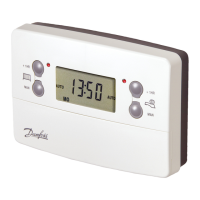
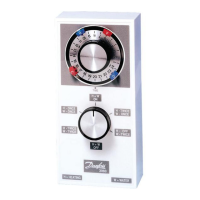
The Danfoss 3060 is an electro-mechanical programmer designed for controlling both heating and hot water systems. This device allows users to manage their home's climate and hot water supply efficiently, offering a range of operational modes to suit different daily routines and seasonal needs.
The primary function of the Danfoss 3060 is to provide timed control over a central heating system and domestic hot water. It operates on a 24-hour cycle, allowing users to set specific "ON" and "OFF" periods for both services. The programmer is equipped with a timing dial and a selector switch, which together enable a variety of control options, from fully automatic scheduling to continuous operation or complete shutdown of heating and hot water.
The timing dial features four tappets: two red and two blue. The red tappets are used to set the "ON" times, while the blue tappets set the "OFF" times. This configuration allows for two distinct "ON" periods and two distinct "OFF" periods within a 24-hour cycle, providing flexibility for morning and evening heating/hot water demands. For example, a user might program the heating and hot water to come on in the morning for a few hours and then again in the evening.
The selector switch, located below the timing dial, offers six different operational modes. These modes dictate how the programmer interacts with the timed settings and whether heating and hot water operate together or independently. This flexibility is particularly useful for adapting to changing weather conditions or household preferences. For instance, during warmer months, users can opt to control only the hot water, leaving the heating off.
The Danfoss 3060 is designed for straightforward programming and operation, making it accessible for everyday use.
Setting the Time: The clock is a 24-hour dial. To set the current time, the user simply turns the central black and silver knob clockwise until the correct time aligns with the "TIME" dot. It's important to note that the clock will need to be reset after any power cut and also when daylight saving changes occur in spring and autumn.
Programming ON/OFF Times: To program the heating and hot water schedule, the user manipulates the four tappets on the timing dial. Holding the central knob, the red tappets are moved clockwise to the desired "ON" times, and the blue tappets are moved to the desired "OFF" times. The tappets can be stiff, requiring a firm push to move them into position. This allows for two "ON" and two "OFF" periods per day, catering to typical daily routines.
Selector Switch Modes: The selector switch provides granular control over the heating and hot water systems:
Summer Operation (Hot Water Only): The device supports specific configurations for summer use. If hot water is required all day with heating shut off, the user can set the selector switch to 'H twice / W once' and turn down the room thermostat to its lowest setting. If constant hot water is needed with heating off, the selector switch can be set to 'H on / W on', again with the room thermostat at its lowest setting.
The Danfoss 3060 is an electro-mechanical device, and as such, its maintenance primarily involves ensuring its correct operation and addressing any timing discrepancies.
In summary, the Danfoss 3060 programmer offers a robust and flexible solution for managing heating and hot water in a domestic setting. Its electro-mechanical design provides intuitive control through a timing dial and selector switch, allowing users to tailor their energy consumption to their lifestyle while providing clear guidance on setup and basic operational adjustments.
 General
| Type | Electronic Temperature Controller |
|---|---|
| Differential | Adjustable |
| Output | SPDT Relay |
| Power Supply | 24 V AC |
| Output Type | SPDT Relay |
| Control Algorithm | On/Off |

 To Next Page