EasyManua.ls Logo

Danfoss TP7001 series - User Manual

Danfoss TP7001 series
4 pages
Print Icon
To Next Page IconTo Next Page
Loading...
TP7001 Range
Quick Guide
Danfoss Heating
Question and Answer IconNeed help?

Do you have a question about the Danfoss TP7001 series and is the answer not in the manual?

Summary

Thermostat Operations

Manual Temperature Change

Adjusting the current temperature setting on the thermostat.

Changing Display Units

Switching the temperature display between Fahrenheit (°F) and Celsius (°C).

Time Format Adjustment

Modifying the time display format between 12-hour and 24-hour cycles.

Extending Heating Period

Adding extra hours to the current heating schedule.

Setting Thermostat Mode

Configuring the thermostat to maintain a constant user-selected temperature.

Pre-set Programmes

Programming Time and Temperature Changes

Overview

The Danfoss TP7001 Range is a sophisticated thermostat designed for controlling heating systems, offering a blend of manual and programmable functionalities to ensure optimal comfort and energy efficiency. This quick guide provides an overview of its key features and operational aspects, making it easy for users to manage their indoor climate.

Function Description

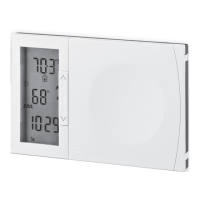
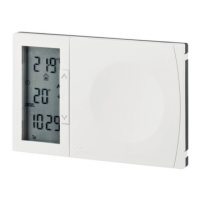
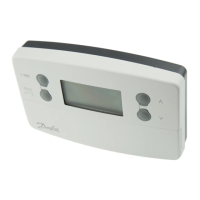
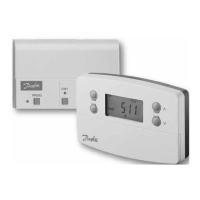
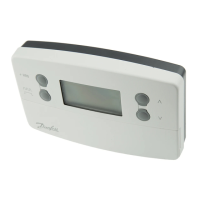
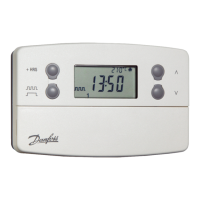
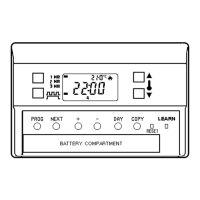
The TP7001 acts as a central control unit for your heating system, allowing you to set and maintain desired temperatures throughout the day and week. Its primary function is to regulate the heating output based on programmed schedules or manual adjustments, ensuring that your home is warm when needed and conserves energy when not. The device features a clear digital display that shows the current temperature, programmed temperature, time, and day of the week, along with various symbols indicating its operational status.

Usage Features

The TP7001 offers a comprehensive set of usage features, catering to both simple manual adjustments and detailed programmable scheduling.

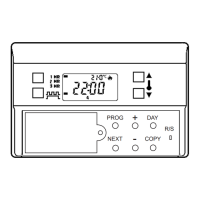
Display and Symbols:

The thermostat's display is designed for clarity, using a combination of numerical readouts and intuitive symbols.

  • Current Temperature: Shows the real-time temperature in the room, displayed prominently.
  • Programmed Temperature: Indicates the target temperature set by the user or the active program.
  • Time and Day: Displays the current time and day of the week, essential for scheduling.
  • Heating On: A flame symbol illuminates when the heating system is actively running.
  • Low Battery: A flashing battery symbol alerts the user when batteries need replacement, ensuring continuous operation.
  • Programming Delay/Delayed Start: An hourglass symbol appears during programming delays or when the "Delayed Start" function is active, indicating a temporary hold in the schedule.
  • Keyboard Locked: A padlock symbol signifies that the keyboard is locked, preventing accidental changes. This is useful for maintaining settings in busy households.
  • Holiday Mode: A suitcase symbol indicates that Holiday Mode is set, allowing for extended periods of reduced heating while away.
  • Indoor and Outdoor Temperature: A house with a thermometer symbol may indicate the ability to display both indoor and outdoor temperatures, though the primary function is indoor control.
  • Timed or Manual Mode: A clock symbol indicates that the thermostat is operating in Timed Mode (following a schedule), while a hand symbol suggests Manual Mode (constant temperature).
  • Alarm Active: A bell symbol alerts the user to an active alarm, potentially related to system malfunctions or temperature deviations.
  • Frost Mode: A snowflake symbol indicates that Frost Mode is active, maintaining a low temperature to prevent pipes from freezing.
  • Temperature Up/Down Override: Up and down arrow symbols allow for temporary temperature adjustments that override the current program.
  • Event Indicators: Multiple arch symbols indicate the number of "on" and "off" events programmed per day:
    • Three arches: 3 on and 3 off events per day.
    • Two arches: 2 on and 2 off events per day.
    • One arch: 1 on and 1 off event per day.
  • Thermostat (Off) Mode: "OFF" clearly indicates that the thermostat is in an off state, meaning no heating will occur.
  • Extend Function (+HRS): "+HRS" allows users to extend the current heating period by 1, 2, or 3 hours, providing flexibility for unexpected changes in routine.

Manual Temperature Change:

Users can easily adjust the current temperature manually. By pressing the "MODE" button, then using the up or down arrows, the desired temperature can be set. This manual override typically lasts until the next programmed event.

Changing Display from °F to °C:

The thermostat supports both Fahrenheit and Celsius temperature scales. To switch between them, users can press and hold specific buttons (e.g., "MODE" and "PROG NEXT") for approximately 3 seconds. This flexibility caters to different user preferences.

Changing from 12 to 24 Hour Display:

Similarly, the time display can be toggled between 12-hour (AM/PM) and 24-hour formats. This is usually achieved by pressing and holding a combination of buttons for a few seconds, such as "MODE" and "PROG NEXT".

Extending Heating Period:

The "+HRS" function is a convenient feature for extending the current heating cycle. If you need heating for longer than scheduled, you can press the "+HRS" button to add 1, 2, or 3 hours to the current heating period, ensuring comfort without altering the entire program.

Setting Thermostat Mode:

The TP7001 can operate in different modes:

  • Programmed Mode: Follows the pre-set schedules for time and temperature.
  • Manual Mode: Maintains a constant user-selected temperature until manually changed again. This is useful for periods when a consistent temperature is desired, overriding any schedules.
  • OFF Mode: Turns off all heating, useful for extended periods away or during warmer months.

Pre-set Programmes and Programming Time and Temperature Changes:

The device comes with pre-set programs for both weekdays (Mon-Fri) and weekends (Sat-Sun), offering a starting point for users. These programs include multiple "events" (on/off times with corresponding temperatures).

  • Weekdays (Mon-Fri) Example:
    • Event 1: 06:30 at 68°F
    • Event 2: 08:30 at 59°F
    • Event 3: 11:30 at 68°F
    • Event 4: 13:30 at 59°F
    • Event 5: 16:30 at 70°F
    • Event 6: 22:30 at 59°F
  • Weekend (Sat-Sun) Example:
    • Event 1: 07:30 at 68°F
    • Event 2: 09:30 at 68°F
    • Event 3: 11:30 at 68°F
    • Event 4: 13:30 at 68°F
    • Event 5: 16:30 at 70°F
    • Event 6: 22:30 at 59°F

Users can customize these pre-set programs to fit their specific lifestyle. The process involves:

  1. Entering programming mode (e.g., by pressing "PROG NEXT").
  2. Selecting the desired day or block of days (e.g., Mon-Fri).
  3. Navigating through the events (Event 1, Event 2, etc.).
  4. Adjusting the "on" time and temperature for each event using the up/down arrows.
  5. Saving the changes.

This detailed programming capability allows for precise control over heating, optimizing comfort and energy consumption throughout the week.

Maintenance Features

The TP7001 is designed for minimal maintenance, primarily focusing on battery replacement.

  • Battery Indicator: The flashing battery symbol is the primary maintenance alert, indicating when the batteries need to be changed. This ensures that the thermostat continues to function without interruption.
  • Simple Interface: The straightforward button layout and clear display make it easy to navigate and troubleshoot basic issues, reducing the need for complex maintenance procedures.

In summary, the Danfoss TP7001 Range thermostat is a user-friendly and versatile device that empowers users to effectively manage their home heating. Its combination of intuitive controls, clear display, and comprehensive programming options makes it an excellent choice for maintaining a comfortable and energy-efficient indoor environment.

Danfoss TP7001 series Specifications

General IconGeneral
DisplayLCD
Protection ClassIP30
TypeRoom thermostat
Power Supply230 V AC, 50 Hz
Temperature Range5°C to 30°C
Frost ProtectionYes
MountingWall-mounted
Accuracy+/- 0.5 °C

Related product manuals