Need help?
Do you have a question about the Danfoss TP7000 Series and is the answer not in the manual?
Explains the basic function and flexibility of the TP7000 thermostat.
Details the default operating times and temperatures for weekdays and weekends.
Initial setup steps including resetting the device and preparing for use.
How to change temperature units (°C/°F) and clock display format (12/24 hr).
Step-by-step guide to accurately set the current time and day on the thermostat.
Configuration options for the Occupancy Sensing Control (OSC) feature.
How to confirm and activate the default or configured program settings.
Explains the two primary operating modes: 7-day and 5/2 day programming.
Detailed instructions for programming daily schedules for each day of the week.
Instructions for programming separate schedules for weekdays and weekends.
Guides on setting the thermostat to maintain a constant user-selected temperature.
How to set a low temperature for holidays and return to normal schedules.
Explains temporary adjustments like increasing/decreasing temperature or extending events.
Instructions on battery replacement and low battery indicator warnings.
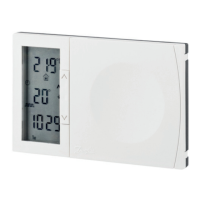
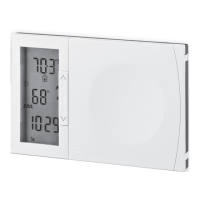
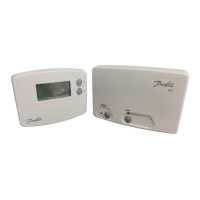
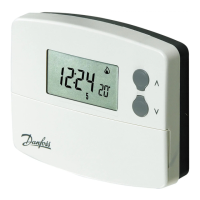
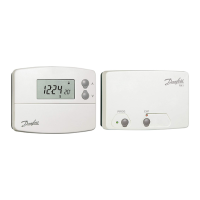
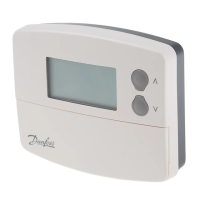
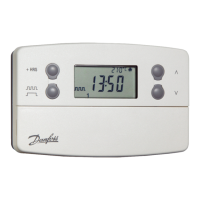
The Danfoss TP7000 Range is an Electronic 7 Day Programmable Room Thermostat designed to provide flexible and energy-efficient control over your home's heating system. It combines the functionalities of both a programmer and a room thermostat, allowing you to set specific 'On' and 'Off' time periods and desired temperatures to suit your lifestyle.
The TP7000 allows users to program up to six different time and temperature settings for each day of the week, offering comprehensive flexibility in managing heating schedules. This level of control contributes to energy savings by ensuring that heating is only active when needed and at the desired comfort level. The device comes with preset programmes that are designed to suit most common household routines, making it ready for use straight out of the box. However, these settings are fully customizable to meet individual preferences.
A key aspect of the TP7000's functionality is its ability to operate in either a 7-day mode or a 5/2 day mode, which is typically configured by the installer. In 7-day mode, you can program unique heating schedules for each day of the week. In 5/2 day mode, you can set one programme for weekdays (Monday to Friday) and a separate programme for weekends (Saturday and Sunday). This adaptability ensures that the thermostat can cater to various weekly routines, whether they are consistent or vary significantly between weekdays and weekends.
The device also incorporates several energy-saving features and useful user overrides. For instance, it includes a 99-day holiday mode, which allows the thermostat to maintain a constant, lower temperature while you are away, automatically returning to your programmed settings after the specified number of days. This prevents unnecessary heating of an empty home while also protecting against frost damage.
The TP7000 operates by sensing the air temperature in the room. When the air temperature falls below the set thermostat setting, it switches on the heating. Once the set temperature is reached, it switches the heating off. It's important to understand that turning the thermostat to a higher setting will not make the room heat up faster; the speed of heating depends on the design of the heating system, such as boiler size and radiator capacity. Similarly, the setting does not affect how quickly the room cools down. Setting a lower temperature will result in the room being controlled at a lower temperature, which directly contributes to energy savings.
The recommended approach to using the TP7000 for optimal comfort and energy efficiency is to find the lowest temperature settings that you are comfortable with at different times. It is suggested to start with low temperatures, for example, 18°C, and then gradually increase them by one degree each day until you find your comfortable level. Once these settings are established, further adjustments should ideally be unnecessary, as any settings above these comfortable levels will waste energy and incur additional costs.
For homes with a boiler and radiators, there is typically one programmable room thermostat controlling the entire house. However, individual room temperatures can be managed by installing thermostatic radiator valves (TRVs) on individual radiators. If TRVs are not present, the thermostat should be set to a temperature that is reasonable for the whole house. If TRVs are installed, the thermostat can be set slightly higher to ensure the coldest room is comfortable, and then TRVs can be used to prevent overheating in other rooms.
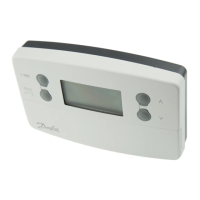
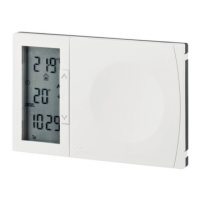
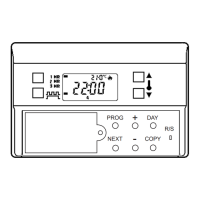
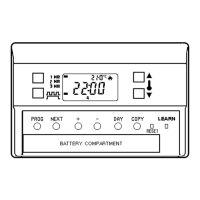
The TP7000 features an intuitive interface with several buttons for programming and making adjustments.
The primary maintenance feature highlighted in the manual is battery replacement.
 General
| Type | Programmable Room Thermostat |
|---|---|
| Mounting | Wall-mounted |
| Switching Voltage | 230 VAC |
| Protection Class | IP30 |
| Programs | 7-day programming |
| Display | LCD |
| Battery | 2 x AA batteries |
| Power Source | Battery |
| Switching Current | 3A (resistive) |
| Accuracy | ±0.5°C |

 To Next Page