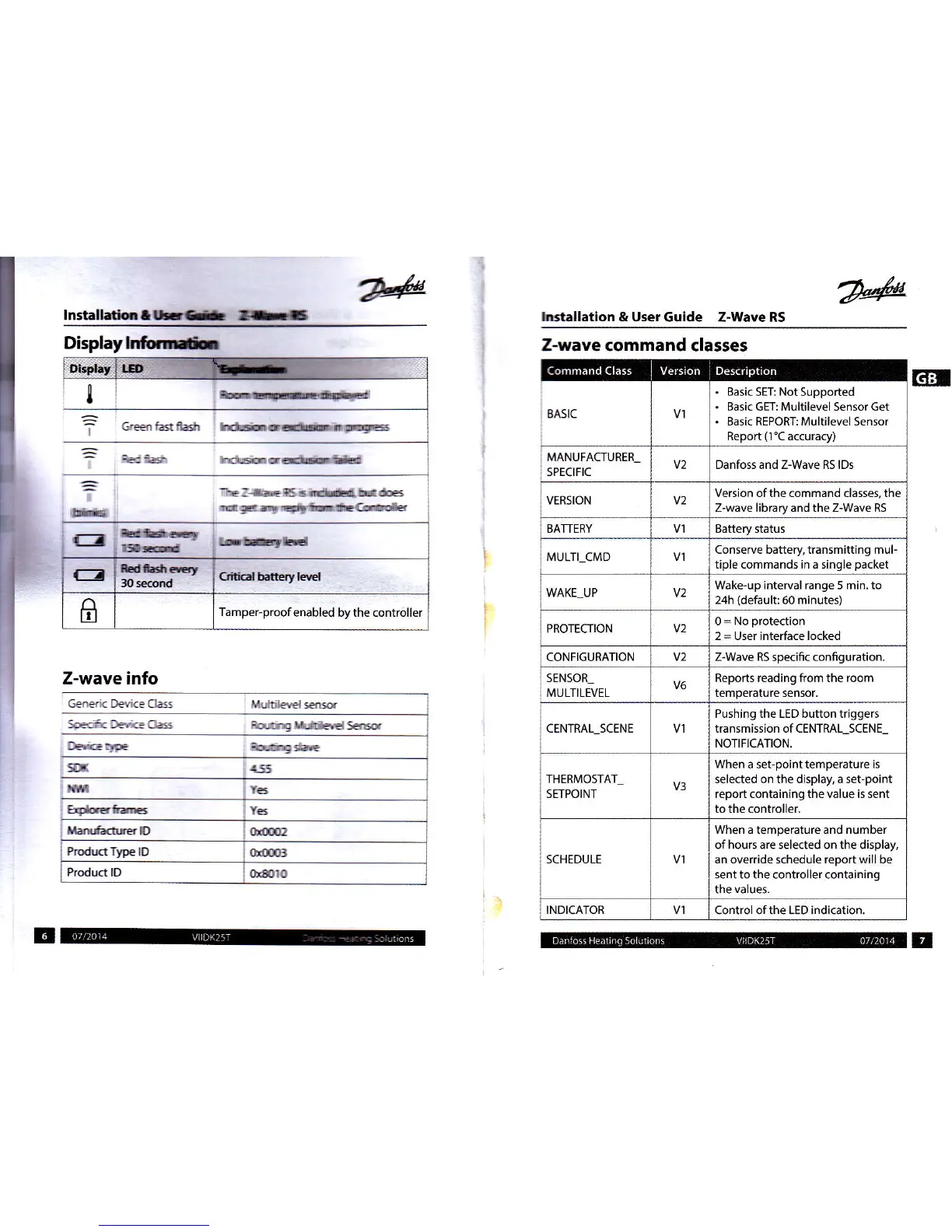
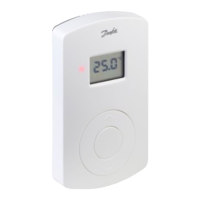
Displaylrfrr*
lnstalletictffi
nH
lEtallation & User Guide Z-Wave RS
ET.I
Erb
-lrE:-ltrRS
6rdü,hrk
d
!t
rry
i!ßfÜ'*@lü:Crü!ds
E
HH:P
Z-wave info
Gensic Deute Class
Muttilaelffi
SEanF( feri=
C6 Eqirrq Lirdtied
sss
Deidqr
noÄtng
slaE
fdcskrc
Z-wave
command classes
8A5tC
Basic
5ET: Not Supported
Basic GET: Multilevel Sensor Get
Basic REPORT: Multilevel Sensor
Report
(1'C
accuracy)
MANUFACTURER_
SPECtFtC
v2 Danfoss and Z-Wave RS lDs
VERSION
v2
Version ofthe command classes, the
Z-wave library and the Z-Wave Rs
BATTERY Battery status
MULTI-CMD
Conserve battery, transmitting mul-
tiple commands in
a single
packet
WAKE UP v2
Wake-up interual range 5 min. to
24h
(default:
60 minutes)
PROTECTION v2
0
=
No
protection
2
=
User interface locked
CONFIGURATION v2
Z-Wave RS specific confiquration.
SENSOR_
MULTILEVEL
V6
Reports reading from the room
temperature sensor.
CENTRAL_SCENE
Pushing the LED button triggers
transmission of CENTRAL_SCENE_
NOTIFICATION.
THERMOSTAT
SETPOINT
V3
When
a set-pointtemperature
is
selected on the display, a set-point
report containing the value is sent
to the controller.
SCHEDULE
When
a temperature and
number
ofhours are selected on the display,
an override schedule report will be
5ent to the controller containing
the
value5.
INDICATOR
Control ofthe LED indication
tad
lrE
rld
G
EdHtG,
30ffid
Crilid
bdterylsl
ß
Tamper-proof
enabled bythe controller


 To Next Page