DB-70 Automatic Wheel Balancer 37 P/N 5900261 — Rev. A1 — January 2021
To balance a Wheel using ALU 3 Mode:
a. Make sure you are dressed appropriately: leather gloves, steel-toed work boots, back
belts, hearing protection, and ANSI-approved eye protection: safety glasses, face shield, or
goggles.
b. Visually inspect the Balancer to make sure everything is in place. The Tire Cover should be
up
.
If you find any issues, fix them. If there are issues you cannot fix, refer to
Troubleshooting.
c. Make sure the Wheel you want to balance is both clean and free of any weights that may
have been put on previously. If it is dirty, clean it. Remove any existing weights.
Important: When using Adhesive Weights, it is extremely important to
clean the Wheel
;
the cleaner the Wheel, the longer the Adhesive Weight stays in place.
d. Mount the Wheel on the Balancer.
Refer to Mounting a Wheel for mounting instructions, if needed.
e. Turn the Balancer Off and then back On, to
reset, if required. The display should be
flashing, and an –a- will appear in the Inner
Display Window.
f. On the Control Panel, press the F button until
the ALU 3 Indication is lit.
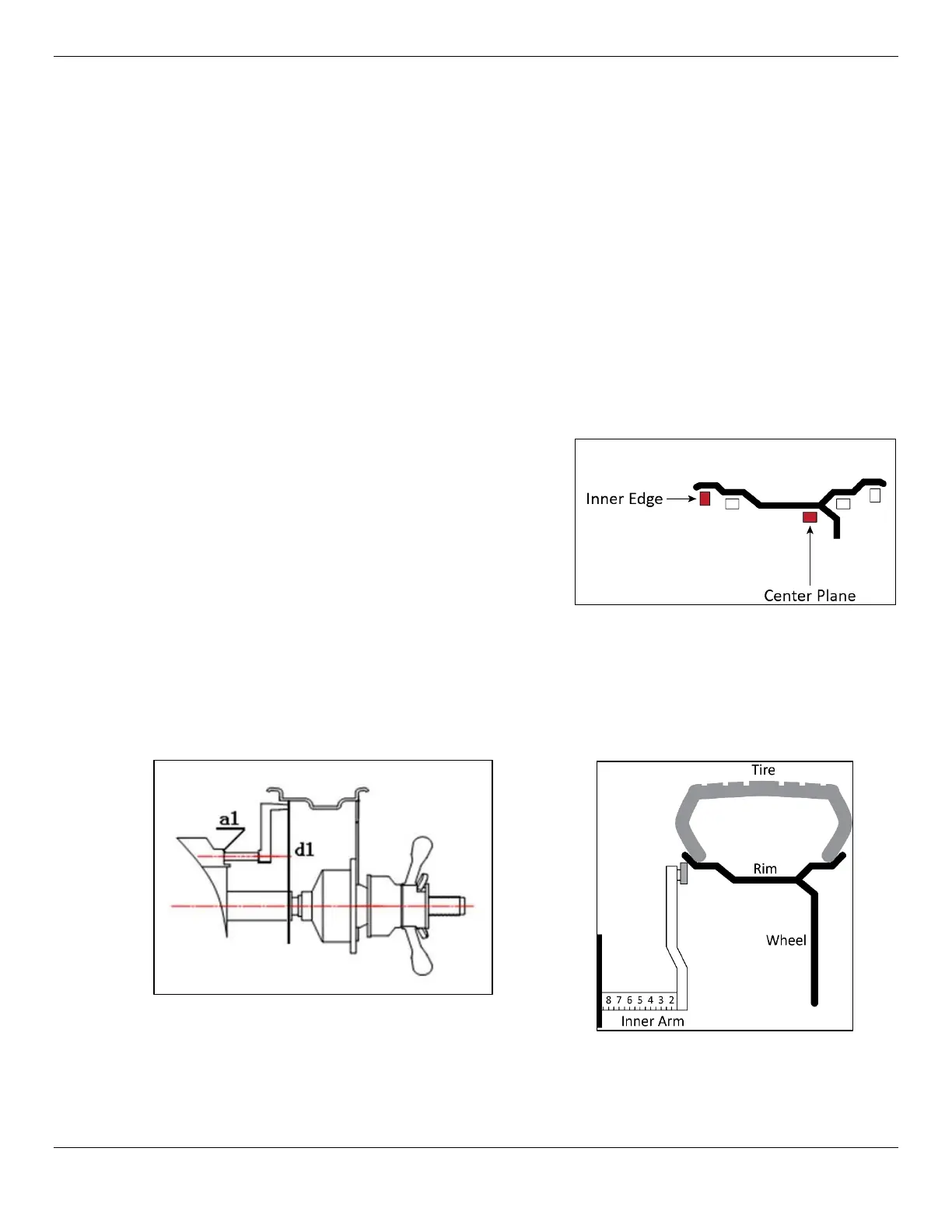
g. Input the wheel parameters. Slide the inner distance arm to touch the Wheel’s inner edge
and hold it there until the Balancer beeps. This automatically determines the distance from
the side of the Balancer to the wheel and the wheel diameter (a1 and d1), then places the
parameters into the Balancer’s memory. You may also enter the values manually using the
A and D keys.


 To Next Page