Need help?
Do you have a question about the DAPAudio DRX Active Series and is the answer not in the manual?
The DAP DRX Active Series comprises a range of active speaker cabinets and subwoofers designed to deliver a cost-effective, high-grade audio solution for various applications, including churches, conference centers, and discos. This series offers flexibility in configuration, allowing users to select the appropriate model based on their specific requirements.
The DRX Active Series includes both active full-range speakers (DRX-8A, DRX-10A, DRX-12A, DRX-15A) and active subwoofers (DRX-10BA, DRX-12BA, DRX-15BA, DRX-18BA). These units are designed for standalone operation or to be integrated into larger sound systems.
The active subwoofers feature a comprehensive rear panel with various controls and connectors. They include a main power switch, an AC power socket with a main fuse, and an AC input voltage selector to accommodate different power standards (110-120V or 220-240V). Input signals are received via XLR COMBO (female) connectors for both Left/Mono and Right channels, allowing for balanced connections. Output signals are provided through XLR male connectors for Left/Mono and Right, enabling daisy-chaining to other active speakers or subwoofers. A dedicated LINK Left/Right XLR connector is also available for signal pass-through.
Key controls on the subwoofer include a VOLUME knob for adjusting the main power amplifier output, a BYPASS switch to select a high-pass filter (HPF 80Hz) or bypass it, and a PHASE switch to reverse the polarity of the subwoofer output. Status indicators include a green POWER LED, a red SIGNAL/LIMIT LED to indicate signal presence and clipping, and a Ground Lift switch to help eliminate hum caused by ground loops.
The active full-range speakers (DRX-8A, DRX-10A, DRX-12A, DRX-15A) also feature a main power switch, an AC power inlet with a fuse, and an AC input voltage selector. They offer a MIC IN input with balanced XLR and TRS connectors for microphones, and a LINE IN input for line-level audio signals. A LINE OUT at 0dB on XLR and TRS connectors allows for signal pass-through to other devices. A VOLUME control adjusts the output level of the speaker. Visual indicators include a green POWER LED and a red SIGNAL LIMIT LED. A GND switch is also present for ground lift functionality.
The DRX Active Series supports various connection examples, including configurations with two active subwoofers and two active satellite speakers, one active subwoofer and two active satellite speakers, or simply two active satellite speakers. These setups allow for flexible system design, from compact portable systems to more extensive installations. The ability to activate an 80Hz high-pass filter on the subwoofer outputs when using the OUT LEFT/RIGHT connectors and the BYPASS switch ensures optimal frequency distribution between the subwoofer and satellite speakers.
The DRX Active Series is designed for straightforward setup and operation. Initial connections should always be made with all equipment powered off and main volume controls turned down completely.
For systems involving subwoofers, the audio mixer's OUTPUT LEFT/RIGHT connects to the LINE INPUT of the active subwoofers. Subsequently, the subwoofers' LINK LEFT/RIGHT or OUT LEFT/RIGHT connectors feed into the LINE INPUT LEFT/RIGHT of the active satellite speakers. The choice between LINK and OUT on the subwoofer depends on whether the 80Hz HPF is desired for the satellite speakers (using OUT LEFT/RIGHT with the BYPASS switch engaged).
Power cords are then connected to the main power supply. The recommended power-up sequence is to turn on the mixer first, followed by the active speaker cabinets. Volume controls on the active speaker cabinets should then be gradually increased. The PFL (Pre-Fader Listen) function on the mixer is crucial for setting proper input levels and adjusting the Main Mix Level. When powering down, the active speaker cabinets should be turned off first, then the mixer.
The inclusion of a phase switch on the subwoofers allows for phase alignment with the main speakers, which is critical for achieving coherent bass response. The ground lift switches on both subwoofers and full-range speakers help to mitigate hum and buzzing issues that can arise from ground loops in complex audio setups.
The units are equipped with standard 1/4" TRS and XLR connectors, ensuring compatibility with most professional audio devices. This facilitates easy integration into existing sound systems.
Maintaining the DRX Active Series involves adhering to general safety guidelines and performing routine checks to ensure longevity and reliable performance.
Users are advised to always disconnect power from the mains when the system is not in use and to handle power cords by the plug, never by tugging the cord itself. Operating the unit with the AC ground wire connected to the electrical system ground is essential for safety.
To prevent damage and ensure optimal performance, it is important to avoid extreme temperature fluctuations, as condensation can harm the system. If the system has been exposed to such conditions, it should be allowed to reach room temperature before being switched on.
Regular inspection of cables is recommended, as faulty contacts, ground hum, and discharges can often be attributed to unsuitable or damaged cables. Cables should be held by their connectors when coiling or uncoiling to prevent knots and twists.
The devices contain no user-serviceable parts, and all repairs, servicing, and electrical connections must be carried out by qualified technicians. Any manual modifications to the device will void the warranty.
In case of troubleshooting, a systematic approach is recommended:
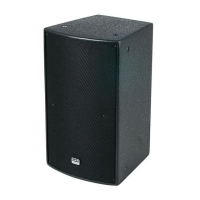
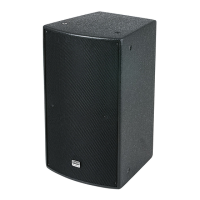
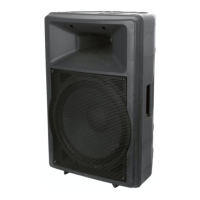
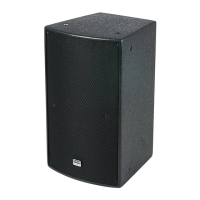
The robust construction, including plywood cabinets with black metal grille protection and rubber feet, contributes to the durability of the units, making them suitable for various environments. The standard pole-mounts allow for flexible placement and setup.

 To Next Page
 General