Installation
Remove all packing materials from the MMIX-4. Check that all foam and plastic padding is removed.
Connect all cables.
Always disconnect from electric mains power supply before cleaning or servicing.
Damages caused by non-observance are not subject to warranty.
Set Up and Operation
Before plugging the unit in, always make sure that the power supply matches the product specification
voltage. Install this device on a flat surface, not bend or curved.
Do not supply power before all components of the system are set up and connected properly.
Make sure to power-up your MMIX-4 before your power amplifiers are switched on in order to avoid loud
transients, which could damage your speakers or annoy your audience.
Setup examples
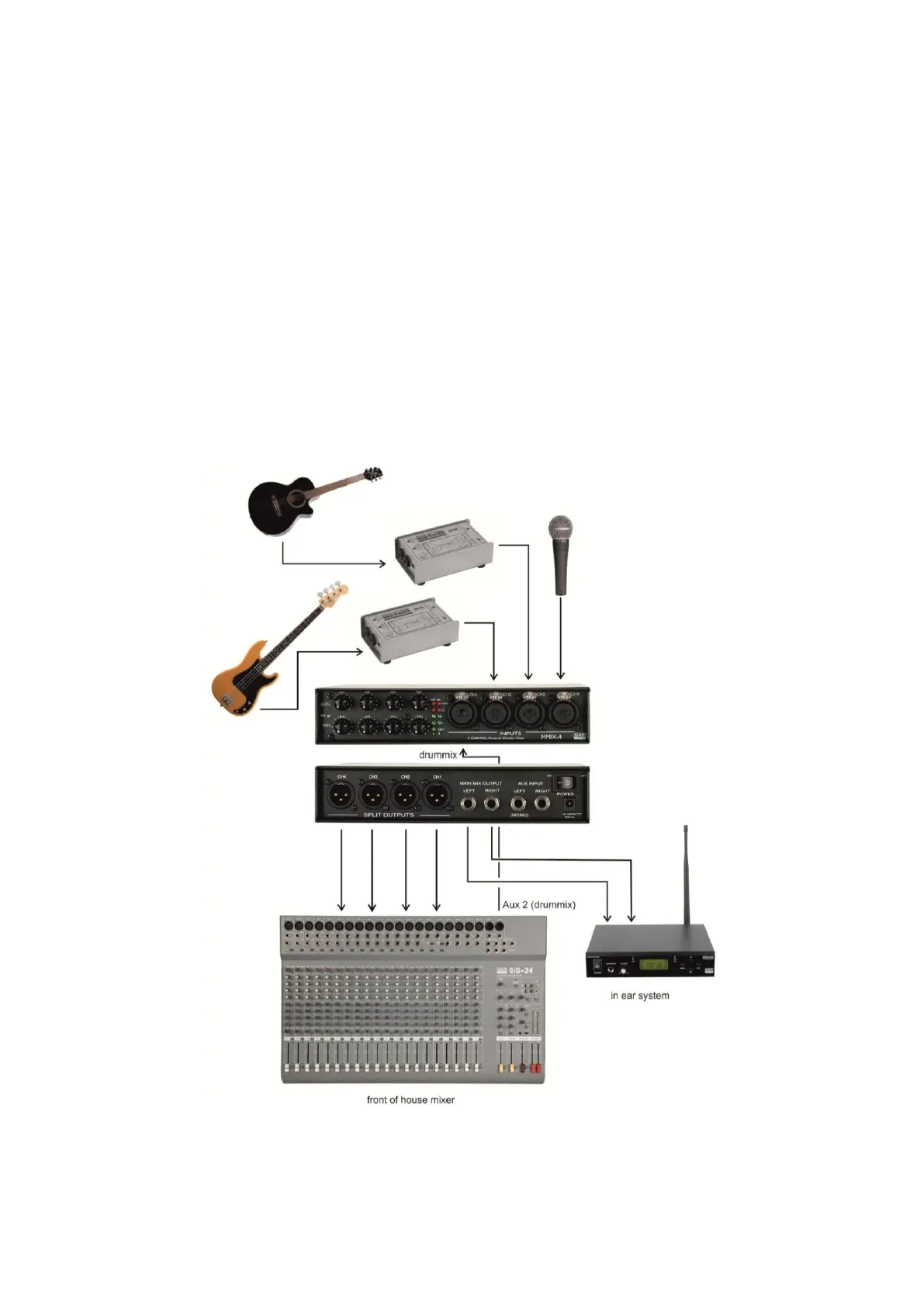
Example 1: personal in ear mix
Fig. 4


 To Next Page