12
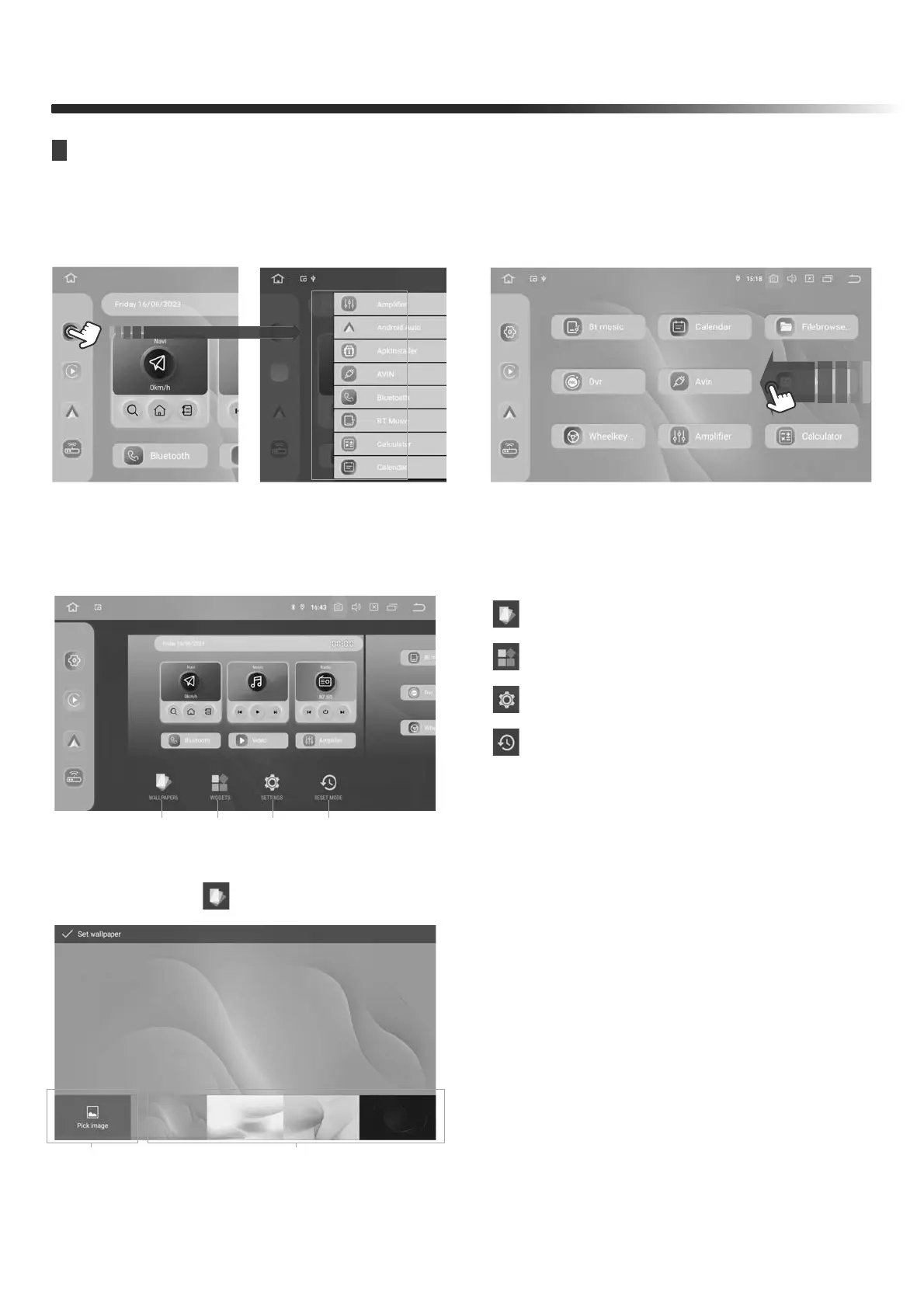
1. WALLPAPERS
2. WIDGETS
3. SETTINGS
4. RESET MODE
1234
FRONT PANEL
INTERFACE SETTING
Hold and Swipe to left for more
applications
Long press a blank area to enter wallpaper settings
Keep Pressing the left side App
swich to other app
1. Press the " " icon to set the Wallpapers interface
1. Touch " Pick image " to customize the
Settings wallpaper
2. Set the system built-in wallpaper


 To Next Page