12
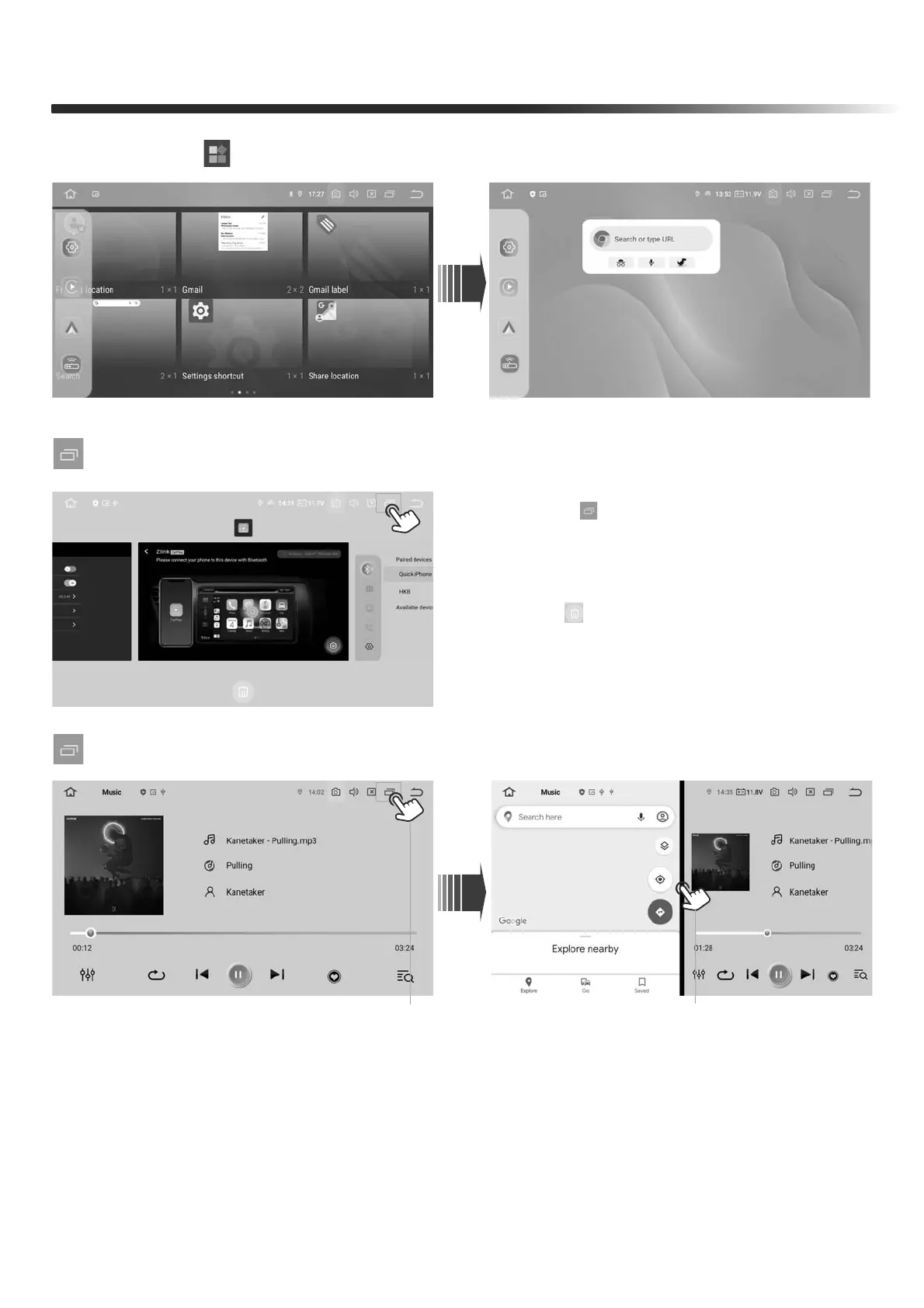
1. Task Manager
2. Split Screen
2. Press the " " icon to set the shortcut widgets
FRONT PANEL
1. Turn on an appplication on the main menu, and long-press the Split Screen icon,
then navigate to the main menu.
From the main menu, select another application to split the screen.
2. Press and hold the screen, then swipe left or right to cancel the Split Screen.
1. Touch“ ”to go to the Task Manager
page
1. Hold and swipe up to close the app
2. Tap “ ” to close all apps
( Hold the widgets and move to the top to delete it )


 To Next Page