∙ 13 ∙
using your Multi-Plate Mini Maker
1
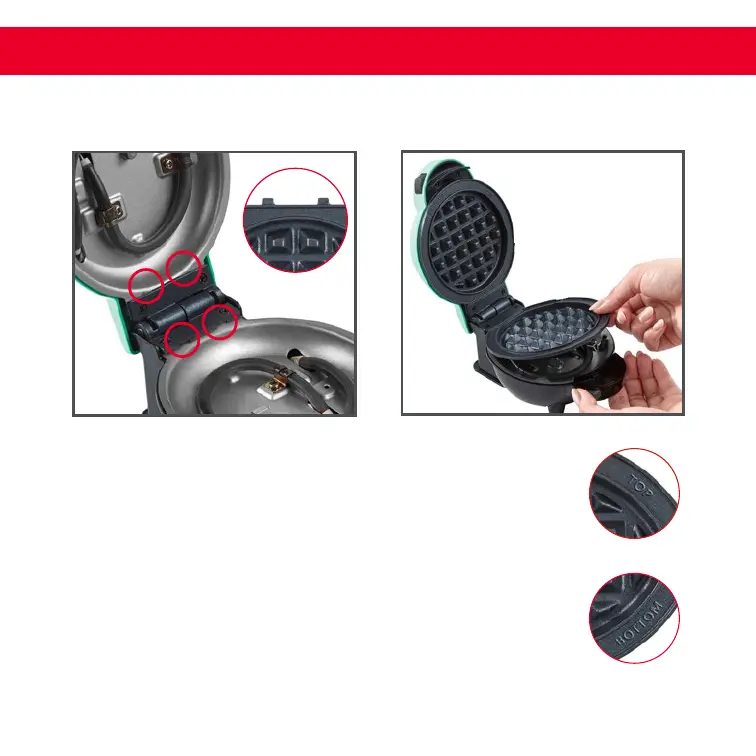
Install your Removable Plates by sliding them into the
slots located at the top and bottom of the Mini Maker
(photo A). Each set of Removable Plates are labeled
“Top” and “Bottom.” The Top Plate ts into the top of the
Maker, and the Bottom Plate ts into the bottom of the
Maker (photo B). You should feel a slight click when each
plate is properly in place.
B
A
TOP
BOTTOM



 To Next Page