Display mode Any resolution 800×600 resolution
A5 display mode
√
A61 display mode
√
A2 display mode
√ √
Floyd display mode
√
15 display mode
√
5
Paperlike Pro
6
Paperlike Pro
Paperlike Pro handbook
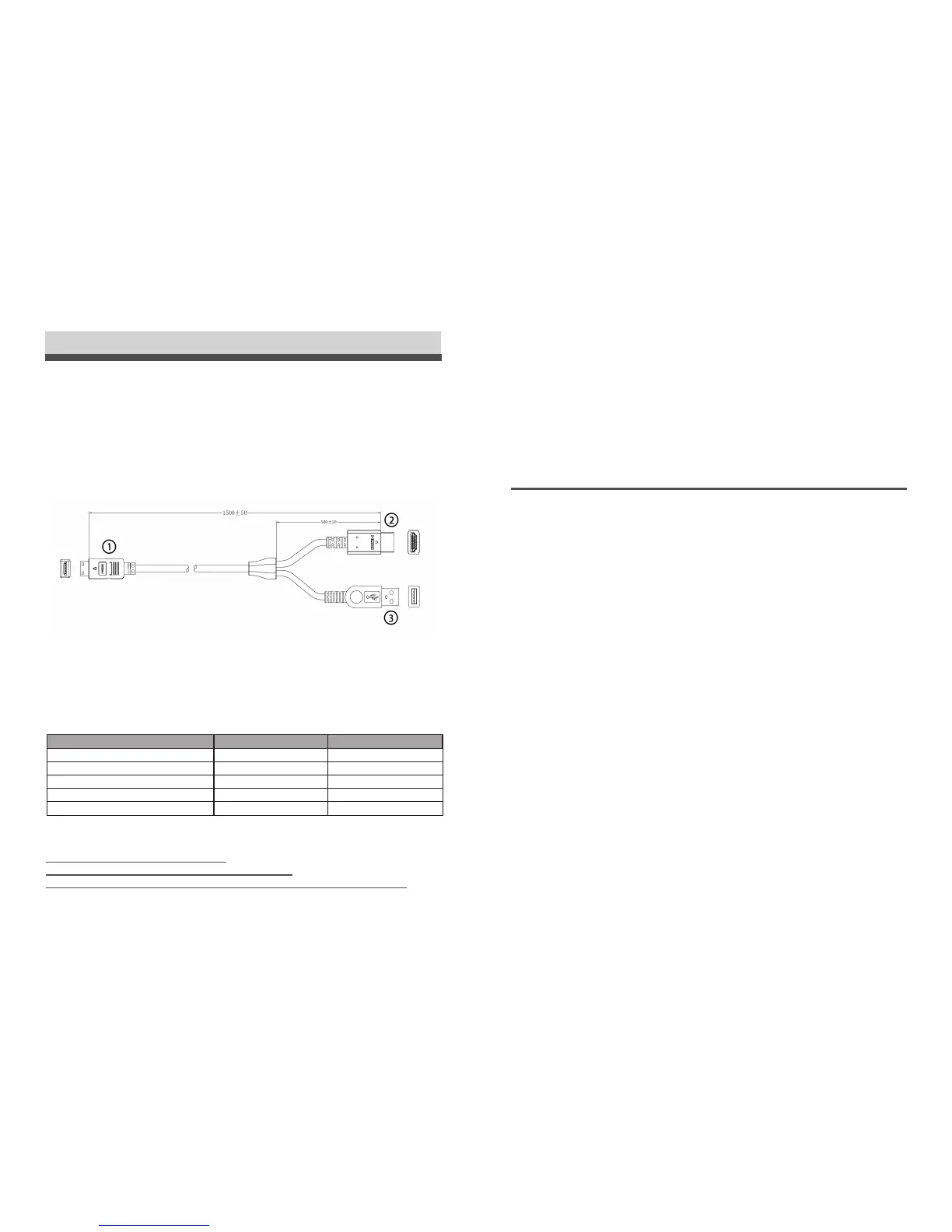
Paperlike Pro has a mini-HDMI interface. There is a special HDMI+USB cable for
video and power.
The cable has three ends:
1. mini-HDMI: Connect with Paperlike Pro.
2. HDMI: Connect to your computer.
3. USB: For power. Connect to 5V/2A DC supplier or USB3.0.
Paperlike Pro supports HDMI 1.4a, with 1600*1200 physics resolution. It can be set as a
normal LCD monitor in your OS setting for resolution, DPI, duplicated/extended and so on.
With the button “M” on the monitor, you can switch between Floyd/A2/16 image modes.
After you launch the Paperlike Pro software, you can choose A5 in 800*600.
We will recommend you install the Paperlike Pro software strongly for the following
advantages:
■
To protect the screen better.
■
To use the A5 at highest speed.
■
To condition the contrast for various applications.
■
To use Blink Refresh for ghost remove.
DASUNG Paperlike Pro
■
For the computer with DVI/miniDP/DP/Thunderbolt interface, you can use the HDMI
adapter.
■
For the VGA interface, we do not recommend you to use VGA.
Other interface
Mini-HDMI
HDMI
USB



 To Next Page