Data Support Co., Inc * Toll Free 800-726-5883 * Tel: 818-988-7499 * Fax: 818-988-7671 * www.dsctest.com
9
4. TECHNICAL DATA
Admissible Ambient Conditions
Location: Indoor use only
Temperature: 20°C to 40°C
Relative humidity: 15 % to 80 % at 30°C non-condensing
Warm up time: At least 15 minutes after connecting the Fat tester to the AC supply;
when switched from standby mode the Fat tester is ready for immediate use.
Height above sea level: Up to 2000 m
Power Input: 100VAC - 120VAC, 3A, 50/60Hz or 200VAC -240VAC, 3A, 50/60Hz
Voltage fluctuations: -15% +10%
Power load: MB25: 250W; MB23:300W (Maximum during drying process)
Power line fuse: 1 piece, 5 x 20mm, 8A 250V
Protected against dust and water, Pollution degree: 2, Installation category: Class II
Specifications
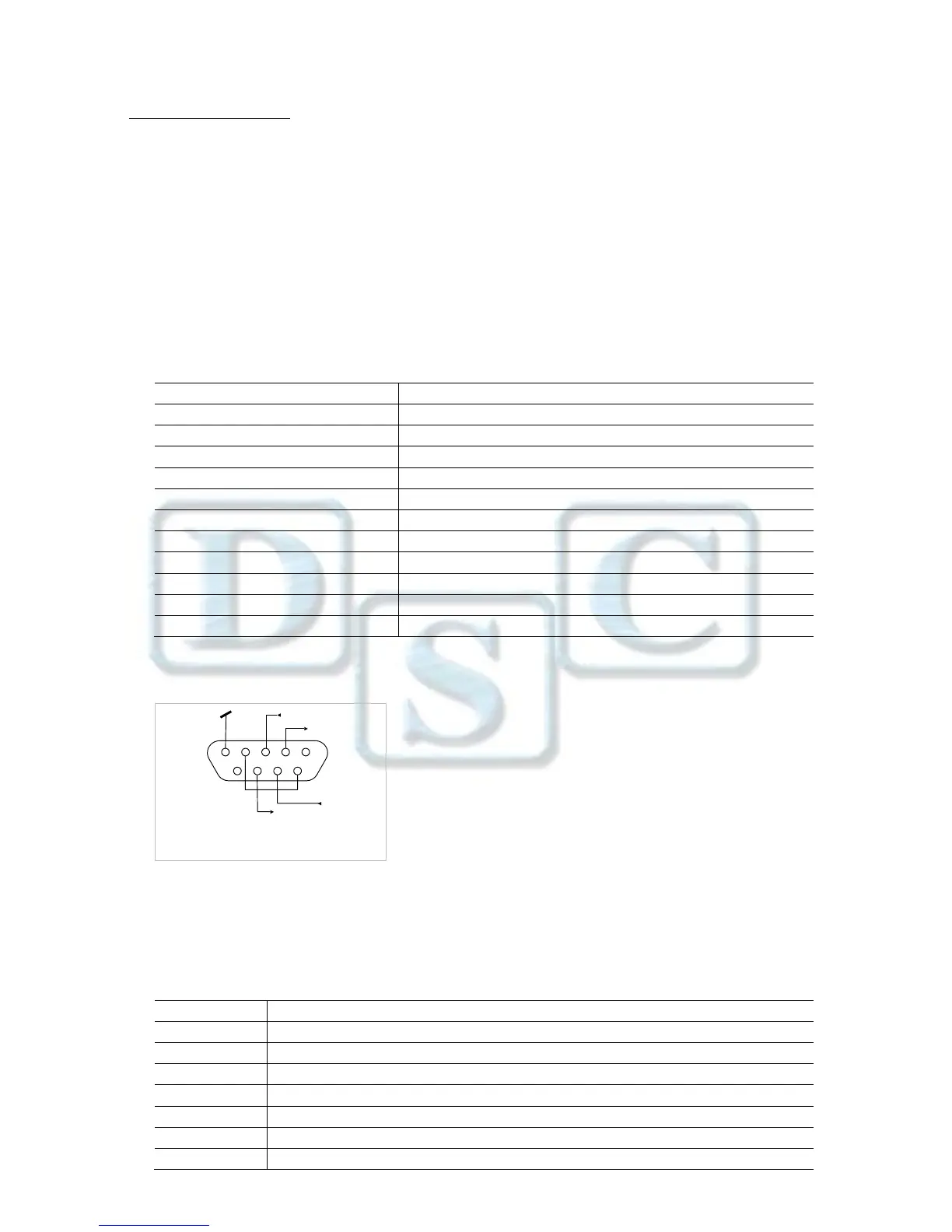
Female DB9 connector
Pin 2: Fat tester transmit line (TxD)
Pin 3: Fat tester receive line (RxD)
Pin 4 and 6: Internally connected
Pin 5: Ground signal (GND)
Pin 7: Clear to send (hardware handshake) (CTS)
Pin 8: Request to send (hardware handshake) (RTS)
RS232 Data Settings (default)
Baud Rate: 2400 Data Bits: 7 Parity: N Stop Bits: 2 Flow Control: Xon/Xoff
RS232 Commands
The RS232 Interface allows a computer to control the Fat tester, as well as to receive data such as displayed weight.


 To Next Page