EasyManua.ls Logo

Data Support DSC HFT1000M - User Manual

Data Support DSC HFT1000M
13 pages
Print Icon
To Next Page IconTo Next Page
Loading...
14639 Arminta Street * Panorama City, CA 91402
Data Support Co., Inc.
Data Support Co., Inc * Toll Free: 800-726-5883 * Tel: 818-988-7499 * Fax: 818-988-7671 * website: www.dsctest.com
Toll Free: 800-726-5883
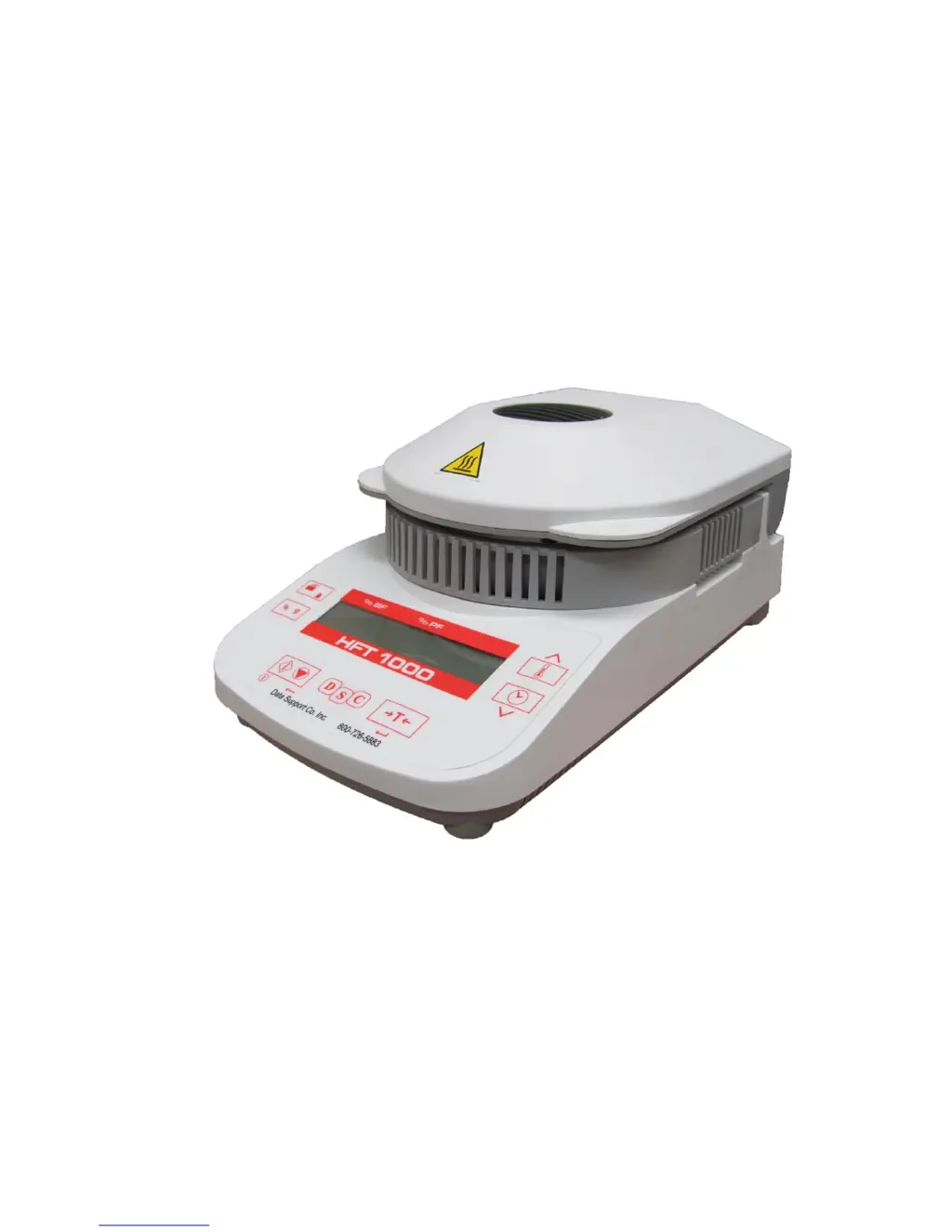
DSC HFT1000M
Digital Moisture Analyzer
Owners Manual
Simple to Use
Compact & Easy to Clean
No Complicated Buttons or Menus

Questions and Answers

  • C
    Carlos RamosAug 16, 2025
    What to do if Data Support DSC HFT1000M Measuring Instruments shows 'Close Cover'?
    • S
      Suzanne HoustonAug 16, 2025
      If the Data Support Measuring Instruments Fat tester shows 'Close Cover', it means the cover needs to be closed before starting the test. Please close the cover to proceed.
  • A
    Adam HansenAug 19, 2025
    Why is the weight value blinking on my Data Support Measuring Instruments?
    • M
      moranmelissaAug 19, 2025
      If your Data Support Measuring Instruments Fat tester displays a blinking weight value, it indicates that the sample weight is less than 0.5g. To resolve this, increase the sample size.
  • C
    cummingstracieAug 22, 2025
    What to do if Data Support DSC HFT1000M Measuring Instruments shows 'Tare'?
    • N
      Natalie HillAug 22, 2025
      If your Data Support Measuring Instruments Fat tester shows 'Tare', it means the pan weight needs to be set to zero. Press the Tare button to zero the pan weight.
  • V
    Valerie McneilAug 25, 2025
    How to fix poor accuracy on Data Support DSC HFT1000M Measuring Instruments?
    • W
      William SmithAug 25, 2025
      If you are experiencing poor accuracy with your Data Support Measuring Instruments Fat tester, it could be due to improper calibration or an unstable environment. * Perform calibration. * Move the Fat tester to a more suitable location.
  • M
    Marcus JacksonAug 28, 2025
    What does Err 8.3 mean on Data Support DSC HFT1000M Measuring Instruments?
    • S
      Samantha PhelpsAug 28, 2025
      If your Data Support Measuring Instruments Fat tester displays 'Err 8.3', it indicates that the weight on the Pan Support exceeds capacity. Remove some weight from the Pan Support.
  • N
    Nancy HarrisAug 31, 2025
    What does Err 8.4 mean on Data Support DSC HFT1000M Measuring Instruments?
    • S
      Steve RayAug 31, 2025
      If your Data Support Measuring Instruments Fat tester displays 'Err 8.4', it means the Pan Support was removed during weighing. Re-install the Pan Support to resolve this issue.
  • T
    Tina WeberSep 3, 2025
    What does Err 8.1 mean on Data Support DSC HFT1000M Measuring Instruments?
    • A
      Anthony MillerSep 3, 2025
      If your Data Support Measuring Instruments Fat tester displays 'Err 8.1', it indicates that the Pan Support had a load during power on. Remove any weight from the pan support.
  • S
    Steven SaundersSep 6, 2025
    What does Err 8.2 mean on Data Support Measuring Instruments?
    • M
      Mckenzie HernandezSep 6, 2025
      If your Data Support Measuring Instruments Fat tester displays 'Err 8.2', it means the Pan Support was removed prior to power on. Install the Pan Support.
  • J
    jason58Sep 8, 2025
    How to fix cannot calibrate on Data Support DSC HFT1000M?
    • D
      Daisy NelsonSep 9, 2025
      If you cannot calibrate your Data Support Measuring Instruments Fat tester, it may be due to an unstable environment or incorrect calibration masses. * Move the Fat tester to a more suitable location. * Use the correct calibration masses.
  • T
    Tammy BrownSep 12, 2025
    How to fix cannot turn on Data Support DSC HFT1000M?
    • J
      Jennifer AndrewsSep 12, 2025
      If your Data Support Measuring Instruments Fat tester cannot be turned on, it indicates there is no power. Verify the connections and voltage.

Summary

Introduction and Safety

Safety Precautions

Details essential safety measures for operating the Fat Tester and handling samples safely.

Application Disclaimer

States that moisture determination applications must be optimized by the user, with DSC data for reference only.

Installation Guide

Package Contents

Lists all items included in the Fat Tester package for initial setup and operation.

Selecting the Location

Provides guidelines for choosing a suitable and safe operating location for the Fat Tester.

Installing Components

Details the process of installing physical components like the draft shield and pan support.

Connecting Power

Explains how to connect the Fat Tester to the AC power supply safely and correctly.

Operation and Controls

Display Overview

Explains the various indicators and readings shown on the Fat Tester's display.

Controls and Buttons

Details the function of each button and control on the Fat Tester for operation.

Operating Modes

Describes the different operating modes of the Fat Tester, such as Standby and Weigh Mode.

Running a Fat Test

Sample Preparation and Weight

Guides on preparing meat samples and selecting the ideal sample weight for testing.

Test Execution and Results

Details on running the test, interpreting results, and performing trial tests.

Calibration Procedures

Weight Calibration

Instructions for performing annual weight calibration to ensure measurement accuracy.

Temperature Calibration

Guidance on temperature calibration, rarely needed, to correct for heating element changes.

Maintenance and Support

Cleaning Instructions

Procedures for safely cleaning the Fat Tester's housing, sensor, and glass surfaces.

Troubleshooting Guide

Lists common symptoms, possible causes, and remedies for Fat Tester operational issues.

Available Accessories

Lists optional accessories and parts available for the Fat Tester, including part numbers.

Technical Data and Compliance

Admissible Ambient Conditions

Specifies the recommended environmental conditions for indoor use of the Fat Tester.

Technical Specifications

Provides detailed specifications for the HFT 1000 model, including capacity and dimensions.

RS232 Communication

Details RS232 pin connections, data settings, and commands for computer interface.

Compliance Standards

Lists certifications and standards the product conforms to, such as CE and UL.

Disposal and Warranty

Product Disposal

Information on proper disposal of the electronic device in accordance with WEEE directive.

Limited Warranty Information

Outlines the terms and conditions of the product's warranty against defects.

Data Support DSC HFT1000M Specifications

General IconGeneral
BrandData Support
ModelDSC HFT1000M
CategoryMeasuring Instruments
LanguageEnglish