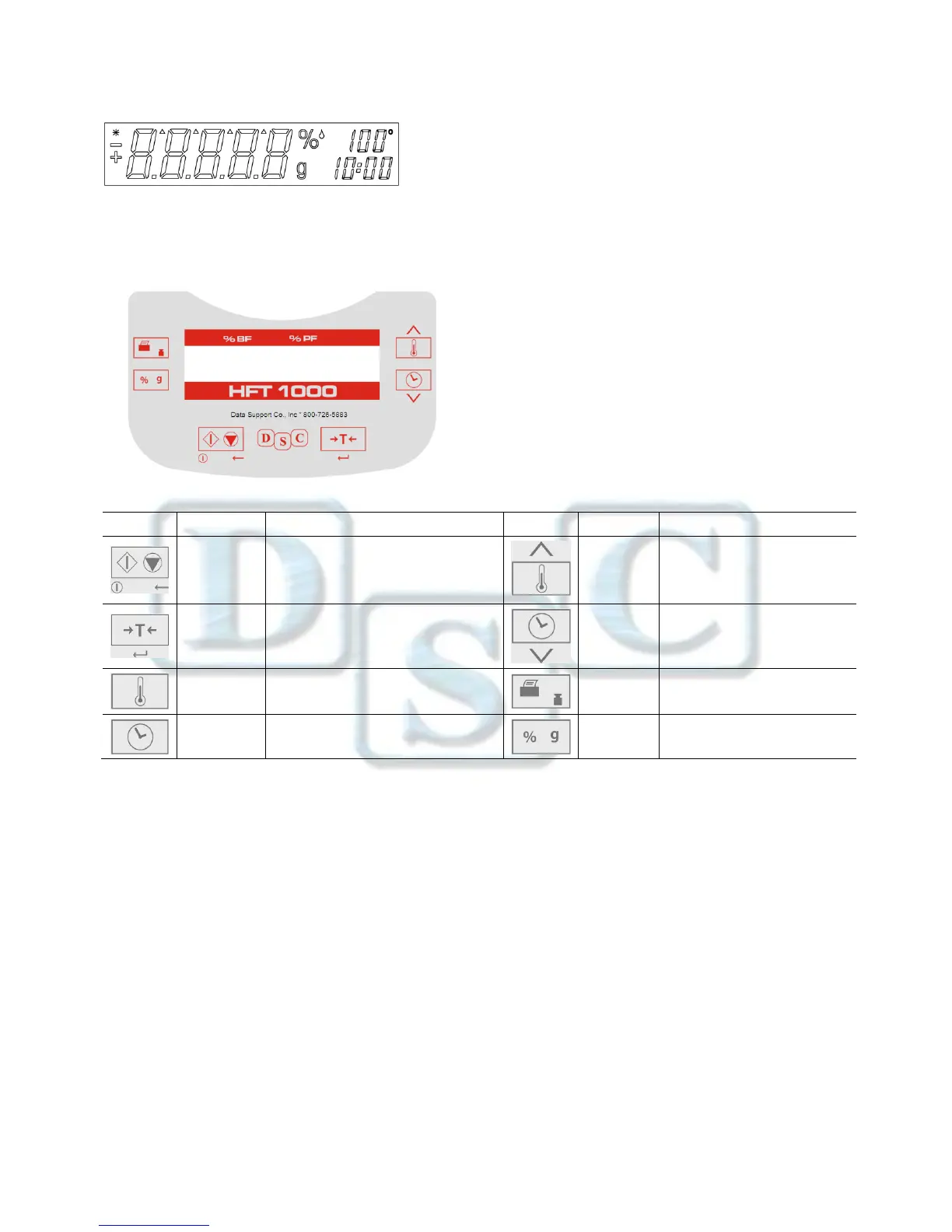
Stable indicator
% Percent Fat
%
Percent moisture
g grams
100° Temperature setting or current chamber temperature (Celsius)
10:00 Time setting (minutes : seconds)
There are also several modes of operation which affect how each button operates. Please refer to the following section.
Operating Modes
Standby Mode: When the Fat tester is connected to AC power and the display is off, the unit is in Standby mode.
Start (Short press) Turns on the display and enters Weigh mode.
Print (Long press) displays the RS232 settings (see Section 6, RS232 Data Connection.). Thereafter,
(Short press) Re-enters Standby mode (off).
Weigh Mode: The display shows the weight of items placed on the pan support.
Tare (Short press) sets the displayed weight value to zero
Start (Long press) Enters Standby mode (Off)
The following operations can be initiated:
Temp (Short press) Enters Edit mode for the temperature setting, the value will blink
Time (Short press) Enters Edit mode for the time setting, the value will blink
Start (Short press) Activates Run mode, initiates test with a sample greater than 0.5 g
Cal (Long press) Initiates weight or temperature Calibration (see Section 5, Maintenance)


 To Next Page