Datalogic USA, Inc.
959 Terry Street
Eugene, OR 97402
USA
Telephone: (541) 683-5700
Fax: (541) 345-7140
©2014-2017 Datalogic S.p.A. and/or its affiliates
All rights reserved. Without limiting the rights under copyright, no part
of this documentation may be reproduced, stored in or introduced into a
retrieval system, or transmitted in any form or by any means, or for any
purpose, without the express written permission of Datalogic S.p.A. and/or
its affiliates.
Owners of Datalogic products are hereby granted a non-exclusive, revoca-
ble license to reproduce and transmit this documentation for the pur-
chaser's own internal business purposes. Purchaser shall not remove or
alter any proprietary notices, including copyright notices, contained in this
documentation and shall ensure that all notices appear on any reproduc-
tions of the documentation.
Should future revisions of this manual be published, you can acquire
printed versions by contacting your Datalogic representative. Electronic
versions may either be downloadable from the Datalogic website
(www.datalogic.com
) or provided on appropriate media. If you visit our
website and would like to make comments or suggestions about this or
other Datalogic publications, please let us know via the "Contact Datalogic"
page.
Disclaimer
Datalogic has taken reasonable measures to provide information in this
manual that is complete and accurate, however, Datalogic reserves the
right to change any specification at any time without prior notice.
Datalogic and the Datalogic logo are registered trademarks of Datalogic
S.p.A. in many countries, including the U.S. and the E.U. Heron is a trade-
mark of Datalogic S.p.A. and/or its affiliates, registered in the U.S. All other
brand and product names may be trademarks of their respective owners.
Patents
See www.patents.datalogic.com for patent list.
This product is covered by one or more of the following patents:
Design patents: EP001398119, USD719574, USD740295,
ZL201430226310.6, ZL201430226365.2
Utility patents: EP0789315B1, EP1128314B1, EP1128315B1, EP1164536B1,
EP1396811B1, EP1413971B1, EP1797521B1, EP1942442B1, US5992740,
US6098883, US6454168, US6517003, US6561427, US6808114, US6997385,
US7387246, US7506816, USRE41349.
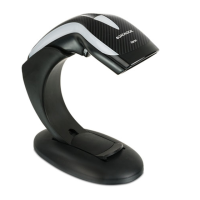
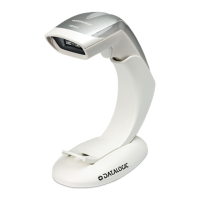
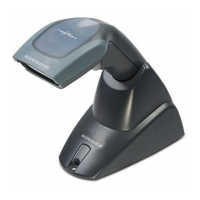
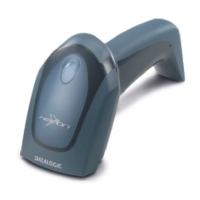
Heron™ HD3130
Linear Imager
Regulatory & Safety Addendum
850028914 (Rev. B) June 2017
Compliance
LED CLASS
Exempt Group LED product.
Regulatory Information
All models are designed to be compliant with rules and regulations in
locations they are sold and will be labeled as required.
Any changes or modifications to equipment, not expressly approved by
Datalogic could void the user's authority to operate the equipment.
Statement of Agency Compliance
This device complies with part 15 of the FCC Rules. Operation is sub-
ject to the following two conditions: (1) this device may not cause
harmful interference, and (2) this device must accept any interference
received, including interference that may cause undesired operation.
FCC Class B Compliance Statement
The user is cautioned that changes or modifications not expressly
approved by the part responsible for compliance could void the user’s
authority to operate the equipment.
This equipment has been tested and found to comply with the limits
for a Class B digital device pursuant to part 15 of the FCC Rules. These
limits are designed to provide reasonable protection against harmful
interference in a residential installation. This equipment generates,
uses, and can radiate radio frequency energy and, if not installed and
used in accordance with the instructions, may cause harmful interfer-
ence to radio communications. However, there is no guarantee that
interference will not occur in a particular installation. If this equipment
does cause harmful interference to radio or television reception, which
can be determined by turning the equipment off and on, the user is
encouraged to try to correct the interference by one or more of the fol-
lowing measures:
• Reorient or relocate the receiving antenna.
• Increase the separation between the equipment and receiver.
• Connect the equipment into an outlet on a circuit different from
that to which the receiver is connected.
• Consult the dealer or an experienced radio or television technician
for help.
Canadian Notice
This equipment does not exceed the Class B limits for radio noise
emissions as described in the Radio Interference Regulations of the
Canadian Department of Communications.
Le present appareil numerique n’emet pas de bruits radioelectriques
depassant les limites applicables aux appareils numeriques de la
classe B prescrites dans le Reglement sur le brouillage radioelectrique
edicte par le ministere des Communications du Canada.
Customs Union
The CU conformity certification has been achieved; this allows the
Product to bear the Eurasian mark of conformity.
CAUTION
Do not attempt to open or otherwise service any compo-
nents in the optics cavity. Opening or servicing any part
of the optics cavity by unauthorized personnel may vio-
late safety regulations.
Power Supply
This device is intended to be connected to a UL Listed/CSA Certified
Power Unit marked “Class 2” or LPS power source rated 5V, minimum
0.8 A and having a cable length < 3 m.
Argentina Power Supply Statement
Imager Labeling
Labels are shown here to illustrate their location only. Please view
the labels on your product for actual details.
Atencíon
Características de la fuente
de alimentación eléctrica.
Entrada:
100 - 240 VCA
min 350 mA, 50-60 HZ
Salida:
5,2 VDC, máx 2500 mA
(-)Negativo al centro
Utilice en su red solo fuentes certificadas en Argentina.
El uso de fuentes de alimentación no compatibles puede
resultar en riesgo de incendio o de choque eléctrico para el
usuario.
Regulatory & Serial Number
©2014-2017 Datalogic S.p.A. and/or its affiliates. All rights reserved.
Datalogic and the Datalogic logo are registered trademarks of Datalogic
S.p.A. in many countries, including the U.S.A. and the E.U.
www.datalogic.com



 To Next Page
 General