EasyManua.ls Logo

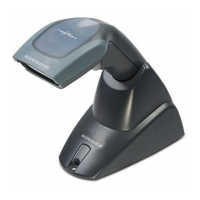
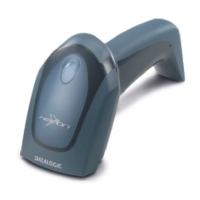
Datalogic Heron HD3100 - User Manual

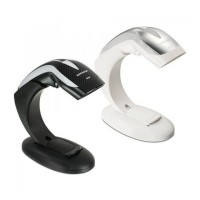
Datalogic Heron HD3100
298 pages
Print Icon
To Next Page IconTo Next Page
Loading...
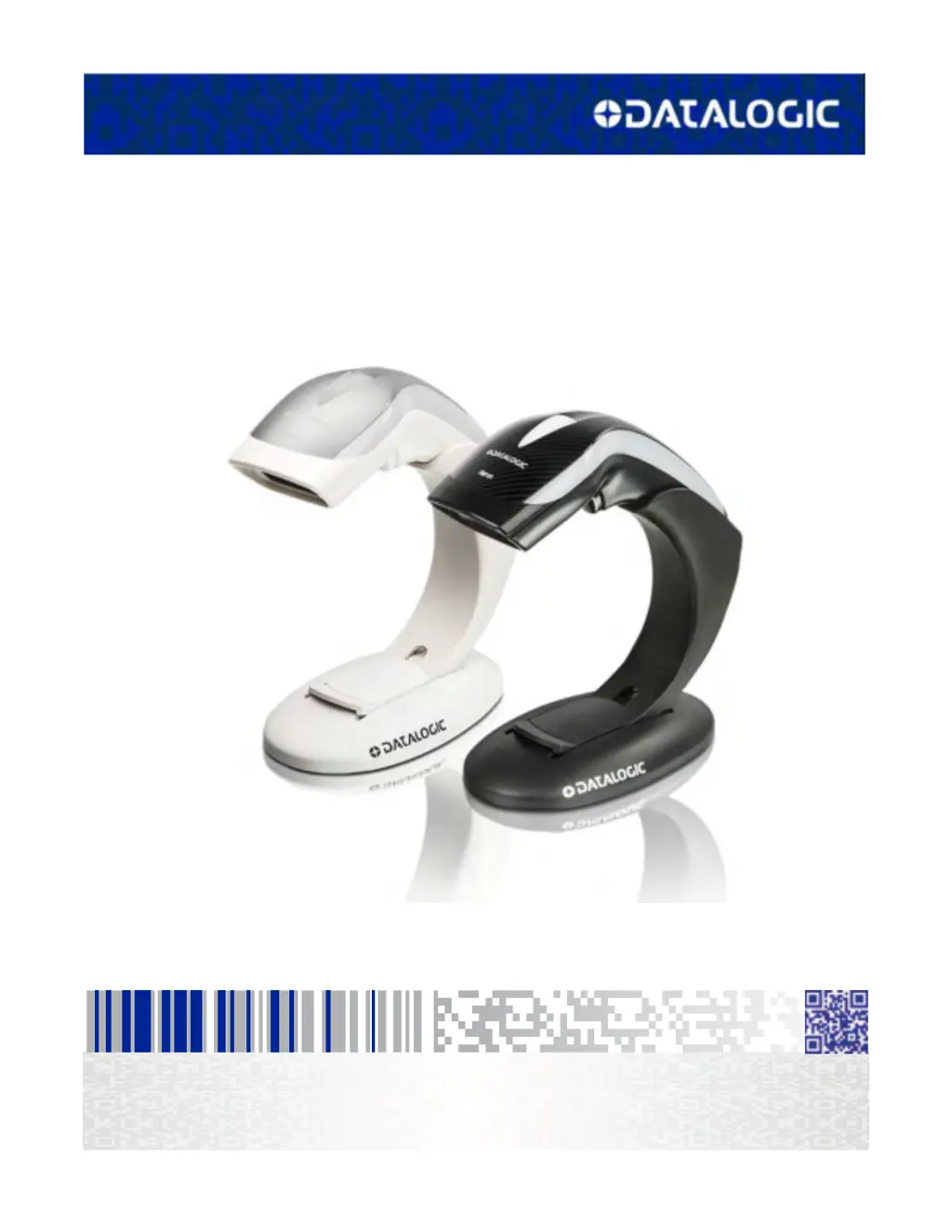
Heron™ HD3130
Linear Imager
Product Reference Guide

Table of Contents

Questions and Answers

  • M
    Michael BrayAug 17, 2025
    How to troubleshoot a Datalogic Scanner that does nothing when the scan button is pressed?
    • D
      Dr. Anthony RodriguezAug 17, 2025
      If nothing happens when you press the scan button on your Datalogic Scanner, check the following: * Ensure the scanner is receiving power. Check the system power and make sure the power supply is properly connected. * Verify that all cable connections, including interface and power cables, are securely plugged in.
  • C
    Cassandra GoodmanAug 20, 2025
    What to do if my Datalogic Scanner LED is on, but the bar code does not decode?
    • S
      Stacie Day MDAug 20, 2025
      If the LED on your Datalogic Scanner lights up but the bar code isn't decoding, here's what you can check: * Make sure the scanner is set up to read the specific type of bar code you're scanning. * Examine the bar code label to be sure it's clear and not damaged. You can try scanning a different bar code to see if that works. * Adjust the distance between the scanner and the bar code. Try moving the scanner closer or farther away from the bar code.
  • M
    megan89Aug 22, 2025
    What to do if Datalogic Heron HD3100 Barcode Reader LED is on but barcode does not decode?
    • M
      Margaret GrahamAug 22, 2025
      If the Datalogic Barcode Reader's LED is on, but it doesn't decode the barcode, there might be a few reasons. First, the imager might not be programmed for the correct barcode type, so ensure it is properly programmed. Second, the barcode label might be unreadable; check if it's defaced and try scanning another barcode. Finally, the distance between the imager and the barcode could be incorrect; try moving the imager closer to or further from the barcode.
  • B
    Briana JonesAug 26, 2025
    How to troubleshoot Datalogic Heron HD3100 when nothing happens when the scan button is pulled?
    • R
      Rebecca SandovalAug 26, 2025
      If nothing happens when you pull the scan button on your Datalogic Barcode Reader, it could be due to a couple of reasons. First, check the system power and ensure the power supply is connected. Second, make sure all cable connections are secure, as loose interface or power cables could be the cause.
  • D
    douglaswilcoxAug 28, 2025
    What to do if my Datalogic Barcode Reader LED is on but not decoding?
    • Y
      Yolanda HansenAug 28, 2025
      If the LED is illuminated, but the bar code isn't decoding, there could be several reasons: * The barcode reader may not be programmed to read that specific type of barcode. * The barcode label might be damaged or unreadable. Try scanning a different barcode to see if that works. * The distance between the barcode reader and the barcode itself may be incorrect. Try moving the reader closer to or further away from the barcode.
  • J
    John BrownAug 30, 2025
    Why is my Datalogic Heron HD3100 not working when I pull the scan button?
    • A
      Austin BrownAug 31, 2025
      If nothing happens when you pull the scan button on your Datalogic Barcode Reader, it could be due to the following reasons: * The imager may not be getting power. Check the system power and ensure the power supply is properly connected. * The interface or power cables might be loose. Ensure all cable connections are secure.
  • C
    Chad GregorySep 2, 2025
    Why is my Datalogic Scanner decoding but not transmitting to the host?
    • T
      Tiffany GloverSep 2, 2025
      If your Datalogic Scanner decodes the bar code but doesn't transmit the data to the host, the scanner may not be programmed for the correct host type. Scan the appropriate host type barcode to resolve this.
  • A
    Amanda Becker DDSSep 5, 2025
    Why is the barcode decoded but not transmitted to the host by Datalogic Heron HD3100 Barcode Reader?
    • J
      johnsonchristopherSep 5, 2025
      If your Datalogic Barcode Reader decodes the barcode but doesn't transmit it to the host, the imager might not be programmed for the correct host type. Scan the appropriate host type barcode to resolve this.
  • H
    Heather LaraSep 8, 2025
    What to do if the LED is on but the Datalogic Laboratory Equipment barcode does not decode?
    • D
      debbie49Sep 8, 2025
      If the LED is on but your Datalogic Laboratory Equipment isn't decoding the barcode, there could be a few reasons: * The imager might not be programmed for the correct barcode type. Make sure it's set to read the specific type of barcode you're scanning. * The barcode label might be damaged or unreadable. Inspect the label for any defects. You could also try scanning a different barcode. * The distance between the imager and the barcode could be off. Try moving the imager closer to or further away from the barcode to see if that helps.
  • D
    Dawn NunezSep 12, 2025
    Why nothing happens when I pull the scan button on my Datalogic Laboratory Equipment?
    • R
      Richard HuffSep 12, 2025
      If nothing happens when you pull the scan button on your Datalogic Laboratory Equipment, it could be due to: * **Power Issues:** Check that the system has power and ensure the power supply is properly connected. * **Loose Cables:** Make sure all cable connections are securely attached.

Datalogic Heron HD3100 Specifications

General IconGeneral
TypeHandheld
ConnectivityUSB, RS-232, Keyboard Wedge
Weight150 g
Print Contrast Ratio (Minimum)20%
Interfaces SupportedUSB, RS-232, Keyboard Wedge
Scan Rate100 scans/sec
Drop Specification1.5 m
Operating Temperature0°C to 50°C
Input Voltage5 VDC +/- 5%
Decode Capability1D, 2D Codes
Supported BarcodesCode 39, Code 128, QR Code
Storage Temperature-20 to 70 °C
Humidity5 to 95% (Non-condensing)
Cable Length2 m

Related product manuals