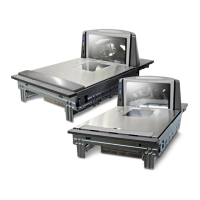
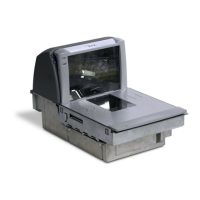
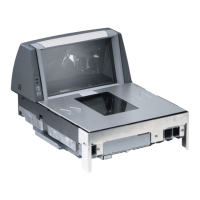
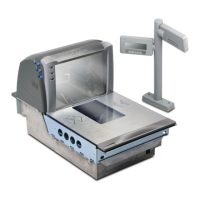
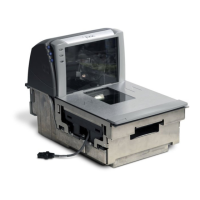
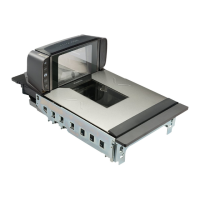
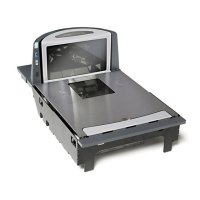
The Datalogic Magellan 8300/8400 is a high-performance scanner-scale designed for retail environments, offering efficient and accurate weighing and scanning capabilities. This integrated device streamlines checkout processes by simultaneously capturing barcode data and weighing items, making it ideal for grocery stores, supermarkets, and other retail settings where speed and precision are crucial. Its robust design and user-friendly features ensure reliable operation and ease of maintenance, contributing to improved operational efficiency and customer satisfaction.
Function Description
The Magellan 8300/8400 operates as a combined barcode scanner and weighing scale. Its primary function is to accurately identify products via barcode scanning and determine their weight for pricing. The device features a multi-plane scanning array, allowing for aggressive and omnidirectional scanning of barcodes, regardless of their orientation on the item. This ensures quick and accurate reads, reducing the need for operators to precisely position items. The integrated scale provides precise weight measurements, which are then transmitted to the point-of-sale (POS) system for accurate pricing of bulk or weighed items.
The scanner-scale is equipped with a sophisticated optical system that can read various 1D and 2D barcodes, depending on the model and configuration. Its advanced decoding algorithms ensure high first-pass read rates, even on poorly printed, damaged, or wrinkled barcodes. The scale component is designed for high accuracy and stability, capable of handling a range of weights typically encountered in retail, from light produce to heavier bulk items.
A key operational feature is its ability to perform calibration. Calibration is a critical process that ensures the accuracy of the scale over time. The device guides the user through a series of steps involving the removal and replacement of the top platter, interaction with internal switches, and the application of certified weights. This process recalibrates the scale to maintain its measurement precision, which is essential for regulatory compliance and accurate pricing. The calibration sequence is initiated by accessing an internal plunger switch and involves pressing the ">0<" button at specific intervals, accompanied by auditory feedback (beeps and trills) to indicate progress and successful registration of steps.
The device also includes visual indicators, such as a green top LED and an orange ">0<" button, which provide status updates to the operator. These indicators signal power status, operational readiness, and guide the user through specific procedures like calibration by flashing or remaining steadily lit.
Usage Features
The Magellan 8300/8400 is designed for intuitive and efficient use in fast-paced retail environments.
- Omnidirectional Scanning: The multi-plane scanning pattern allows items to be presented to the scanner from virtually any angle, minimizing the need for precise item orientation. This significantly speeds up the checkout process and reduces operator fatigue.
- Integrated Scale: The seamless integration of the scale and scanner means operators do not need to move items between separate devices. Items can be weighed and scanned in one smooth motion, improving throughput.
- User-Friendly Calibration Process: The calibration procedure, while involving internal components, is guided by clear steps and visual/auditory cues. The ">0<" button serves as the primary interface for confirming steps during calibration, making the process manageable for trained personnel. The process involves:
- Power-on Check: Ensuring the device is powered on, indicated by the green top LED and the ">0<" button.
- Platter Removal: Removing the top platter to access internal components.
- Switch Access: Locating and opening the calibration door cover, which may require manipulating the wire lift handle.
- Plunger Switch Activation: Pressing a small internal plunger switch to initiate the calibration sequence, signaled by beeps and a flashing ">0<" button.
- Platter Replacement: Returning the wire lift handle to its down position and replacing the top platter securely.
- Zeroing the Scale: Pressing the flashing ">0<" button to zero the scale, confirmed by two beeps.
- Weight Application: Placing certified weights (e.g., 20 lbs.) on the platter and pressing the ">0<" button to register the weight, confirmed by a trill sound.
- Weight Removal: Removing the weights and pressing the ">0<" button one final time to complete the calibration, after which the scanner resets and the ">0<" button lights steadily.
- Auditory and Visual Feedback: The device provides clear feedback through beeps, trills, and the status of the ">0<" button (lit, flashing) to guide the operator through various operations, especially during calibration. This reduces ambiguity and ensures correct execution of steps.
- Robust Construction: Built to withstand the rigors of daily retail use, the device features durable materials and components, ensuring longevity and consistent performance.
Maintenance Features
The Magellan 8300/8400 is designed with ease of maintenance in mind, particularly concerning its calibration and sealing.
- Accessible Calibration Bay: The calibration bay is designed to be accessible for maintenance personnel. The calibration door cover can be opened by pushing it back towards the optics chassis, sometimes requiring the wire lift handle to be in an upright position. This allows access to the internal plunger switch and other components necessary for calibration.
- Sealing Mechanism: After calibration, the device requires sealing to ensure the integrity of the scale and prevent tampering. The calibration door must be fully closed, aligning holes in the door with a metal tab, before applying a calibration seal. This seal can be a wire, paper label, or other method, as per local regulatory requirements.
- Clear Sealing Guidelines: The manual provides specific "Sealing Notes" to ensure proper sealing. It explicitly warns against any portion of the seal (wire, paper label, etc.) coming into contact with the weigh frame (highlighted in green in diagrams) or interfering with scale movement. This is crucial to prevent compromise of scale accuracy and regulatory compliance.
- Conditions to Avoid (Maintenance Warnings): The documentation highlights common issues to avoid during maintenance, particularly related to sealing:
- Wire loop too long (not snug): A loose wire loop can snag or interfere with components.
- Calibration door not closed: An open or improperly closed door compromises the seal and scale integrity.
- Seal in contact with weigh frame: This is a critical warning, as any contact can impede the scale's free movement and affect its accuracy.
- Troubleshooting Support: In case of problems or questions during the calibration process, Datalogic provides technical support via a dedicated phone number and a link to a calibration video. This ensures that users have resources to resolve issues and correctly perform maintenance tasks.
- Modular Design (Implied): While not explicitly detailed, the ability to remove the top platter and access internal components suggests a modular design that facilitates component replacement or cleaning, further simplifying maintenance.
In summary, the Datalogic Magellan 8300/8400 is a sophisticated and user-friendly scanner-scale that combines high-performance scanning with accurate weighing. Its design prioritizes operational efficiency, ease of use, and straightforward maintenance, making it a valuable asset for retail operations. The detailed calibration process and clear maintenance guidelines ensure the device remains accurate and compliant over its operational lifespan.

 Need help?
 General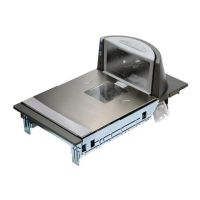


 To Next Page