EasyManua.ls Logo

Datalogic MAGELLAN 8400 - User Manual

Datalogic MAGELLAN 8400
17 pages
Print Icon
To Next Page IconTo Next Page
Loading...
QUESTIONS?
Ask the experts at POSMicro.com.
1.800.241.6264
Live Chat Now
support@POSMicro.com
Monday - Friday 6 AM to 5 PM Pacic Time
BULK DISCOUNTS
FREE SHIPPING*
SE HABLA
ESPAñOL
*Free ground shipping to the continental USA on orders over $100.
For Help Call
1.800.241.6264
Datalogic Magellan
8300 8400 Quick Start
THIS DOWNLOAD APPLIES TO THE FOLLOWING
Magellan 8300
Magellan 8400

Other manuals for Datalogic MAGELLAN 8400

Question and Answer IconNeed help?

Do you have a question about the Datalogic MAGELLAN 8400 and is the answer not in the manual?

Summary

Disclaimer

End User License Agreement

Definitions

Defines key terms used in the agreement, including Documentation and Proprietary Information.

Scope of License Grant

Outlines the terms and restrictions for using the Datalogic Software.

Transfers and Support

Details conditions for transferring the product and obtaining support.

Intellectual Property

Covers Datalogic's ownership of intellectual property rights in the Software.

Proprietary Information

Defines and protects Datalogic's confidential and trade secret information.

Limited Warranty

States Datalogic's warranty terms and conditions for the product.

Controls and Indicators

Power Supply

Scanning Items

Weighing Items with All-Weighs Platter

LED and Beeper Indications

LED Indicators

Explains the function of the scanner LED and scale button/LED for status indication.

Volume;Tone Push Button Functions

Scale Zero Push Button Functions

EAS-Enabled Systems

Product Labeling and Location

Compliance Statement

Adaptive Scale Platter Option

Appendix A: Warranty Information

Warranty Terms

Covers product defects in materials and workmanship for one year from shipment.

Warranty Exclusions

Details conditions and actions that void the warranty coverage.

Limitation of Liability

Defines Datalogic's maximum liability for product defects and damages.

Assignment of Rights

Specifies rules regarding the transfer of warranty rights.

Risk of Loss

Assigns responsibility for product loss or damage during transit.

EC Declaration of Conformity

Summary

Disclaimer

End User License Agreement

Definitions

Defines key terms used in the agreement, including Documentation and Proprietary Information.

Scope of License Grant

Outlines the terms and restrictions for using the Datalogic Software.

Transfers and Support

Details conditions for transferring the product and obtaining support.

Intellectual Property

Covers Datalogic's ownership of intellectual property rights in the Software.

Proprietary Information

Defines and protects Datalogic's confidential and trade secret information.

Limited Warranty

States Datalogic's warranty terms and conditions for the product.

Controls and Indicators

Power Supply

Scanning Items

Weighing Items with All-Weighs Platter

LED and Beeper Indications

LED Indicators

Explains the function of the scanner LED and scale button/LED for status indication.

Volume;Tone Push Button Functions

Scale Zero Push Button Functions

EAS-Enabled Systems

Product Labeling and Location

Compliance Statement

Adaptive Scale Platter Option

Appendix A: Warranty Information

Warranty Terms

Covers product defects in materials and workmanship for one year from shipment.

Warranty Exclusions

Details conditions and actions that void the warranty coverage.

Limitation of Liability

Defines Datalogic's maximum liability for product defects and damages.

Assignment of Rights

Specifies rules regarding the transfer of warranty rights.

Risk of Loss

Assigns responsibility for product loss or damage during transit.

EC Declaration of Conformity

Overview

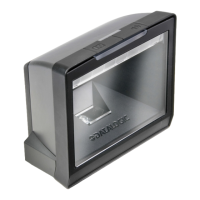
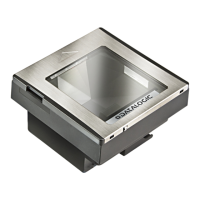
The Datalogic Magellan 8300/8400 is a high-performance, in-counter scanner and scanner/scale designed for point-of-sale (POS) environments. Its primary function is to quickly and accurately read barcodes on various items, facilitating efficient checkout processes. For models equipped with a scale, it also provides integrated weighing capabilities, allowing for the simultaneous scanning and weighing of produce and other items.

Function Description

The core function of the Magellan 8300/8400 is barcode scanning. It utilizes a 360° scan pattern, which means it can read barcodes regardless of their orientation on an item. This omnidirectional scanning capability significantly reduces the need for cashiers to reorient products, thereby speeding up transactions and improving ergonomic comfort. The scanner is equipped with advanced FirstStrike® decoding software, enabling it to read even hard-to-read or damaged barcodes quickly and reliably.

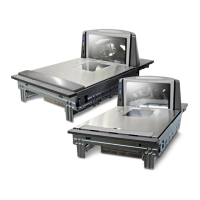
For models with integrated weighing, the device features an L-shaped All-Weighs® platter. This design allows items to be placed anywhere on the platter surface for accurate weighing. Oversized items can also be weighed by leaning them against the vertical section of the platter. Optional raised Produce Bars or Produce Rails™ are available to ensure that items do not rest on the counter or other non-weighing surfaces, maintaining weighing accuracy. When items are weighed, the Price Look-Up (PLU) data is entered via the POS system, and weight information is displayed on a Remote Scale Display or the host display.

The device's control panel includes an indicator LED and two push buttons: a Volume/Tone Button and a Scale Zero Button (on scale models only). These controls provide operational feedback and allow for certain user-initiated functions. A speaker (beeper) is also integrated, providing audible indications for scanning and weighing activities, which can be configured for volume and tone.

Usage Features

The Magellan 8300/8400 is designed for ease of use in a fast-paced retail environment.

  • Omnidirectional Scanning: Users can push or slide items through the 360° scan zone in either a left-to-right or right-to-left motion. The scanner's ability to "see" barcodes on any side of a product (left, right, front, back, or bottom) eliminates the need for precise item orientation. This feature not only enhances speed but also reduces repetitive motion injuries by minimizing gripping, twisting, and rotating movements.
  • Weighing Convenience: For scale models, items can be placed on the All-Weighs® platter without specific placement requirements. The system integrates seamlessly with POS instructions for entering PLU data, with weight data displayed externally.
  • LED and Beeper Indications: The scanner provides clear visual and audible feedback. The top-most LED indicates scanner status (e.g., Scanner Active, Good Read Indication, Program Mode, Sleep Mode, Host Disabled, Field Replaceable Unit (FRU) Warning). On scale models, the scale button/LED indicates scale status (e.g., Scale at Zero). The beeper provides audible cues for good reads and other events, with adjustable volume and tone.
  • Volume/Tone Button Functions:
    • Waking from Sleep Mode: A momentary press wakes the scanner. Alternatively, moving an object through the scan zone, a weight change on the scale, or scanning with an auxiliary scanner can also wake the unit.
    • Volume Adjustment: Momentarily pressing the button in Normal Operating Mode cycles through four available volume levels for the speaker.
    • Tone Adjustment: Holding the button for approximately 2 seconds allows users to cycle through three beeper tones (high, medium, low).
    • Scanner Diagnostics Mode: Holding the button for 4 seconds activates diagnostics mode, primarily for system support personnel to troubleshoot issues. This function is typically disabled by default to prevent accidental activation.
    • Scanner Reset: Holding the button for 8 seconds performs a scanner reset, a function intended only for trained system support personnel.
  • Scale Zero Button Functions (Scale Models Only):
    • Zero Scale: A momentary press zeros the scale if no weight is on the platter, indicated by a yellow LED.
    • Scale Power Cycle: If certain conditions are met and the scale's primary indication shows an "under zero" condition, a momentary press can initiate a scale power cycle. If the scale finds zero after the cycle, it operates normally; otherwise, a non-weight indication is displayed.
    • Scale Diagnostics Mode: Holding the button for 4 seconds activates scale diagnostics mode, also intended for trained support personnel.
  • EAS-Enabled Systems: For systems with Electronic Article Surveillance (EAS) capabilities, security tags are automatically deactivated when items pass over the EAS antenna located beneath the scanner's platter. These systems are aftermarket options installed by certified technicians.

Maintenance Features

The manual provides information relevant to maintaining the device's operational integrity and addressing potential issues.

  • FRU Warning (Error Mode): The scanner includes a Field Replaceable Unit (FRU) Warning system, indicated by alternating green and yellow LEDs and an audible low error tone. This alerts users to a fatal FRU failure, prompting consultation of the Product Reference Guide for more details or contacting systems support. If a low tone is heard without continuous flashing, the scanner may still function in a limited capacity, but service is recommended.
  • FRU Indication: Following an FRU warning, pushing the Volume/Tone button can trigger a coded sequence of green LED flashes in concert with the speaker. This feature assists service technicians in identifying specific FRU failures for targeted maintenance.
  • Warranty and Service: Datalogic provides a 1-year warranty covering defects in materials and workmanship. To obtain service, customers must notify Datalogic of the defect and obtain a return authorization number. Datalogic will repair or replace valid claims without additional charge. Customers are responsible for packaging and shipping the product to the designated service center. The warranty excludes damage from abuse, neglect, improper use, lack of maintenance (e.g., display cleaning), unauthorized service, use with incompatible equipment, or modifications.
  • Software Updates: The device's embedded software can receive replacements, updates, upgrades, enhancements, or modifications, ensuring continued optimal performance and compatibility.
  • Product Labeling: Labels indicating IEC Laser Warning, Product Family, Model/Serial Number, Scale Regulatory information, and I/F Connector ID and Regulatory details are located under the platter, inside the unit, and on its bottom cover. These labels are crucial for identification and service.
  • Adaptive Scale Platter Option: For units shipped with spacers for future adaptive scale installation, instructions are provided for removing these spacers when an adaptive scale is added. This ensures the platter rests evenly and at the correct height.

The Datalogic Magellan 8300/8400 is designed to be a robust and efficient tool for retail operations, combining advanced scanning and weighing technologies with user-friendly features and clear diagnostic indicators to minimize downtime and maximize productivity.

Datalogic MAGELLAN 8400 Specifications

General IconGeneral
Read rate (max)5200 reads/s
Tilt angle range360 - 360 °
Decoding standards1D/GS1
Standard interfacesUSB, RS-232
Power requirements100 - 250V
Dimensions (WxDxH)102 x 356 x 130 mm
CertificationRoHS, EN, IEC
Product colorGrey, Silver
Storage temperature (T-T)-40 - 70 °C
Operating temperature (T-T)-10 - 40 °C
Operating relative humidity (H-H)5 - 95 %
Weight and Dimensions IconWeight and Dimensions
Weight15000 g

Related product manuals