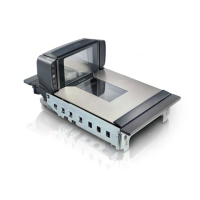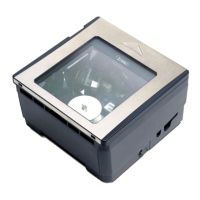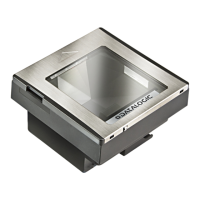
EasyManua.ls Logo

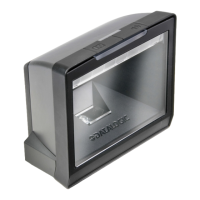
Datalogic Magellan 3300HSi - User Manual

Datalogic Magellan 3300HSi
216 pages
Print Icon
To Next Page IconTo Next Page
Loading...
Magellan
TM
3300HSi
In-Counter Horizontal Single Plane Scanner
Product Reference Guide

Table of Contents

Other manuals for Datalogic Magellan 3300HSi

Questions and Answers

  • A
    Angela ThorntonJul 31, 2025
    What to do if my Datalogic Magellan 3300HSi won't read bar codes?
    • V
      Vickie HillJul 31, 2025
      If your Datalogic Barcode Reader is not reading bar codes or is reading them poorly, ensure the scanner window is clean and the bar codes are of sufficient quality. Wrinkled, smudged, or torn labels can prevent the scanner from reading. Try scanning known-good labels of an active symbology to test the scanner's operation.
  • D
    djonesAug 11, 2025
    Why Datalogic Barcode Reader has no communication with the host?
    • K
      Kent WilliamsAug 11, 2025
      To solve communication problems with your Datalogic Barcode Reader, verify the proper interface type, cable, and connection port(s) for the scanner using your host system manual or by consulting your technical support personnel. Ensure the interface cable is securely attached to both the host and the scanner.
  • B
    Barbara PerkinsAug 20, 2025
    How to fix Datalogic Magellan 3300HSi that does not power on?
    • M
      Monica DavisAug 20, 2025
      If your Datalogic Barcode Reader doesn't power on, try exchanging the power supply with a known good power supply to retest the operation.

Summary

Chapter 1: Getting Started

Connecting the Scanner

Steps for physically connecting the scanner to various host devices.

Installation and Error Codes

Guidance on scanner placement and understanding error indicators.

LED and Beeper Indicators

Explanation of visual and audible signals used by the scanner.

Programming Basics

Introduction to scanner configuration via bar codes and default settings.

Chapter 2: Programming Features

Bar Code Configuration

Details on enabling/disabling symbologies and setting up bar code reading.

Feature Settings

Configuration options for scanner behavior like timeouts, buttons, and sleep modes.

Interface and Communication

Settings for different connection types (RS-232, USB, Keyboard Wedge).

Symbology and Data Formatting

Options for controlling how various bar code types are read and transmitted.

Advanced Decoding

Settings for specialized reading modes like inverse labels and quiet zones.

Chapter 3: References

Global Prefix;Suffix and Label ID

Configuring data prefixes, suffixes, and label identifiers.

Appendix A: Product Specifications

Optical and Read Performance

Technical specifications for scanner's reading capabilities.

Physical, Electrical, and Environmental Properties

Details on scanner dimensions, power, and operating conditions.

Appendix B: Cable Pinouts

Interface Cable Pinouts

Pin assignments for various scanner interface cables.

Appendix F: Host Commands

RS-232 Command Reference

List of commands supported by the scanner over RS-232.

Appendix H: microSD Card Operations

microSD Card Usage and Management

Instructions for inserting, removing, and using microSD cards.

Appendix I: Data Format Requirements

Handheld Scanner Data Formats

Standards for data transmission from handheld scanners.

AIM Formats

Specifications for AIM (Automatic Identification Manufacturers) label identifiers.

Datalogic Magellan 3300HSi Specifications

General IconGeneral
Scanner type1D
Decoding standardsGS1, MicroPDF417, PDF417
Optical sensor resolution1280 pixels
Light levels (direct sunlight)0 - 86100 lx
Dimensions (WxDxH)152 x 87 x 152 mm
Power consumption (active)9.9 W
Standard interfacesUSB, RS-232
Input voltage90 - 264 V
Power requirements47 - 63 Hz
Power consumption (standby)2 W
CertificationRoHS, EN 60825-1, IEC 60825, IEC 60825-1
Product colorStainless steel
Storage temperature (T-T)-40 - 70 °C
Operating temperature (T-T)0 - 40 °C
Operating relative humidity (H-H)5 - 95 %
Harmonized System (HS) code84716070
Weight and Dimensions IconWeight and Dimensions
Weight790 g

Related product manuals