EasyManua.ls Logo

Datalogic MAGELLAN 3200VSI - User Manual

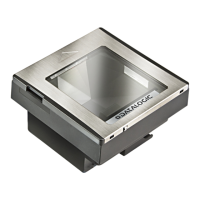
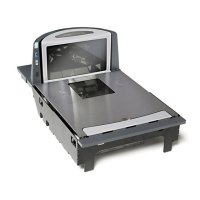
Datalogic MAGELLAN 3200VSI
2 pages
Print Icon
To Next Page IconTo Next Page
Loading...
© 2011 Datalogic Scanning, Inc. 820043714 (Rev. B) November / 2011
2D Upgrade Kit
Magellan
TM
3200VSi / 3300HSi
Follow these instructions to upload a 2D license file to either a Magellan 3200VSi or 3300HSi model scanner. This will upgrade
the scanner to read 2D bar codes in addition to the already available symbologies. Read all of these instructions before starting.
1. If you have not already done so, remove the scanner from its installed position to allow access to the microSD card slot.
2. Ensure there are no other cables attached to the scanner, then apply power and wait for the reset beep.
3. Lift and rotate the rubber cover to access the card slot (see the illustration on the next page), then carefully insert the 2D
upgrade microSD card into the slot until it "clicks" into place. If installed properly, you should immediately hear a rapid
sequence of tones to indicate the upgrade process has started.
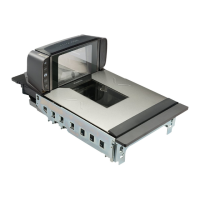
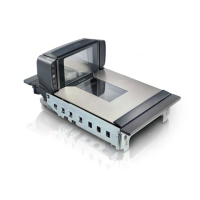
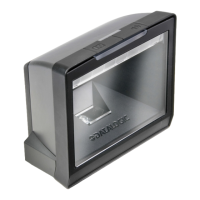
For the 3300HSi scanner, use a coin or similar blunt
object to lever the top cover from the scanner, then grasp
the lift handles and carefully lift the unit from the counter.
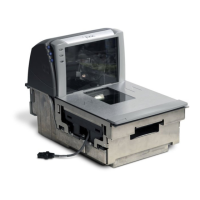
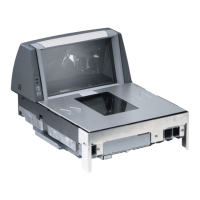
For the 3200VSi model, separate the scanner from
its back cover.
CAUTION
The microSD card slot is spring loaded. Keep your finger lightly in place atop the card until you are
sure it is fully seated in place.
Use your finger or thumbnail to push in on the top edge of the card to be slightly below flush with
the scanner enclosure when inserting or removing the card. This will engage/disengage the
spring mechanism.
Never insert tools or other foreign objects into the microSD card slot.
Improper insertion of the microSD card can result in the premature exhaustion of 2D upgrade
licenses.
If you do not hear audible tones upon microSD card full insertion, the card does not contain any
2D upgrade licenses.
Top Cover
Coin Slot
Lift Handles
Back Cover
Optional Back
Cover/Stand
Assembly

Other manuals for Datalogic MAGELLAN 3200VSI

Questions and Answers

Summary

2 D License Upload Procedure

Prepare Scanner and Access microSD Slot

Remove scanner from installation, then access microSD slot for 3300HSi or 3200VSi models.

Insert 2 D Upgrade microSD Card

Carefully insert microSD card into slot until it clicks; listen for tones indicating upgrade start.

Power On and Confirm Upgrade Start

Ensure no cables attached, apply power, and wait for reset beep and upgrade confirmation tones.

Complete License Upload and Testing

Wait for Upload Completion

Wait five seconds after audio indication before proceeding to allow scanner to complete upload.

Remove microSD Card

Gently push in card edge to disengage and remove from spring-loaded slot, keeping finger in place.

Reconnect Cables and Test Scanner

Reconnect all cables, then test new 2D reading ability by scanning sample 2D bar codes.

Summary

2 D License Upload Procedure

Prepare Scanner and Access microSD Slot

Remove scanner from installation, then access microSD slot for 3300HSi or 3200VSi models.

Insert 2 D Upgrade microSD Card

Carefully insert microSD card into slot until it clicks; listen for tones indicating upgrade start.

Power On and Confirm Upgrade Start

Ensure no cables attached, apply power, and wait for reset beep and upgrade confirmation tones.

Complete License Upload and Testing

Wait for Upload Completion

Wait five seconds after audio indication before proceeding to allow scanner to complete upload.

Remove microSD Card

Gently push in card edge to disengage and remove from spring-loaded slot, keeping finger in place.

Reconnect Cables and Test Scanner

Reconnect all cables, then test new 2D reading ability by scanning sample 2D bar codes.

Overview

The Datalogic Magellan 3200VSi / 3300HSi 2D Upgrade Kit is designed to enhance the functionality of existing Magellan 3200VSi and 3300HSi scanners, enabling them to read 2D barcodes in addition to their already supported symbologies. This upgrade is facilitated by a microSD card containing a license file, which, once uploaded, permanently expands the scanner's capabilities. The process is straightforward, but requires careful attention to detail to ensure proper installation and avoid potential issues.

Function Description:

The primary function of this upgrade kit is to extend the barcode reading capabilities of the Magellan 3200VSi and 3300HSi scanners to include 2D symbologies. This means that after the upgrade, the scanner will be able to decode various 2D barcodes such as PDF417 and Data Matrix, which are commonly used in retail, healthcare, and logistics for storing more information in a smaller space compared to traditional 1D barcodes. The upgrade is a one-time process, after which the scanner's new 2D reading ability becomes a permanent feature. While the upgrade enables the scanner to read PDF417 and Data Matrix codes immediately, other 2D symbologies may require additional configuration through programming barcodes found in the Product Reference Guide (PRG) or by using the Magellan On Screen Programming (OSP) utility. This flexibility allows users to tailor the scanner's capabilities to their specific operational needs. The core mechanism involves uploading a license file from a microSD card to the scanner's internal memory, which then unlocks the 2D decoding algorithms.

Usage Features:

The upgrade process is designed to be user-friendly, although it requires physical interaction with the scanner.

  1. Scanner Preparation: Before initiating the upgrade, the scanner must be removed from its installed position to allow access to the microSD card slot. For the 3300HSi model, this involves using a coin or similar blunt object to gently pry open the top cover, then lifting the unit from the counter using its designated lift handles. For the 3200VSi model, the scanner needs to be separated from its back cover. This initial step ensures that the user has unobstructed access to the necessary components for the upgrade.
  2. Powering On: Once the scanner is physically accessible, all other cables should be disconnected, and then power should be applied. The user must wait for a reset beep, indicating that the scanner is ready for the next step. This ensures the scanner is in a stable state for the license upload.
  3. MicroSD Card Insertion: The critical step involves carefully inserting the 2D upgrade microSD card into the designated slot. The slot is typically protected by a rubber cover, which needs to be lifted and rotated to expose the slot. The card should be inserted until it "clicks" into place, indicating it is properly seated. The microSD card slot is spring-loaded, so it's important to keep a light finger pressure on the card until it is fully seated to prevent it from "launching" out. A rapid sequence of tones should be heard immediately upon proper insertion, signaling the start of the upgrade process. This audio feedback is crucial for confirming that the card has been recognized and the license upload has begun.
  4. License Upload Confirmation: After hearing the initial audio indication, it is recommended to wait for approximately five seconds. This waiting period allows the scanner sufficient time to complete the license upload from the microSD card.
  5. MicroSD Card Removal: Once the upload is complete, the microSD card needs to be gently pushed in with a finger or thumbnail to disengage the spring mechanism, allowing it to be safely removed. Again, maintaining light pressure on the card's edge is advised to prevent it from springing out unexpectedly.
  6. Reconnection and Testing: After the microSD card is removed, all previously disconnected cables should be reconnected. The scanner is then ready to scan PDF417 and Data Matrix barcodes. To verify the successful upgrade, users should test the scanner's new 2D reading ability by scanning sample 2D barcodes of the types they intend to read. Once confirmed, the scanner can be re-installed in its original position.

Maintenance Features:

While the upgrade process itself is a one-time operation, there are several maintenance-related considerations and warnings to ensure the longevity and proper functioning of the scanner and the upgrade.

  1. Proper Card Handling: The microSD card slot is spring-loaded, and users are cautioned to use their finger or thumbnail to push the card in and out. This technique ensures proper engagement and disengagement of the spring mechanism.
  2. Avoid Foreign Objects: A critical warning is provided against inserting tools or any other foreign objects into the microSD card slot. Such actions can damage the slot, rendering it unusable and potentially voiding the scanner's warranty.
  3. Prevent Premature License Exhaustion: Improper insertion of the microSD card can lead to the "premature exhaustion of 2D upgrade licenses." This implies that the license is consumed without successfully upgrading the scanner, potentially requiring a new license card. Following the insertion instructions carefully is vital to prevent this.
  4. Audio Feedback for License Status: The system provides clear audio feedback. If no audible tones are heard upon full insertion of the microSD card, it indicates that the card does not contain any 2D upgrade licenses. This serves as an immediate diagnostic tool, alerting the user if the card is faulty or empty.
  5. Software Configuration for Other Symbologies: While the upgrade immediately enables PDF417 and Data Matrix, other 2D symbologies may require further configuration. This is achieved by scanning programming barcodes found in the Product Reference Guide (PRG) or by utilizing the Magellan On Screen Programming (OSP) utility. This allows for ongoing customization and adaptation to evolving barcode requirements without needing further hardware upgrades.
  6. Verification of New Capabilities: After the upgrade, it is essential to test the scanner's new 2D reading ability with sample barcodes. This verification step ensures that the upgrade was successful and that the scanner is fully operational for its intended purpose before being returned to service. This proactive testing helps identify any issues before they impact daily operations.

Datalogic MAGELLAN 3200VSI Specifications

General IconGeneral
Tilt angle range0 - 360 °
Decoding standards1D/2D/GS1/PDF417
Dimensions (WxDxH)142 x 152 x 82 mm
Power consumption (standby)1.8 W
Storage temperature (T-T)-40 - 70 °C
Operating temperature (T-T)0 - 40 °C
Operating relative humidity (H-H)5 - 95 %
Cable length4.5 m
Standard interfacesUSB
CertificationRoHS
Weight and Dimensions IconWeight and Dimensions
Weight600 g

Related product manuals