Important Notes:
The Windows driver functions the same as any other Windows printer. A built in help file is available for
complete information on all settings; however, there are some important settings that should be
observed for trouble free printing.
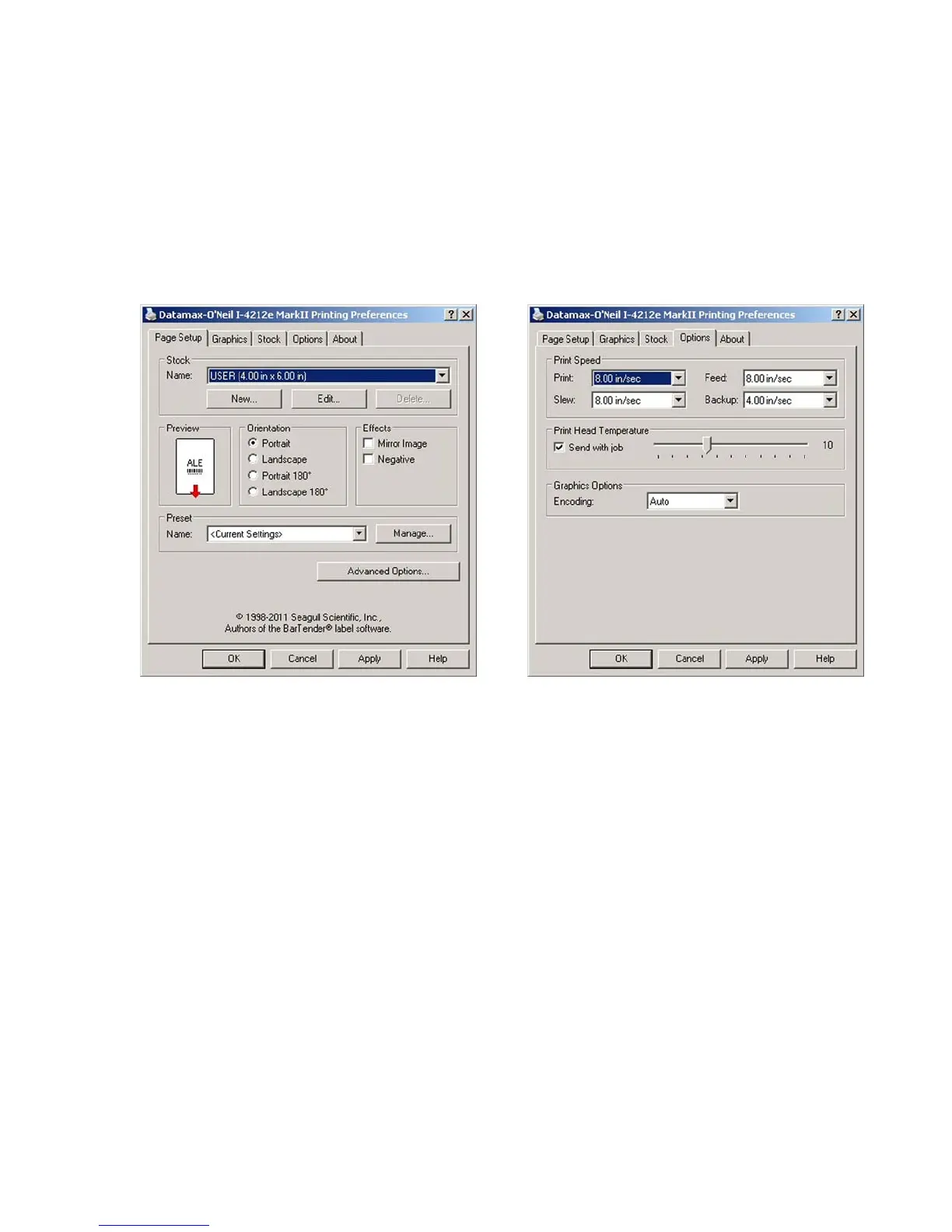
Page Setup Tab: Stock
It i
s
important that the Stock setting matches
the size of the label you are using. If you
cannot find a match for your label click 'New'
and enter the dimensions of your label.
Options Tab: Pr
int Speed & Printhead
Temperature
These two settings will ha
ve the greatest effect
on print quality. Some label stocks will require
more heat and slower print speeds to generate a
quality image.
The Windows appli
cation software used to create the label format will likely have a "Page Setup"
screen. This will also need to match the size of the label you are using.


 To Next Page