Testing Fax Lines.
PHASE 5
Fax Mode Details:
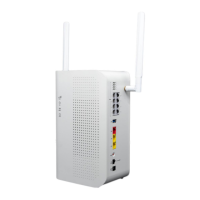
Fax Works in VOIP and Fax modes on the DataRemote CDS-9010 device.
Fax in Fax Mode works in basic (9600 Baud), Normal (14400 Baud) with ECM (Error
Correction Mode) ON & OFF depending on the customers Fax machine.
NOTE: Depending on the BAUD Rate, the quality of the lines, and if ECM is on or
off, the calls can take up to 25 seconds to 1 minutes per page to print.
Here is a breakdown of the average time it takes for a single page Fax to transmit based on the
baud rate of the sending and receiving fax lines.
Please keep in mind that these are average times of Fax transmission speeds.
BAUD RATE INBOUND MINUTES PER PAGE OUTBOUND MINUTES PER PAGE
2400
2 Minutes 30 seconds
4800
7200
1 Minute 45 seconds
1 Minute 15 seconds
2 Minutes 50 seconds
1 Minute 50 seconds
1 Minute 15 seconds
9600
55 Seconds
45 Seconds
12000
14400
28800
33600
1 Minute
35 Seconds
25 Seconds
1 Minute
55 Seconds
45 Seconds
35 Seconds
25 Seconds
Steps to follow for Fax Testing:
NOTE: if at any point Fax is not working please contact Support.
1. Connect the respective FXS line that is provisioned for fax to the "Line" port of the customer Fax
machine.
2. Make a test outbound Fax call to a number provided by your Program Manager.
1. Connect the respective FXS line that is provisioned for Fax to the "Line" port of the customer Fax
machine.
2. Make a test outbound Fax call to a number provided by your Program Manager.
3. Contact Program Manager to return the Fax for inbound Fax testing.
4. Repeat test (Steps 1-3) on both WAN and LTE.
Page 22
Revision No. 004 April 2020


 To Next Page