User’s Manual1 DATECS LP-1000
36 37
c Frame thickness: 1 - 80. Thickness is at the
expense of the inner area.
d X coordinate of the opposite angle: 0 - 2047
e Y coordinate of the opposite angle: 0 - 4095
Example: X10, 10, 3, 360, 250
Draws a rectangle with a size of 250 x 240 and frame
thickness of 3 dots.
Generating 2D barcodes
The command is used for inserting 2D barcode in the image. Only
PDF417 is supported.
Format: bp
1
,p
2
,p
3
,p
4
,p
5
[,p
i...
],”Data”
p
1
Starting coordinate on X for the upper left corner of
the barcode: 0 to 2047.
p
2
Starting coordinate on Y for the upper left corner
of the barcode: 0 to 4095.
p
3
Barcode type. Must be ‘P’ for PDF417. MacroPDF
and Extended Channel Interpretation are not
supported.
p
4
Maximum print width in dots. 0 to 384.
p
5
Maximum print height in dots. 0 to 1024.
The following parameters are optional. When not entered, default
values are used. Each parameter is identified by a single letter:
p
6
(s) Error correction level. Allowed values: s0 - s8.
If not specified, the value is calculated using
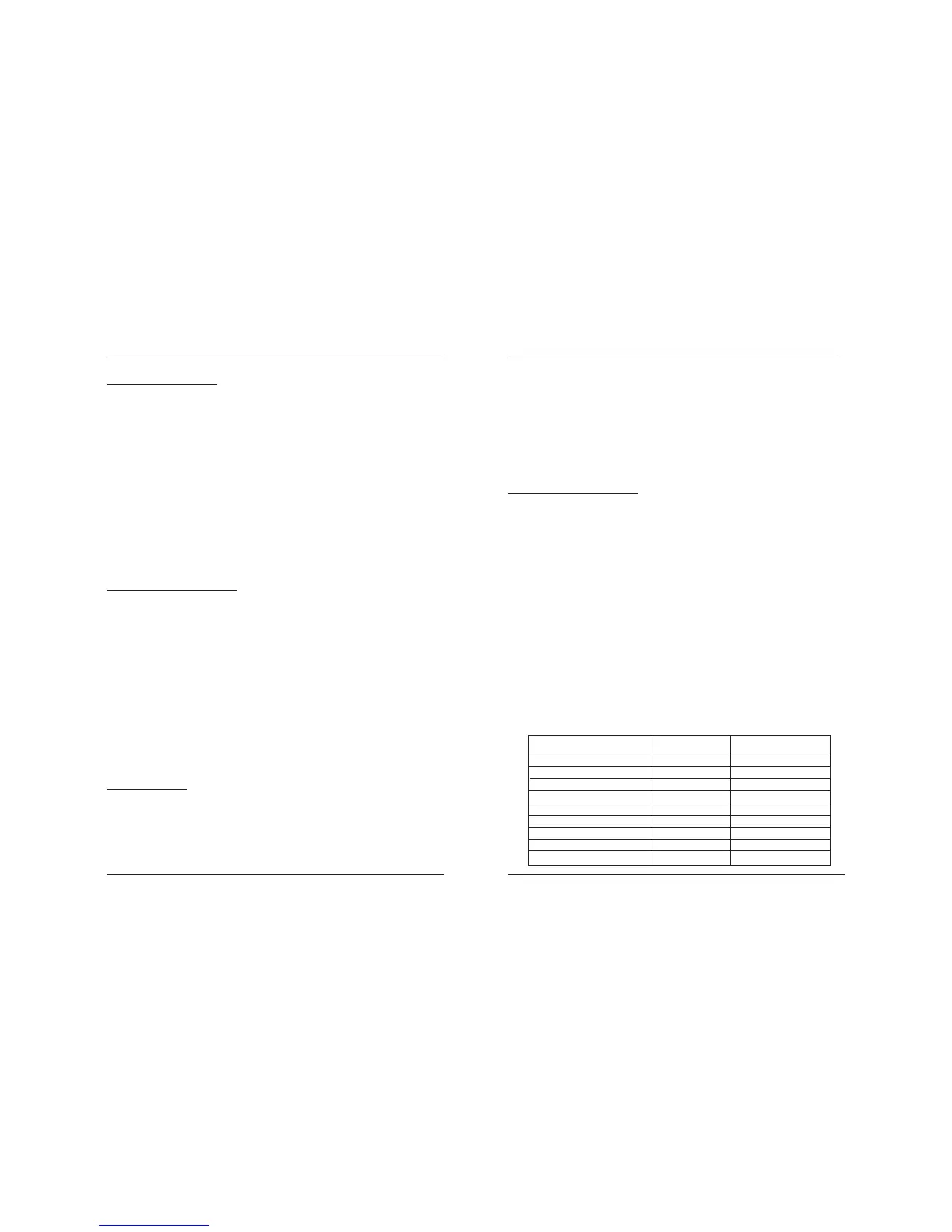
the following table:
User data codewords
-
1 - 31
32 - 63
64 - 127
128 - 255
256 -511
512 - 928
-
-
EC Level
0
1
2
3
4
5
6
7
8
EC codewords
2
4
8
16
32
64
128
256
512
Drawing a rectangle
There are three commands designed for this operation. LO prints in
black, LE inverts the dots located below the line (in the XOR mode),
while LW prints, unconditionally, in white.
Format: LOa,b,c,d or
LEa,b,c,d or
LWa,b,c,d
a Starting coordinate for X: 0 - 2047
b Starting coordinate for Y: 0 - 4095
c Size for X: 1 - 2047
d Size for YL: 1 - 4095
Example: LO10, 10, 100, 200
Draws a rectangle with coordinates (10,10), (110,10),
(110,210) and (10, 210) in black.
Drawing a diagonal line
Format: LS[m]a,b,c,d,e
m Non-compulsory parameter. Possible values:
E mode XOR
W white
a Starting coordinate for X: 0 - 2047
b Starting coordinate for Y: 0 - 4095
c Line thickness: 1 - 80
d End coordinate for X: 0 - 2047
e End coordinate for Y: 0 - 4095
Example: LSE10, 10, 8, 100, 200
Draws a line from coordinate (10,10) to (100,200) 8 dots
thick which inverts the image over which it runs.
Drawing frame
The command generates a rectangular frame with a set line thick-
ness.
Format: Xa,b,c,d,e
a The X coordinate of the right angle: 0 - 2047
b The Y coordinate of the right angle: 0 - 4095



 To Next Page