EN Dateq BCS70 Manual BCS73(E) external hybrid input module 12
BCS73(E) external hybrid input module
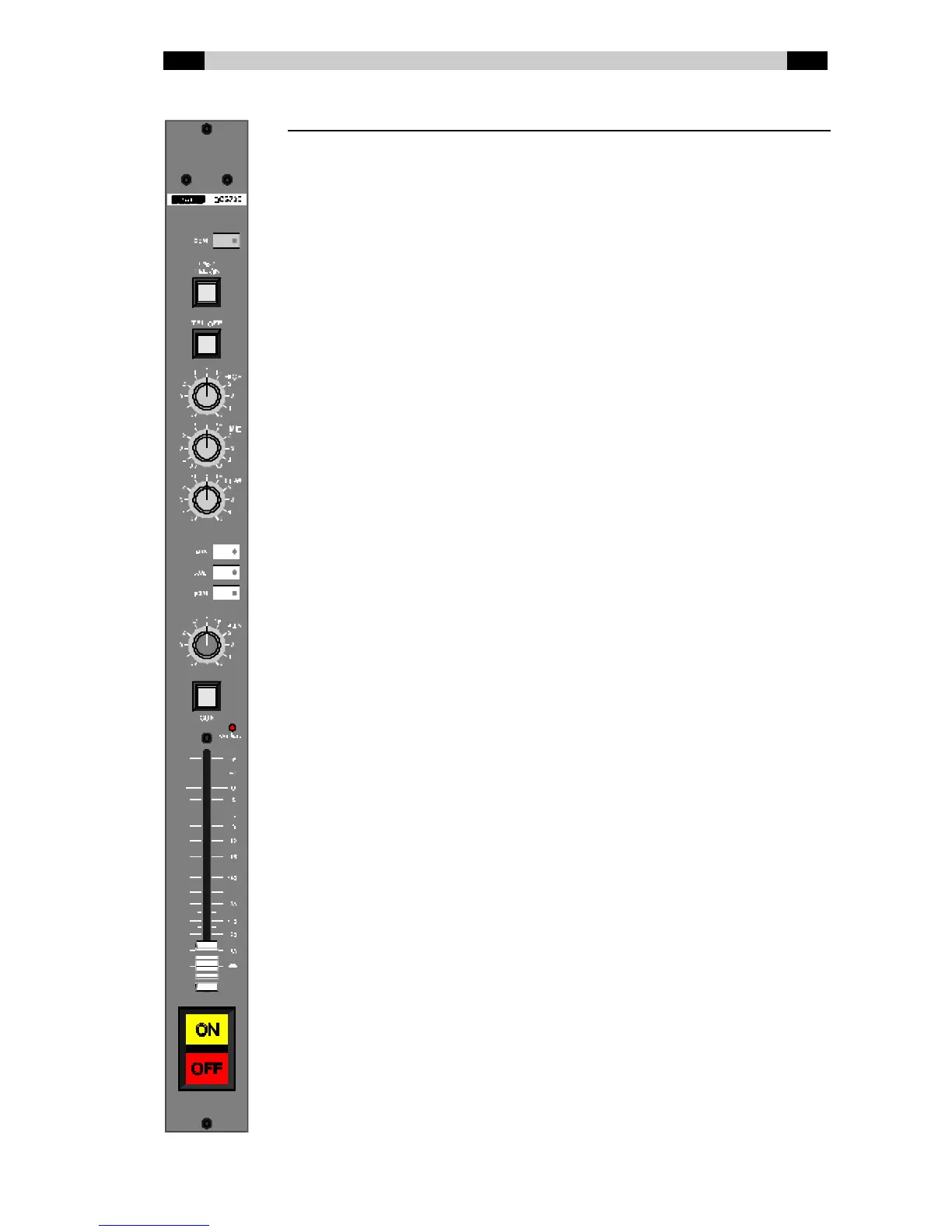
BCS73 Telephone module w ithout tone control
BCS73E Telephone module w ith tone control
Com Sw itches the signal f rom the telephone hybrid to the
COM bus, and sw itches the return signal f rom the
COM bus to the hybrid (see also QDM²).
TEL ON (ringer) Sw itches the external hybrid on (the lamp in this
button flashes quickly if a ring is detected).
TEL OFF Sw itches the external hybrid off if the channel is off
(keep pressed for 1 second to prevent operating
errors).
Hig h High tone control (only on the BCS73E). Shelving: ±
12dB @ 3 kHz.
Mid Mid tone control (only on the BCS73E). Bell curve: ±
16dB @ 1.3 kHz.
Low Low tone control (only on the BCS73E). Shelving: ±
16dB @ 600 Hz.
AUX / AUD / PGM Bus routing sw itches. Sw itch pressed in (LED lit up)
indicates that the signal is being routed from the
module to the bus concerned. AUX can be set on
PRE or POST fader w ith jumpers.
PAN Panorama control. The signal is positioned at the
desired place in the stereo image w ith this.
CUE Monitoring. This button lights up green if the CUE
function on this module is active. The hybrid then
gets the CUE bus as return (see also QDM²). CUE
can not be selected if the channel is on. The button
lights up red if a mute is active.
Ove rload This LED lights up if the signal level anyw here in the
module is too high and distortion can or does occur
(the limit is 6 dB under clip level).
Fade r 100 mm long volume control. Depending on the
jumper settings on the module the volume is
dependent on the AUX bus (POST) or independent
(PRE) of the position of this fader.
ON / OFF Sw itches w ith w hich the channel can be turned on
and off (if button start is conf igured) and / or the
equipment connected can be started / stopped. The
lamps in the sw itches light up dependently of the
channel status (intern tally).



 To Next Page