EN Dateq BCS70 Manual BCS78 master (monitor) module 14
BCS78 master (monitor) module
The master module is constructed using a new concept, w ith
microprocessor control and audio matrix to take care of routing to the
various outputs. Many of the buttons have a double function (see blue
print) w hich is used in the Setup mode.
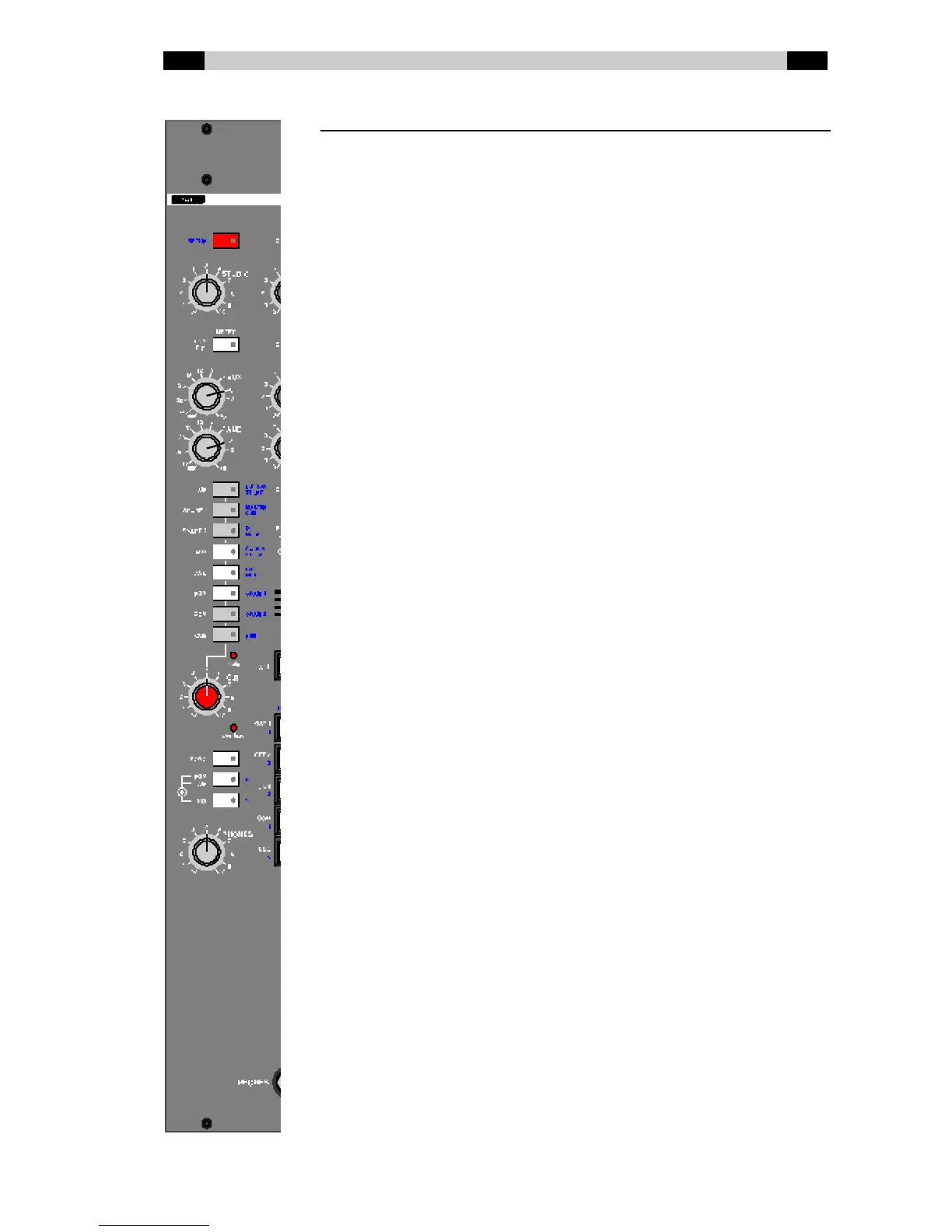
SETUP This is used to select the Setup mode. The LED
in this button flashes in Setup mode.
STUDIO Volume control for the Studio output.
METER PGM / C.R. Source selection for the meter in the meter
bridge: the PGM signal or the signal selected for
the Control Room (sw itch pushed in).
AUX Volume control for the AUX output.
AUD Volume control for the AUD output.
AIR..CUE Selection of the signal on the Control Room
output (and on the Phones output). The active
selection can be seen from the LED w hich lights
up under a button. In Setup mode these LED’s
flash w hen the associated Setup option is
selected. The LED’s in the AIR and PGM button
are dimmed w hen MASTER-CUE is used in
combination w ith MIX.
Mute This LED lights up if the Control Room output is
automatically sw itched off.
C.R. Volume control for the Control Room output.
Ove rload This LED lights up if the signal level in the master
module is too high.
Mono Sw itches the signal from the Control Room to
mono.
PGM / AIR This is used to select to w hich signal the DJ w ill
automatically listen if a DJ channel is on: AIR or
PGM. This selection also determines w hich of
these signals is mixed if another of the signals
from the CR selector panel is being monitored in
combination w ith the MIX function.
MIX Mixes the dimmed signal chosen w ith the
PGM/AIR button w ith the signal selected w ith the
CR selector panel.
PHONES Volume control for the Phones output.



 To Next Page