NL Dateq BCS70 Manual BCS80 program director module 26
BCS80 program director module
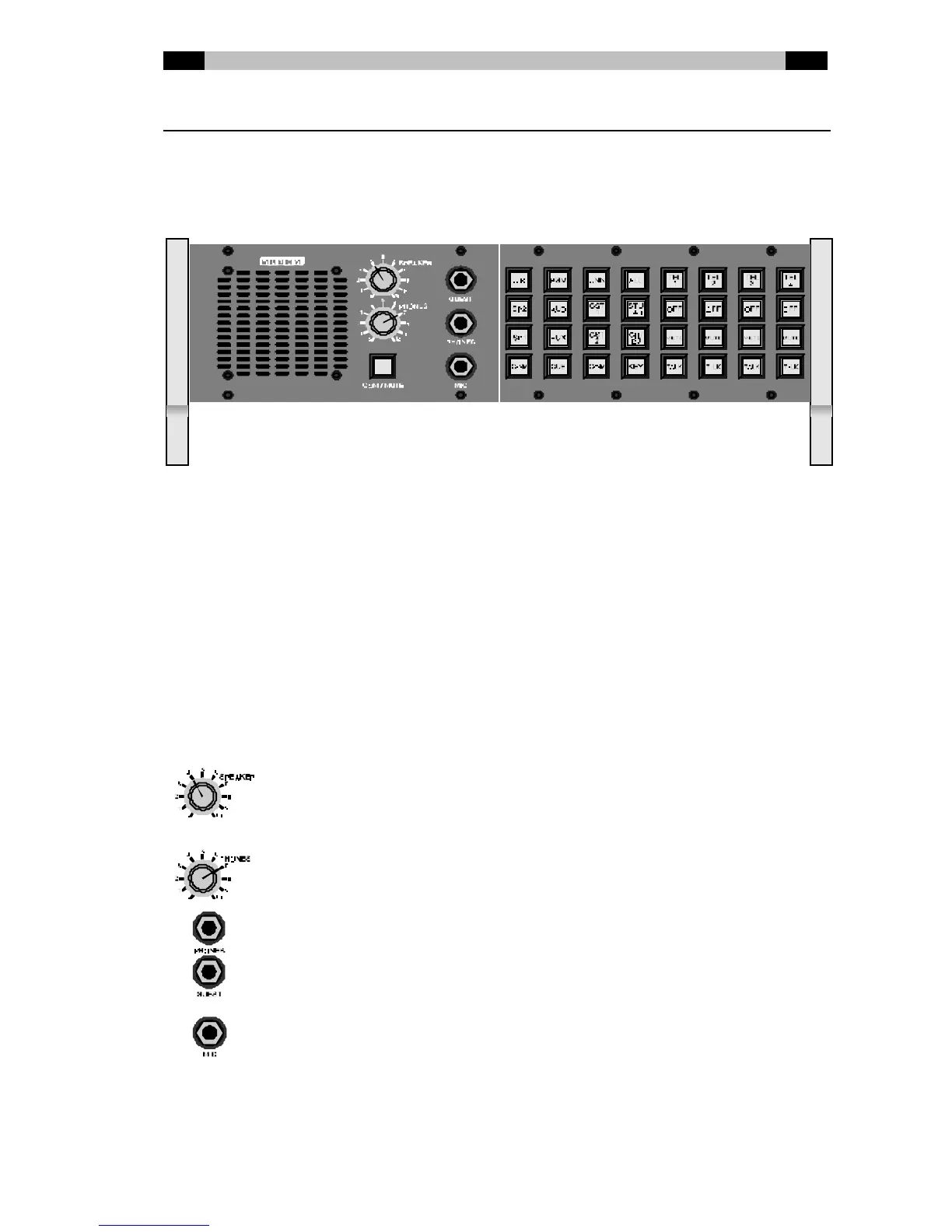
Especially for setups w ith a separate engineer and program director, an optional program
director unit is available. With this unit, the program director is able to choose his monitor
source independent from the source selected by the engineer, and the director is able to
communicate independently to all destinations (guest1, guest2, announcer, COM, etc.).
Control
Internal
loudspeake
r
The selected monitor source can be heard on the external speaker. During
communication, the speaker signal w ill be temporarily muted, to prevent
unwanted background noise in the program director signal.
Internal
microphon
e
The internal microphone is located in the low right corner of the speaker.
There is no need to be close to this microphone for communications: the
volume of your voice w ill be automatically adjusted to a f ixed level. Just look
in the direction of the FXS-station w hile talking, even from a distance of more
than an armlength, the intelligibility will be more than sufficient.
This is the volume-control of the internal speaker. Turn this control fully
counterclockw ise if you don’t w ant to have the monitor-source audible on
the speaker.
This is the volume-control of the headphones. Both the PHONES-output and
the GUEST-output are adjusted with this control.
Headphones output
Extra phones output. To adjust your headphone level, use the PHONES-
volume control.
Connection for an external microphone, for example in a headset. The built-in
microphone is sw itched off as soon as a jack connector is inserted in the
MIC-input. Another w ay of connecting an external microphone is by looping
your normal broadcast microphone through the XLR-input/output at the rear
of the FXS-station. In that case, the sw itch at the back of the FXS-station
has to switched from “int” to “ext”.



 To Next Page