EN Dateq BCS70 Manual Block diagrams 28
BCS81 clock/timer module
The BCS81 clock/timer-module receives its time-of-day-
information from the German DCF77-transmitter at
Mainflingen (near Frankfurt). The range of this transmitter
is approximately 1000 miles. Besides extreme accuracy,
the BCS81 keeps track of daylight-saving-time etc.
Unique is the infra-red remote control for selecting
operation mode and entering time.
Timer
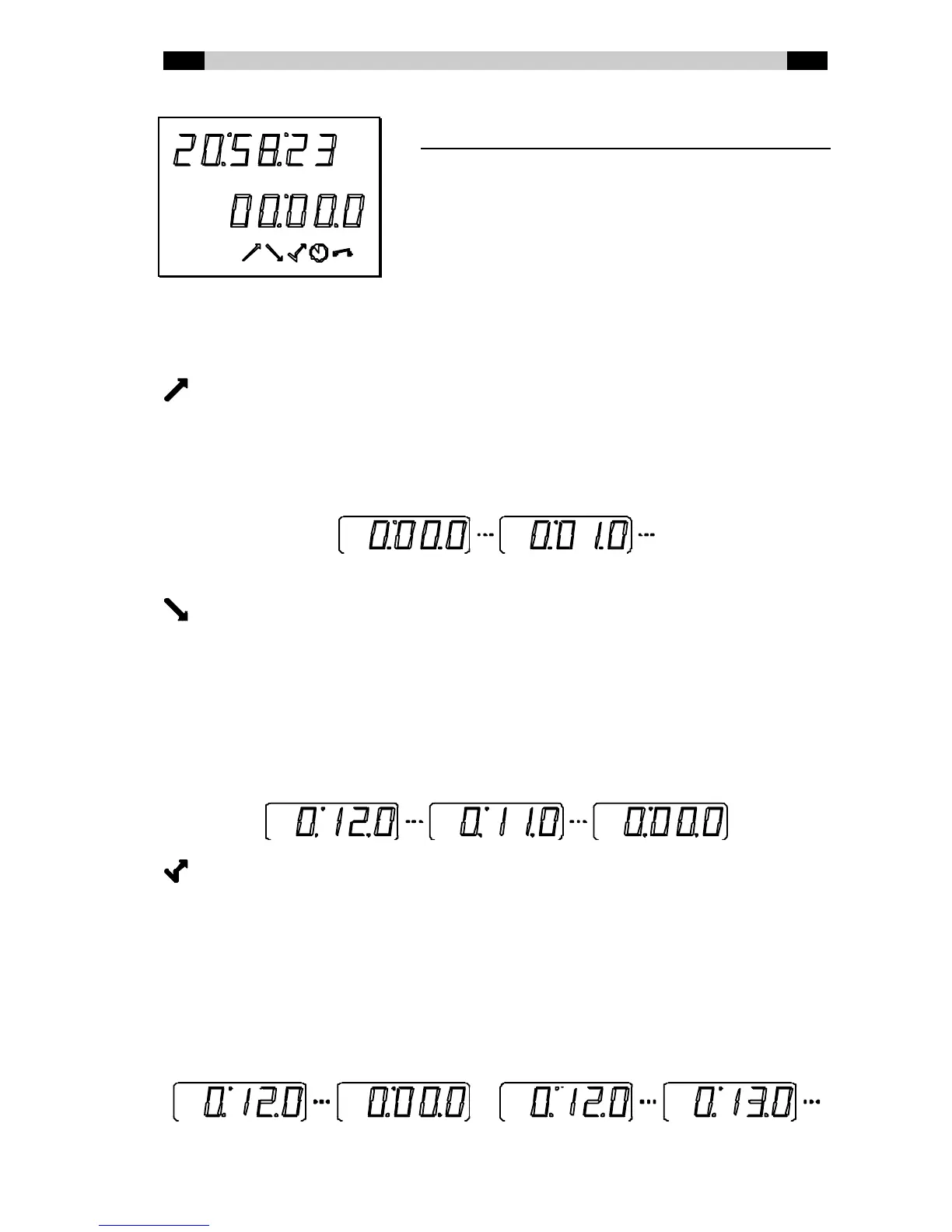
The timer can be used counting up or down. The [MODE]-key selects the desired mode:
TIMER COUNTING UP
In the initial mode the BCS81 counts upw ards from 0:00.0. This mode can be useful for
keeping track of the elapsed time since the last record, jingle or other item w as started.
Triggering the timer w ith a microphone-channel can be useful to monitor the length of the
‘spoken’ parts of a radio-program.
TIMER COUTING DOWN
To indicate the (approaching) end of a pre-recorded item, for example, the BCS81 can be set
in the countdow n-mode. The timer w ill count dow n from a set point to 0:00.0. This time can be
entered with the remote control, for example:
[1] [2] [ENTER]
The timer will start counting down from 0:12.0.
TIMER COUNTING UP/DOWN
During an intro of a (music-) item the timer w ill count dow n to indicate the (approaching) end
of the intro. When 0:00:0 is reached, the timer sw itches to indicating the elapsed time from the
point w here the timer w as triggered. The intro-time can be set from the remote control the
same way, for example:
[1] [2] [ENTER]
The timer will start counting down from 0:12:0 to 0:00:0, then counting up from 0:12:0.



 To Next Page