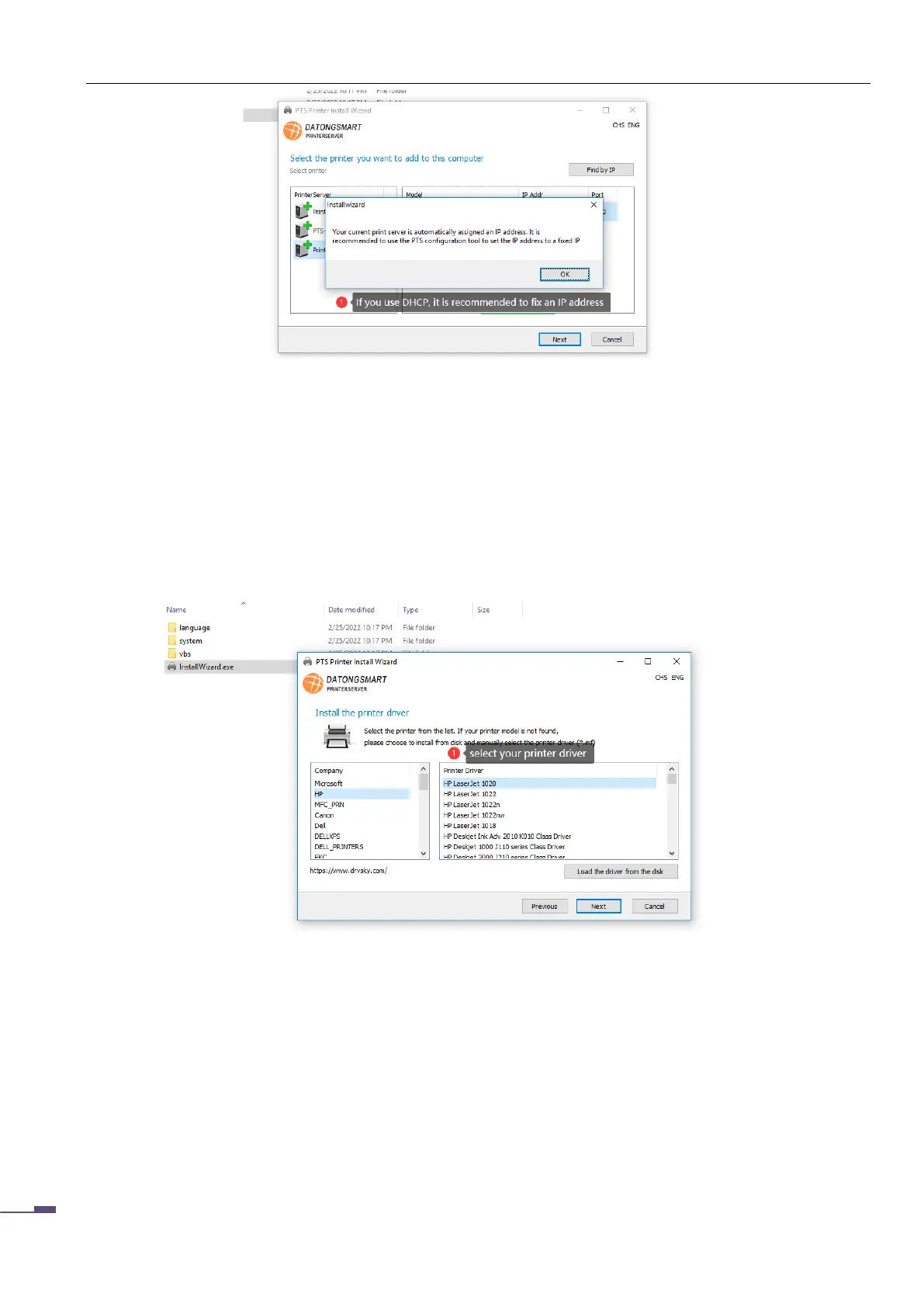
After selecting the print server and printer, click "Next" to enter the printer driver selection. On the
driver selection page, the software can obtain the printer model, and there is a printer driver on the
computer, the software will automatically find the corresponding driver. When there is a driver in the
corresponding printer type that cannot be found in the list, the user can specify the driver file in the disk,
and the file extension is INF file. As shown below:
After selecting the driver file, click "Next" to enter the page of installing the printer. This page
includes the configuration of the printer network port and the printer name. Users can modify the
parameters such as the port name and the printer name, as shown in the following figure:



 To Next Page