8
MAINTENANCE AND CARE
Replacing the Vacuum Bag
NOTE: Unplug the vacuum cleaner from
the electrical outlet before changing the bag.
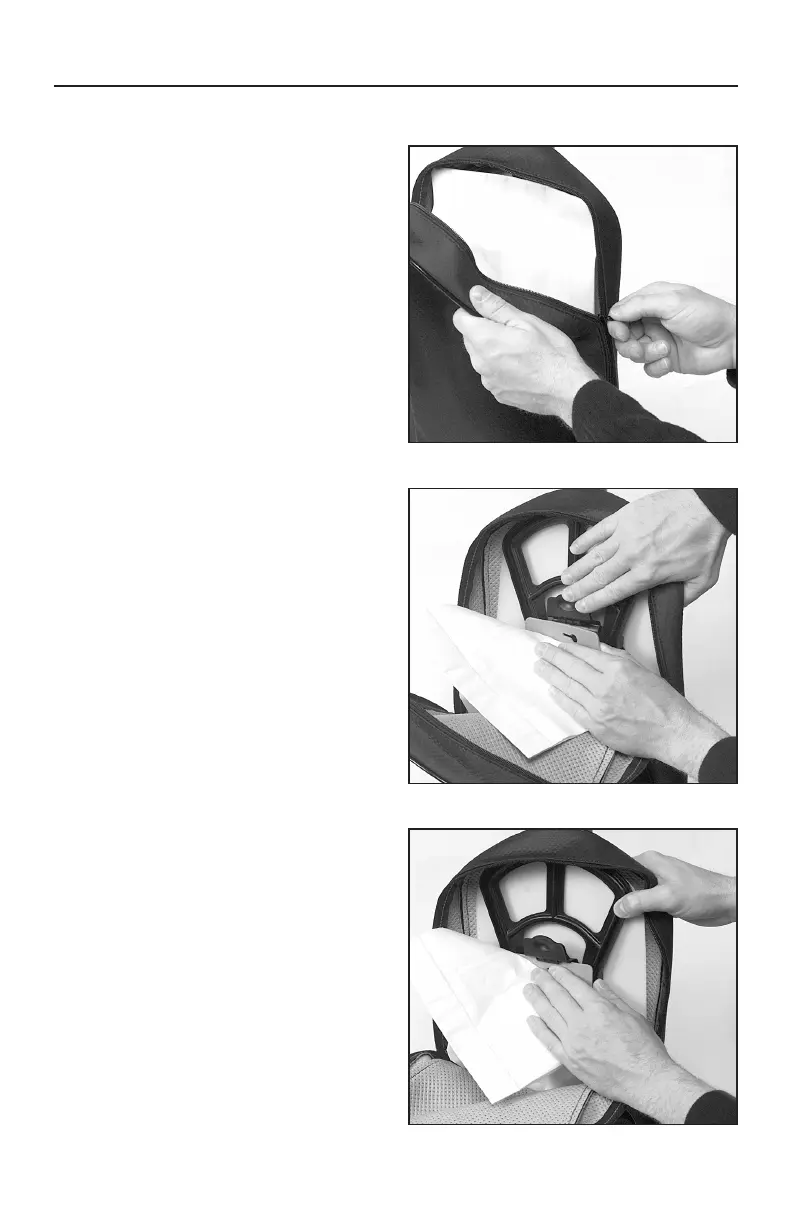
• Unzip the outer cloth bag (Fig. 1).
• Remove the used bag by pressing the
bag holder tab and pulling the bag off
the vacuum (Fig. 2). Discard the used bag.
• To install a new bag, position the
bottom of the bag collar into the bag
collar holder (Fig. 3).
• Push the top of the bag collar inward
until the collar “snaps” into place under
the bag holder tab.
• Zip the outer cloth bag closed.
Fig. 1
Fig. 2
Fig. 3



 To Next Page