9
MAINTENANCE AND CARE
Removing and Reinstalling the
Bottom Plate
CAUTION: To reduce the risk of injury
from moving parts, unplug the vacuum
before servicing.
Removing the Bottom Plate
• After unplugging the power cord,
turn the vacuum cleaner over, exposing
the underside.
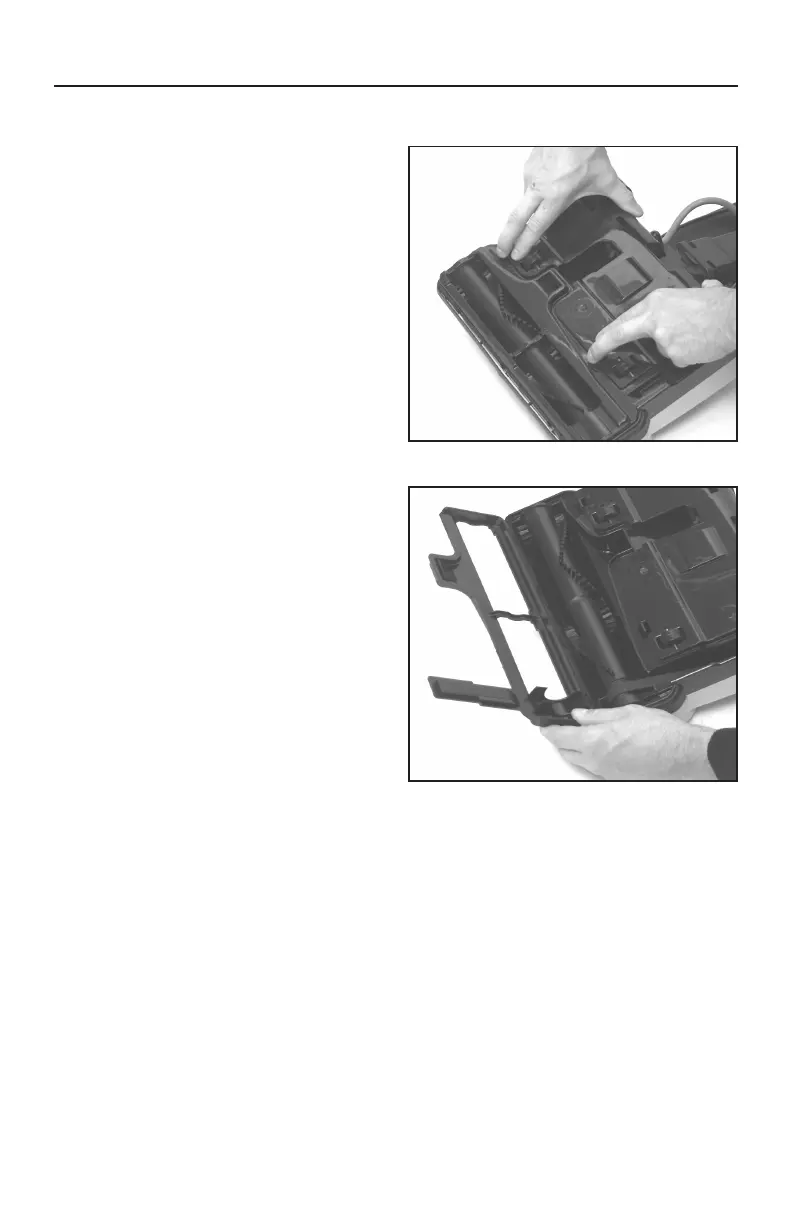
• Press the two holding tabs towards
the back of the nozzle (Fig. 1), releasing the
bottom plate. Remove the bottom plate.
Reinstalling the Bottom Plate
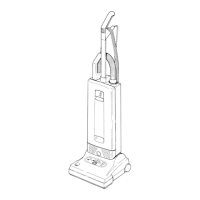
• Make sure bottom plate hinge tabs are
in place before setting the plate (Fig. 2).
• Press the bottom plate into position
until it “clicks” on both sides.
Fig. 1
Fig. 2



 To Next Page