Connecting a Davis Vantage Pro 2 or Vue to Weather Underground Using a
Weatherlink IP Device
Create a free account on the Weather Underground website:
www.wunderground.com.
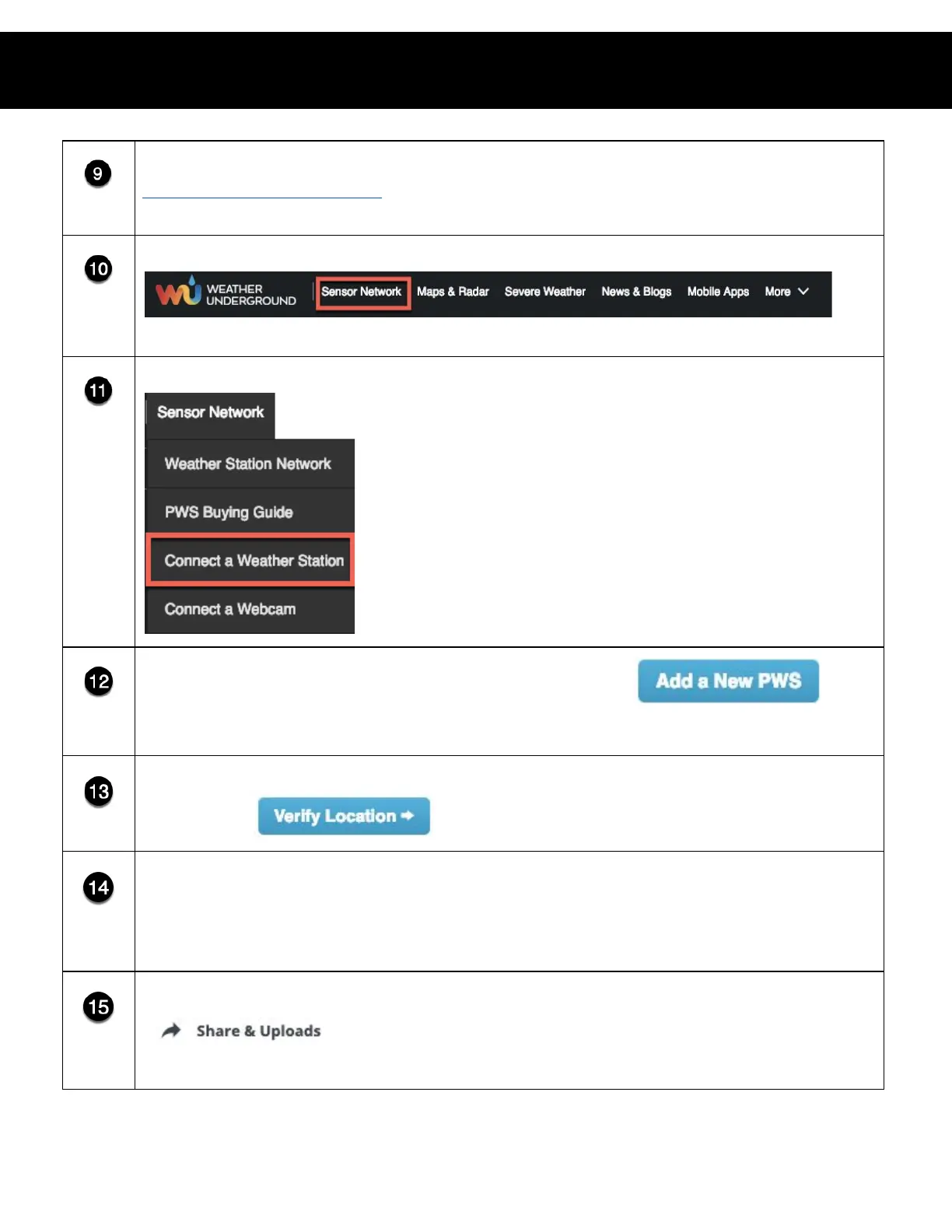
Click Sensor Network on the Weather Underground home page.
Select Connect a Weather Station in the drop-down menu.
Click Add a New PWS (personal weather station).
● If there are other weather stations connected already, you may have to scroll to the bottom of the
page to locate the Add a New PWS button.
Identify your weather station’s location using the map and click Verify
Location.
Enter required information and click Submit. If done correctly, this will
generate a Weather Station ID and a Station Key. Write down both the
Station ID and Station Key from Weather Underground.
Return to the Weatherlink website and click the Share & Uploads button.














 To Next Page