Page 17 of 52
Example:
>"CLRCAL"<LF>
<"OK"<LF><CR>
-- After some time passes --
<"DONE"<LF><CR>
"CLRGRA"
It clears all of the graph points on the Vantage console.
Example:
>"CLRGRA"<LF>
<"OK"<LF><CR>
-- After some time passes --
<"DONE"<LF><CR>
"CLRVAR <Data variable-decimal>"
It clears a rain or ET data value from the following table:
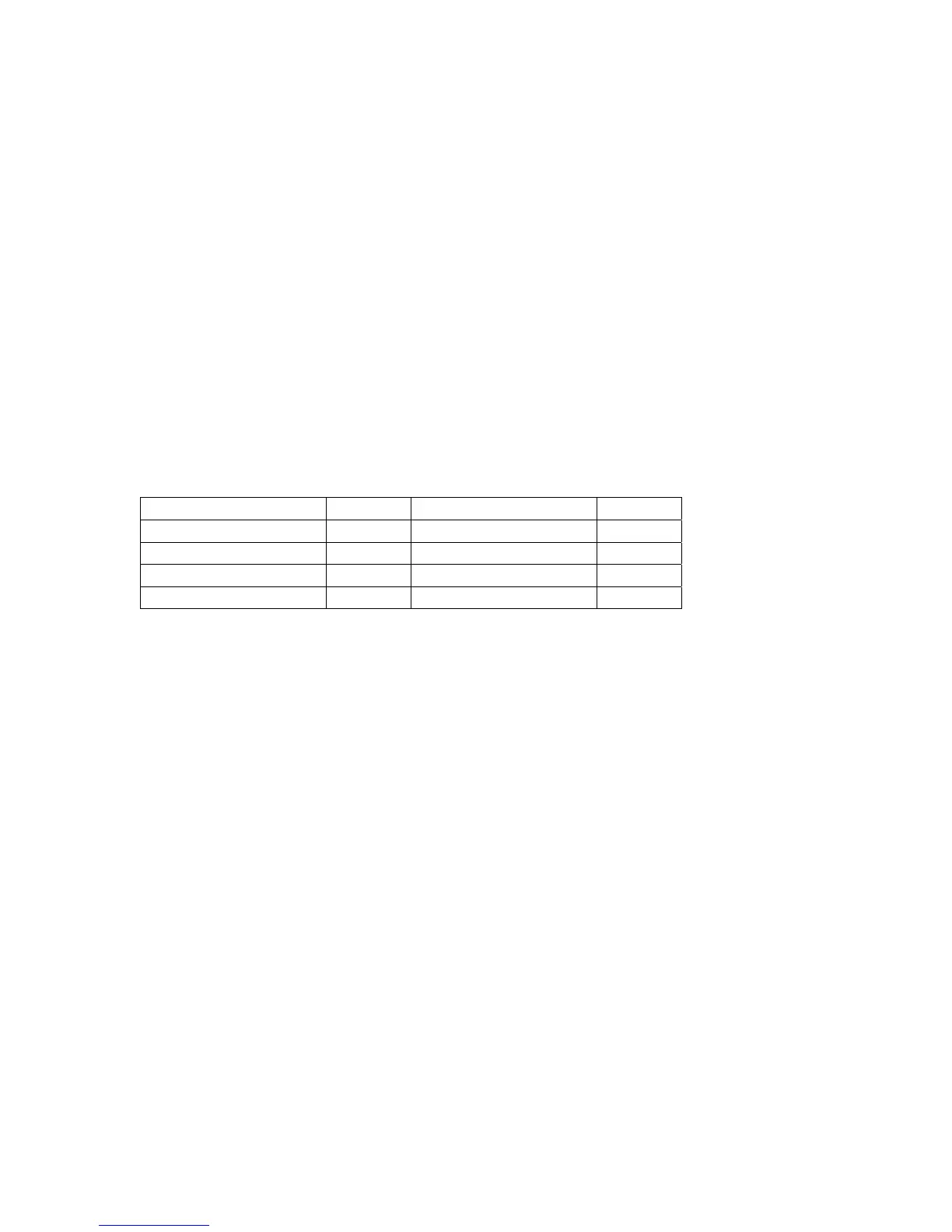
Rain Variable Name Number ET Variable Name Number
Daily Rain 13 Day ET 26
Storm Rain 14 Month ET 25
Month Rain 16 Year ET 27
Year Rain 17
Results are undefined if you use a number not on this list
Example (Clear Month Rain value):
>"CLRVAR 16"<LF>
<<ACK>
"CLRHIGHS <0, 1, or 2>"
It clears all of the daily (0), monthly (1), or yearly (2) high values
Example (Clear Monthly High values):
>"CLRHIGHS 1"<LF>
<<ACK>
"CLRLOWS <0, 1, or 2>"
It clears all of the daily (0), monthly (1), or yearly (2) low values
Example (Clear Yearly Low values):
>"CLRLOWS 2"<LF>
<<ACK>




 To Next Page