
 Need help?
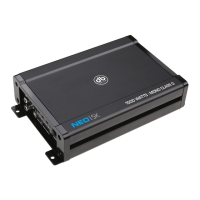
Do you have a question about the DB Drive EUPHORIA M350 and is the answer not in the manual?
Protects the car's battery from short circuits by fusing the power wire within 12 inches of the battery.
Use high-grade barrier spades and terminal rings for maximum power transfer and secure connections.
Avoid running wires underneath the vehicle; route through carpet or side panels for protection and a clean installation.
Be aware of vehicle components like gas lines, brake lines, and wires when mounting to avoid damage or hazards.
Run signal wires away from electrical wires to prevent induced noise like popping or engine noise.
Keep ground wires as short as possible and connect all units at a single point to minimize ground loops.
Use grommets to protect wires from sharp edges, preventing shorts and damage when passing through the firewall.
Protects speakers from direct current by shutting down the amplifier if DC voltage is detected at the output stage.
Prevents amplifier damage from speaker or wiring shorts by automatically shutting down the unit.
Shuts down the amplifier when it reaches excessively high operating temperatures to prevent circuitry damage.
Features variable crossovers for precise low pass filtering on mono amps and multi-channel HP/LP X-Over.
Provides heavy gauge blocks for maximum power and signal transfer with minimal resistance.
Offers full range line outputs, buffered to reduce signal loss, for connecting additional amplifiers.
Allows linking of identical models (M500, M1000, M2000) to double output power, with one unit acting as master.
Protects the amplifier against short circuits and excessive current draw.
Automatically turns the amplifier on/off with the head unit's remote output for power saving and protection reset.
Allows fine-tuning of the level matching between the audio source and the power amplifier for optimal performance.
Uses LEDs to indicate power status (blue), signal clipping (orange/red), and protection activation (red).
Lists stable impedance loads for various Euphoria amplifier models (e.g., 2 Ohm Stereo, 1 Ohm Mono).
Choose a location with adequate ventilation, avoiding vehicle hazards like fuel lines or electrical wiring.
Use appropriate gauge wire (4-8 gauge) for the +12V connection, fusing within 12" of the battery.
Use a short, thick gauge (4-8 gauge) wire to connect the ground terminal to a clean, paint-free chassis point.
Connect the "remote" terminal to the head unit's remote output or power antenna wire for automatic on/off control.
Connect the head unit's RCA outputs to the amplifier's RCA input terminals using quality cables, routed away from electrical wires.
Connect speaker wire (16 gauge+) to terminals, ensuring correct phasing (+ to +, - to -) for optimal bass response.
Use 16 gauge+ speaker wire, ensuring correct phasing (+ to +, - to -) for strong bass response.
Diagram showing dual bridged connection for amplifiers, requiring a minimum 4 Ohm load to prevent overheating.
Diagram illustrating speaker connections for a 4-channel amplifier setup.
Connect like models (M500, M1000, M2000) to double output power; master controls all inputs and gains.
Find an accessible mounting location and run the control wire away from vehicle wiring to prevent noise.
Features variable crossovers for HP, LP, and Bandpass filtering modes on channels 1-4.
Adjust gain control to match source output without distortion, ideally at 3/4 radio volume.
Identifies common issues like no output, low output, engine noise, and red protection LED illumination.
Provides solutions for issues such as blown fuses, bad cables, improper connections, and grounding problems.
 General
| Minimum Impedance Unbridged | 2 Ohms |
|---|---|
| Input Sensitivity | 200mV - 6V |
| Bass Boost Frequency | 45Hz |
| Minimum Impedance Bridged | 4 Ohms |
| Crossover Type | LP |
| Bass Boost | 0dB / +6dB / +12dB |



 To Next Page