EasyManua.ls Logo

dbx 363X - Page 10

dbx 363X
34 pages
Print Icon
To Next Page IconTo Next Page
To Previous Page IconTo Previous Page
Loading...
Connecting
The
363X
To
Your
System
dbx
363X
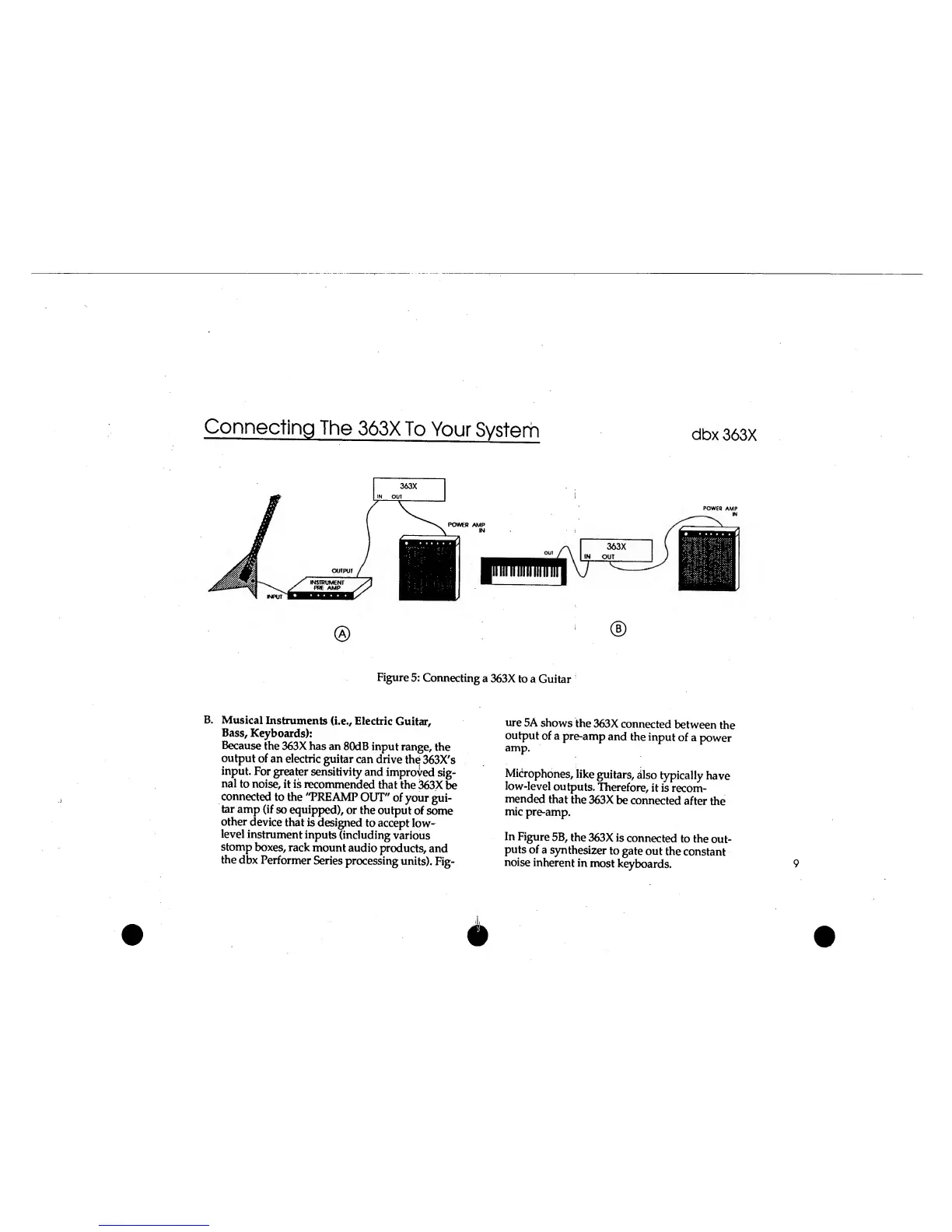
Figure
5:
Connecting
a
363X
to
a
Guitar
B.
Musical
Instruments
(i.e., Electric
Guitar,
Bass,
Keyboards):
Because
the
363X has
an
80dB
input
range,
the
output
of
an
electric
guitar
can drive
the
363X's
input.
For
greater
sensitivity
and
improved
sig-
nal
to
noise,
it is
recommended
that
the
363X
be
connected
to the
"PRE
AMP
OUT"
of
your
gui-
tar
amp
(if
so
equipped),
or
the
output
of
some
other
device
that
is
designed
to accept
low-
level
instrument
inputs
(including
various
stomp
boxes,
rack
mount
audio
products,
and
the
dbx
Performer
Series
processing
units).
Fig-
ure
5A
shows
the
363X
connected
between
the
output
of
a
pre-amp
and
the
input
of a
power
amp.
Microphones,
like
guitars,
also
typically
have
low-level
outputs.
Therefore,
it
is
recom-
mended
that
the
363X
be
connected
after
the
mic
pre-amp.
In
Figure
5B,
the
363X
is
connected
to the
out-
puts
of
a
synthesizer
to
gate
out
the
constant
noise
inherent
in
most
keyboards.
9

Related product manuals