8
Setting Initial System Levels
Properly setting system levels will help keep distortion and noise levels down, improve anti-feedback operation, and provide
ample headroom for clean and safe operation of the sound system.
To set system levels:
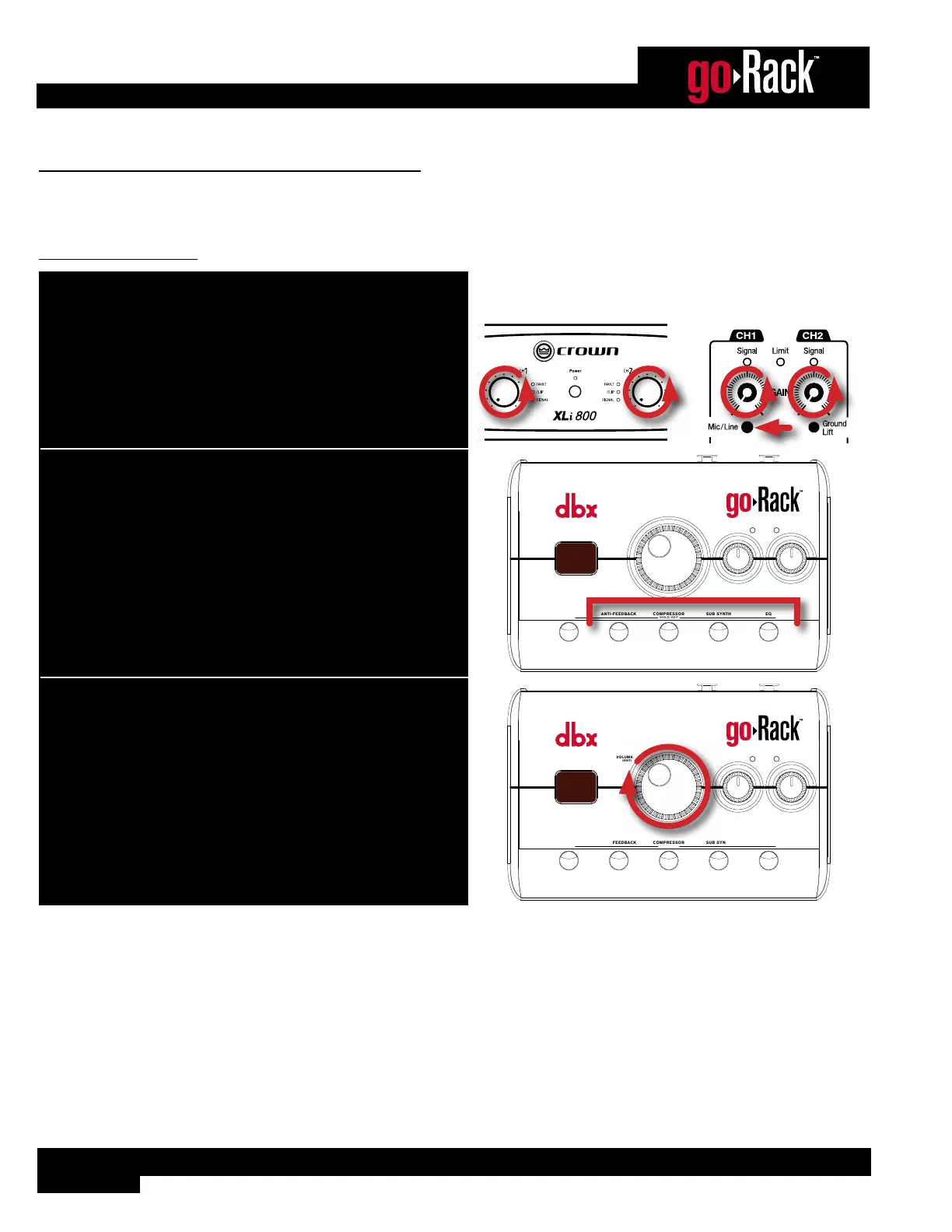
1. Turn down your amp or powered speaker levels. If your powered
speakers have Mic/Line switches, set them to “Line”.
Amplifier or
Speakers
2. Make sure all processors are turned off.
ANTI-FEEDBACKMUTE
VOLUME
(EDIT)
MODE
EQCOMPRESSOR
(HOLD) EDIT
SUB SYNTH
INPUT
SIGNAL
LEFT RIGHT
9 9
6
0
3. Turn the VOLUME encoder to 70.
ANTI-FEEDBACKMUTE
VOLUME
(EDIT)
MODE
EQCOMPRESSOR
(HOLD) EDIT
SUB SYNTH
INPUT
SIGNAL
LEFT RIGHT
9 9
7
0


 To Next Page