21
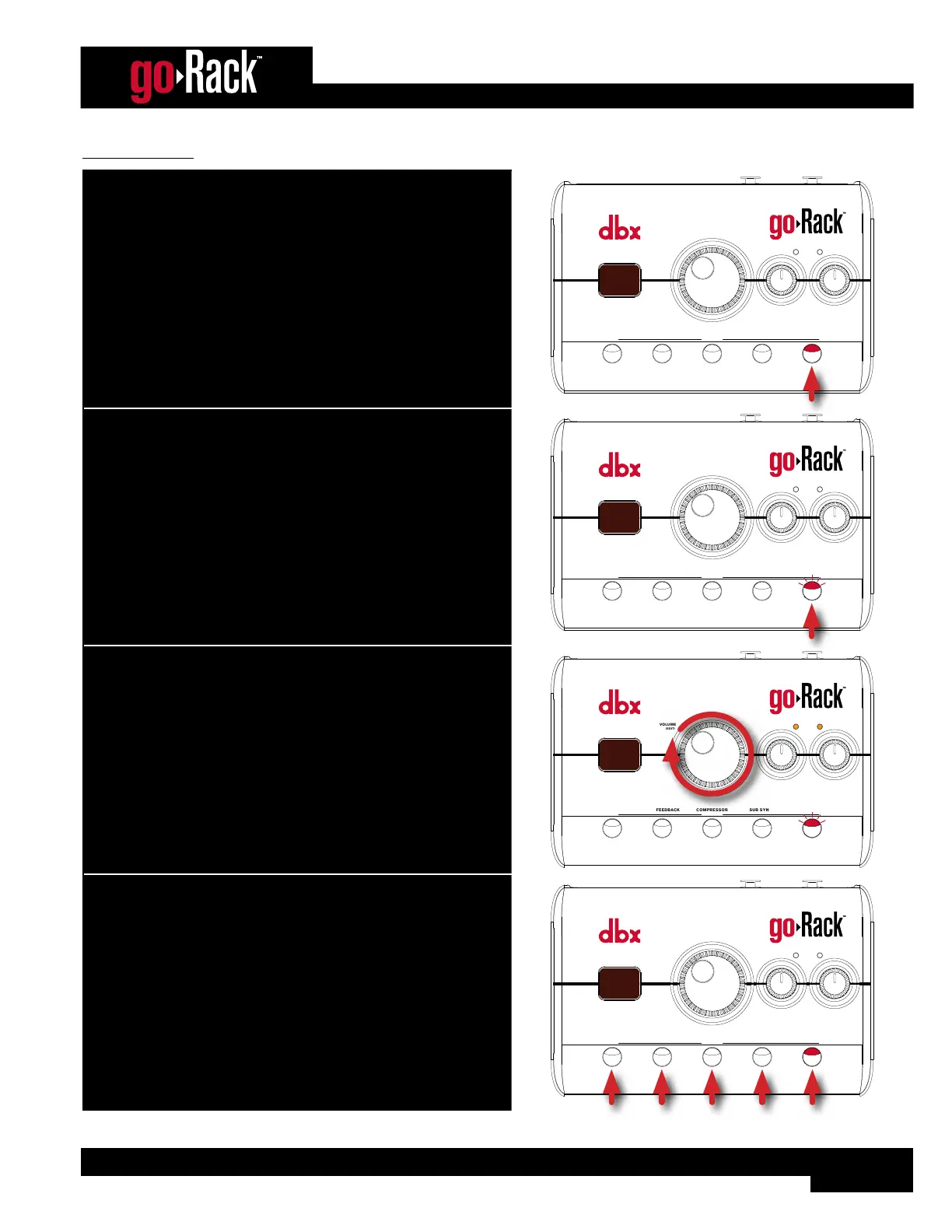
To use the EQ:
1. Press the EQ button to enable the EQ module (the LED will light,
indicating the processing module is enabled).
ANTI-FEEDBACKMUTE
VOLUME
(EDIT)
MODE
EQCOMPRESSOR
(HOLD) EDIT
SUB SYNTH
INPUT
SIGNAL
LEFT RIGHT
9 9
7
0
2. To change the EQ setting, press and hold the EQ button for 2
seconds (the EQ LED will flash, indicating EQ Edit mode is active).
ANTI-FEEDBACKMUTE
VOLUME
(EDIT)
MODE
EQCOMPRESSOR
(HOLD) EDIT
SUB SYNTH
INPUT
SIGNAL
LEFT RIGHT
9 9
1
3. While auditioning the sound system, turn the VOLUME (EDIT)
encoder and select the EQ curve that sounds best for the
application.
ANTI-FEEDBACKMUTE
VOLUME
(EDIT)
MODE
EQCOMPRESSOR
(HOLD) EDIT
SUB SYNTH
INPUT
SIGNAL
LEFT RIGHT
9 9
5
4. When done, press any button to exit Edit mode.
ANTI-FEEDBACKMUTE
VOLUME
(EDIT)
MODE
EQCOMPRESSOR
(HOLD) EDIT
SUB SYNTH
INPUT
SIGNAL
LEFT RIGHT
9 9
7
0


 To Next Page