9
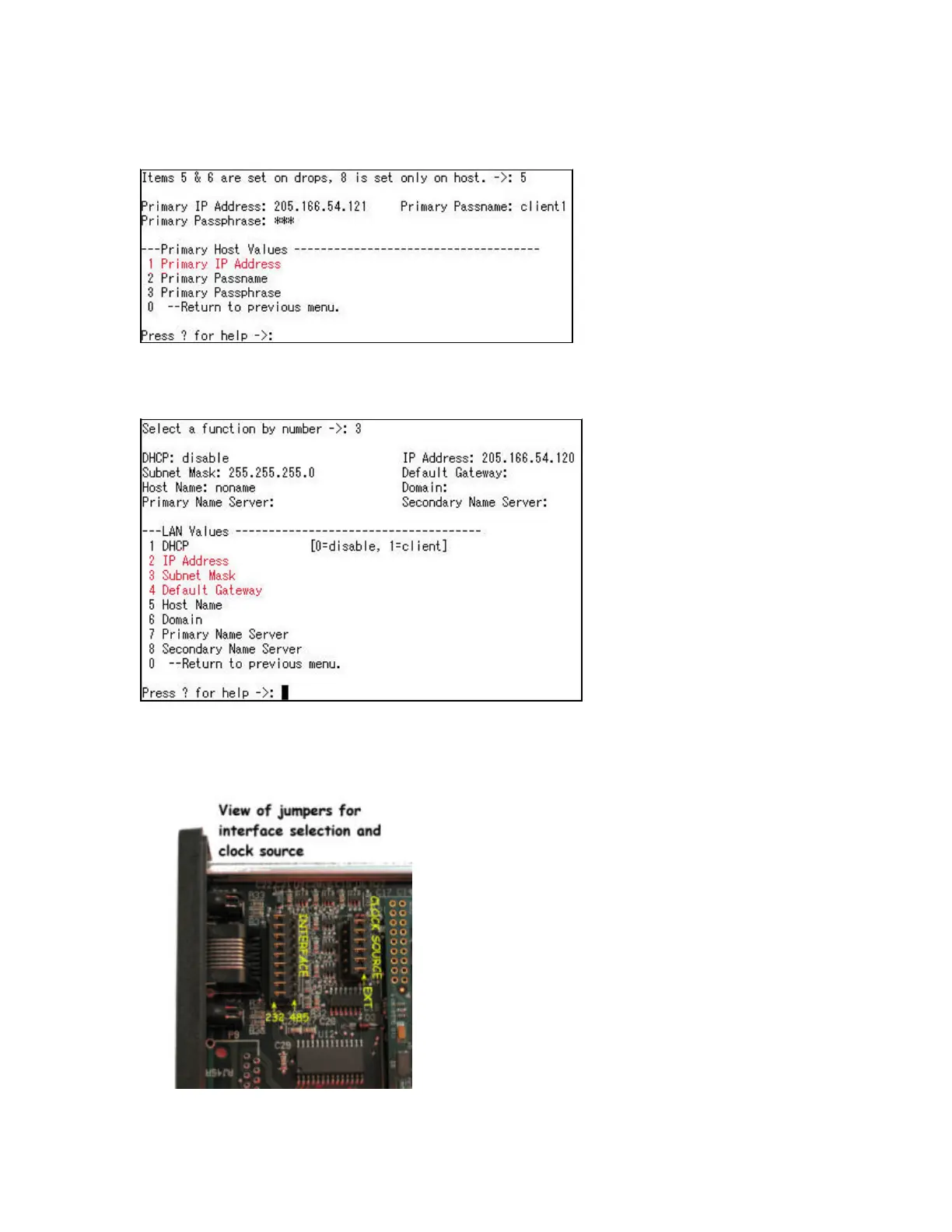
The address of the host is entered per the following example:
->: 1 192.168.10.10
In the “LAN Values” menu, enter the IP Address, the Subnet Mask and the Default Gateway for the
unit. This is required in both the Host and the Drop units.
In the “HDLC Port Values” menu, enter the clock choice for the drops and the host. The default is
Internal Clock. There are jumpers inside the EST-9600 that must be set to match the software
setting. See the photos below for details on changing the clock source jumpers.
The internal jumpers are accessed by removing the 2
Phillips head screws that hold on the front panel. Remove
the 2 screws and slide the circuit board forward to expose
the jumpers. There are 2 sets of jumpers. The longer set
of jumpers nearest the front panel set the HDLC serial
interface to RS232 when toward the front panel or
RS422/RS485/RS530 when set away from the front. The
smaller set of jumpers about an inch further back set the
clock source to internal when set toward the front and
external clock when set toward the rear.
Defaults are RS232 electrical interface and internal clock
source.



 To Next Page