EasyManua.ls Logo

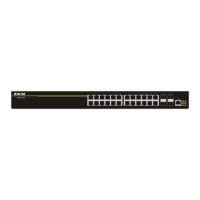
DCN S4600-28P-SI - User Manual

Default Icon
22 pages
Print Icon
To Next Page IconTo Next Page
Loading...
S4600 series Installation manual Content
1
Content
Chapter 1 Introduction ............................................................. 1-1
1.1 Product Brief ................................................................................... 1-1
1.2 Physical Specifications .................................................................. 1-2
1.3 Description of Hardware ................................................................ 1-3
1.3.1 Front Panel............................................................................................... 1-3
1.3.2 Back Panel ............................................................................................... 1-4
1.3.3 Status LEDs ............................................................................................. 1-5
1.3.4 Front Panel Port Description ............................................................... 1-11
Chapter 2 Hardware Installation .............................................. 2-1
2.1 Installation Notice ........................................................................... 2-1
2.1.1 Environmental Requirements ................................................................ 2-1
2.1.2 Installation Notice ................................................................................... 2-4
2.1.3 Security Warnings ................................................................................... 2-4
2.2 Installation Preparation .................................................................. 2-5
2.2.1 Verify the Package Contents .................................................................. 2-5
2.2.2 Required Tools and Materials ................................................................ 2-6
2.3 Installation Guide ............................................................................ 2-6
2.3.1 Installing the Switch ............................................................................... 2-6
2.3.2 Connecting Console ............................................................................... 2-7
2.3.3 SFP Transceiver Installation .................................................................. 2-8
2.3.4 Copper Cable/Fiber Cable Connection ................................................. 2-8
2.3.5 Power Supply Connection ..................................................................... 2-9

Other manuals for DCN S4600-28P-SI

Question and Answer IconNeed help?

Do you have a question about the DCN S4600-28P-SI and is the answer not in the manual?

Summary

Chapter 1 Introduction

1.1 Product Brief

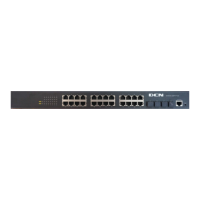
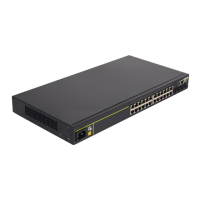
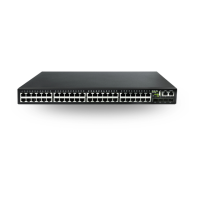
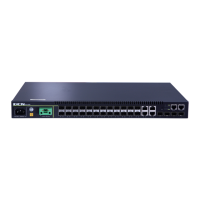
Overview of S4600 series switches, detailing layer 2 capabilities and various models with port configurations.

1.2 Physical Specifications

Lists physical attributes: management port, AC power, power consumption, temperatures, dimensions for different models.

1.3 Description of Hardware

Details the hardware components of the S4600 series switches.

1.3.1 Front Panel

Details front panel components for S4600 models: ports, buttons, LEDs, and power sockets.

1.3.2 Back Panel

Illustrates and describes back panel components for S4600 series switches.

1.3.3 Status LEDs

Details status indicators for ports and system across S4600 models, covering port link/activity and system power/diagnostic LEDs.

1.3.4 Front Panel Port Description

Describes specifications for RJ-45 ports and various SFP transceiver types supported by the S4600 series.

Chapter 2 Hardware Installation

2.1 Installation Notice

Provides critical installation guidance including environmental requirements, general notices, and security warnings.

2.1.1 Environmental Requirements

Outlines site requirements: cleanliness, temperature, humidity, power, grounding, and interference avoidance for optimal performance.

2.1.2 Installation Notice

Provides general installation instructions: preparation, tools, ESD protection, and post-installation cleanup.

2.1.3 Security Warnings

Warns about potential eye injury from laser light emitted by SFP transceivers during operation.

2.2 Installation Preparation

Details essential preparation steps before installing the switch.

2.2.1 Verify the Package Contents

Instructs checking switch and accessory kit contents to ensure all items are present and correct.

2.2.2 Required Tools and Materials

Lists necessary tools and utilities for installation: screwdrivers, ESD wrist strap, and antistatic uniform.

2.3 Installation Guide

Provides step-by-step procedures for installing the switch.

2.3.1 Installing the Switch

Details attaching brackets and mounting the switch into a 19-inch rack, ensuring adequate ventilation.

2.3.2 Connecting Console

Explains connecting the console port via RJ45 cable to a PC for switch configuration.

2.3.3 SFP Transceiver Installation

Provides steps for installing SFP transceivers: ESD precautions and proper insertion techniques.

2.3.4 Copper Cable;Fiber Cable Connection

Guides connecting copper Ethernet and fiber optic cables to switch ports, including status checks.

2.3.5 Power Supply Connection

Details connecting the power cable, checking power status, and the switch's self-test upon startup.

Summary

Chapter 1 Introduction

1.1 Product Brief

Overview of S4600 series switches, detailing layer 2 capabilities and various models with port configurations.

1.2 Physical Specifications

Lists physical attributes: management port, AC power, power consumption, temperatures, dimensions for different models.

1.3 Description of Hardware

Details the hardware components of the S4600 series switches.

1.3.1 Front Panel

Details front panel components for S4600 models: ports, buttons, LEDs, and power sockets.

1.3.2 Back Panel

Illustrates and describes back panel components for S4600 series switches.

1.3.3 Status LEDs

Details status indicators for ports and system across S4600 models, covering port link/activity and system power/diagnostic LEDs.

1.3.4 Front Panel Port Description

Describes specifications for RJ-45 ports and various SFP transceiver types supported by the S4600 series.

Chapter 2 Hardware Installation

2.1 Installation Notice

Provides critical installation guidance including environmental requirements, general notices, and security warnings.

2.1.1 Environmental Requirements

Outlines site requirements: cleanliness, temperature, humidity, power, grounding, and interference avoidance for optimal performance.

2.1.2 Installation Notice

Provides general installation instructions: preparation, tools, ESD protection, and post-installation cleanup.

2.1.3 Security Warnings

Warns about potential eye injury from laser light emitted by SFP transceivers during operation.

2.2 Installation Preparation

Details essential preparation steps before installing the switch.

2.2.1 Verify the Package Contents

Instructs checking switch and accessory kit contents to ensure all items are present and correct.

2.2.2 Required Tools and Materials

Lists necessary tools and utilities for installation: screwdrivers, ESD wrist strap, and antistatic uniform.

2.3 Installation Guide

Provides step-by-step procedures for installing the switch.

2.3.1 Installing the Switch

Details attaching brackets and mounting the switch into a 19-inch rack, ensuring adequate ventilation.

2.3.2 Connecting Console

Explains connecting the console port via RJ45 cable to a PC for switch configuration.

2.3.3 SFP Transceiver Installation

Provides steps for installing SFP transceivers: ESD precautions and proper insertion techniques.

2.3.4 Copper Cable;Fiber Cable Connection

Guides connecting copper Ethernet and fiber optic cables to switch ports, including status checks.

2.3.5 Power Supply Connection

Details connecting the power cable, checking power status, and the switch's self-test upon startup.

DCN S4600-28P-SI Specifications

General IconGeneral
BrandDCN
ModelS4600-28P-SI
CategorySwitch
LanguageEnglish

Related product manuals